
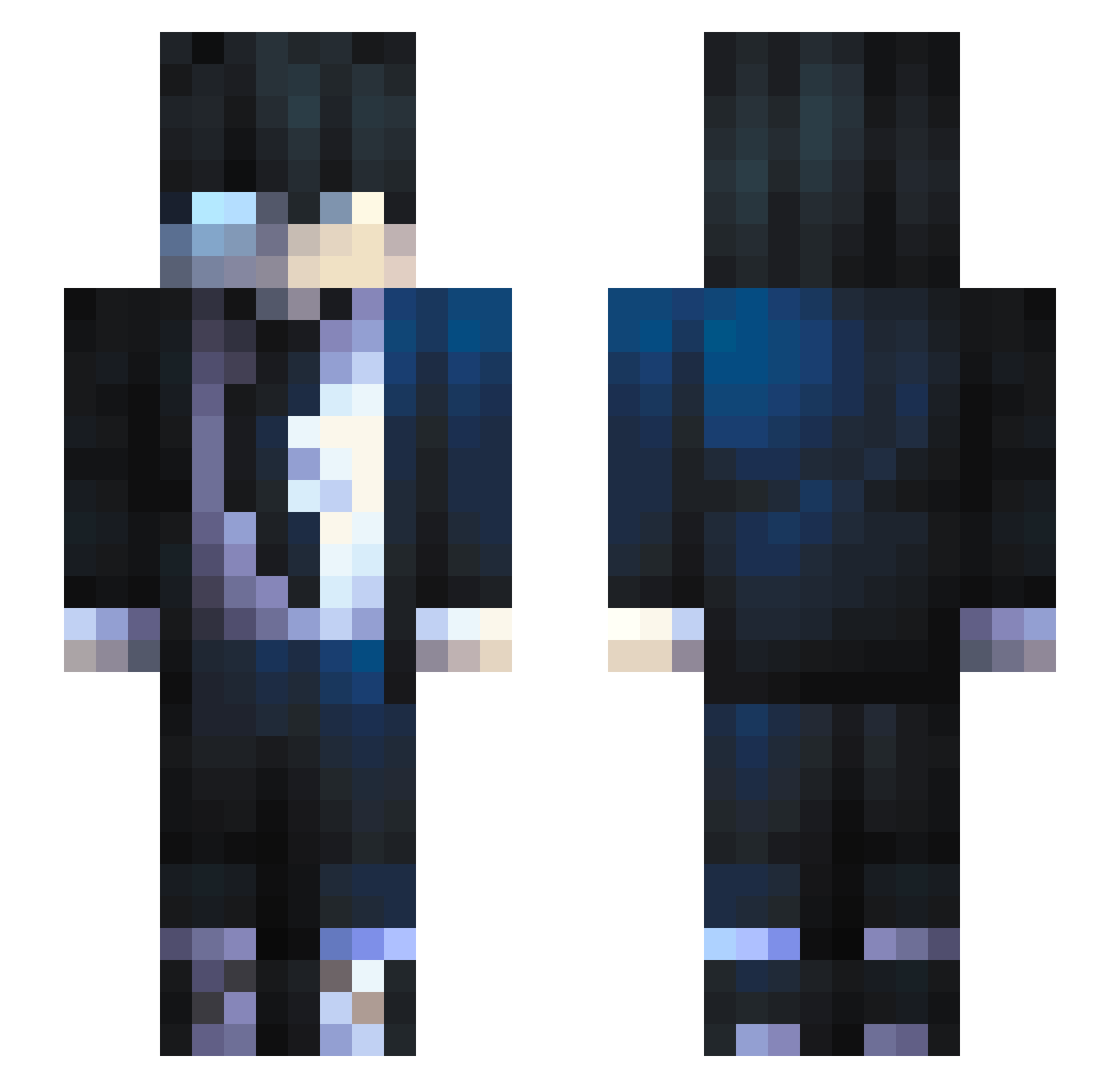
Current Minecraft skin of the player kauasert23, loaded from the official Mojang API. Rotate the 3D model with your mouse or finger, then download the skin as a PNG file and use it in Minecraft: Bedrock Edition or Java Edition for free. When kauasert23 changes their skin, this page updates automatically and the old skin stays in the history below.
Other players with this skin (508)
kauasert23 was the 110th player we have seen with this skin, first spotted on 13.08.2026. The same skin was seen on these players. Open a nickname to see their current skin and skin history.
 itachi__uchiha1 NoaSkud Robdriel Cobbb09 Lotben Alepunk456 _Krzemo ElAdris28 JSnak3 MleszykGaming Happy3fps Crqstyy ChronoVaL CD667 BrunoTremBala SwedishFish__ Lu_15 lauti2707 young_kapi badboi16 Moreno_provocant Markkun2007 Eldr1tch96 BouNtaaa 9Jke Decayst raventaill36 beaaaaaa429 ItzMich25 VladIIIDracul OOO417 TofuDriver12 FS29Pilou
 Meyr1u_u Tykonicc IamVayne ClasicSweetTea C4rvalh0 MightyKonder FizzyVal EvilBurst piroperla Vi7oR7 LeBouBouFatal frankale ChiliPotter Alpyst Repteye xxamrxx HKALGs Boyralf Crybaby1998 xKaisiit0 Solzte ShiroiHono JaeinGame NGELW Lolek013 Enzila3000 AnemoiaTTV
How to install the kauasert23 skin
- Press the Download button above to save the skin as a PNG file.
- Minecraft: Bedrock Edition (PE): open the Dressing Room from the main menu (or tap your character → Edit Character), go to Classic Skins → Owned, press the + (new skin) button, choose the downloaded PNG and pick the Slim (Alex) model. Works on PC and mobile; consoles cannot import custom skins.
- Minecraft: Java Edition: open the Minecraft Launcher, go to the Skins tab, click New Skin, load the PNG, pick the Slim (Alex) model and press Save & Use. You can also upload it at minecraft.net → Profile → Change Skin.
The skin does not show up after import - what should I do?
Restart Minecraft and open the Dressing Room again - imported skins sometimes appear only after a restart. Also make sure you selected the imported skin and picked the Slim (Alex) model.
Which model should I choose, Classic or Slim?
This skin is designed for the Slim (Alex) model. If you pick the wrong model, the arms of the skin will look stretched or squeezed.
Is the skin of kauasert23 free to download?
Yes. Press Download, save the PNG file and use it in Minecraft: Bedrock Edition or Java Edition - no payment or registration needed. The skin also works on multiplayer servers and Realms.
More skins
Looking for more? Go back to all Minecraft skins and check the top skins of the week, month and all time, or find any player's skin by nickname.