
kankanpanpan - Minecraft Skins & Skin History
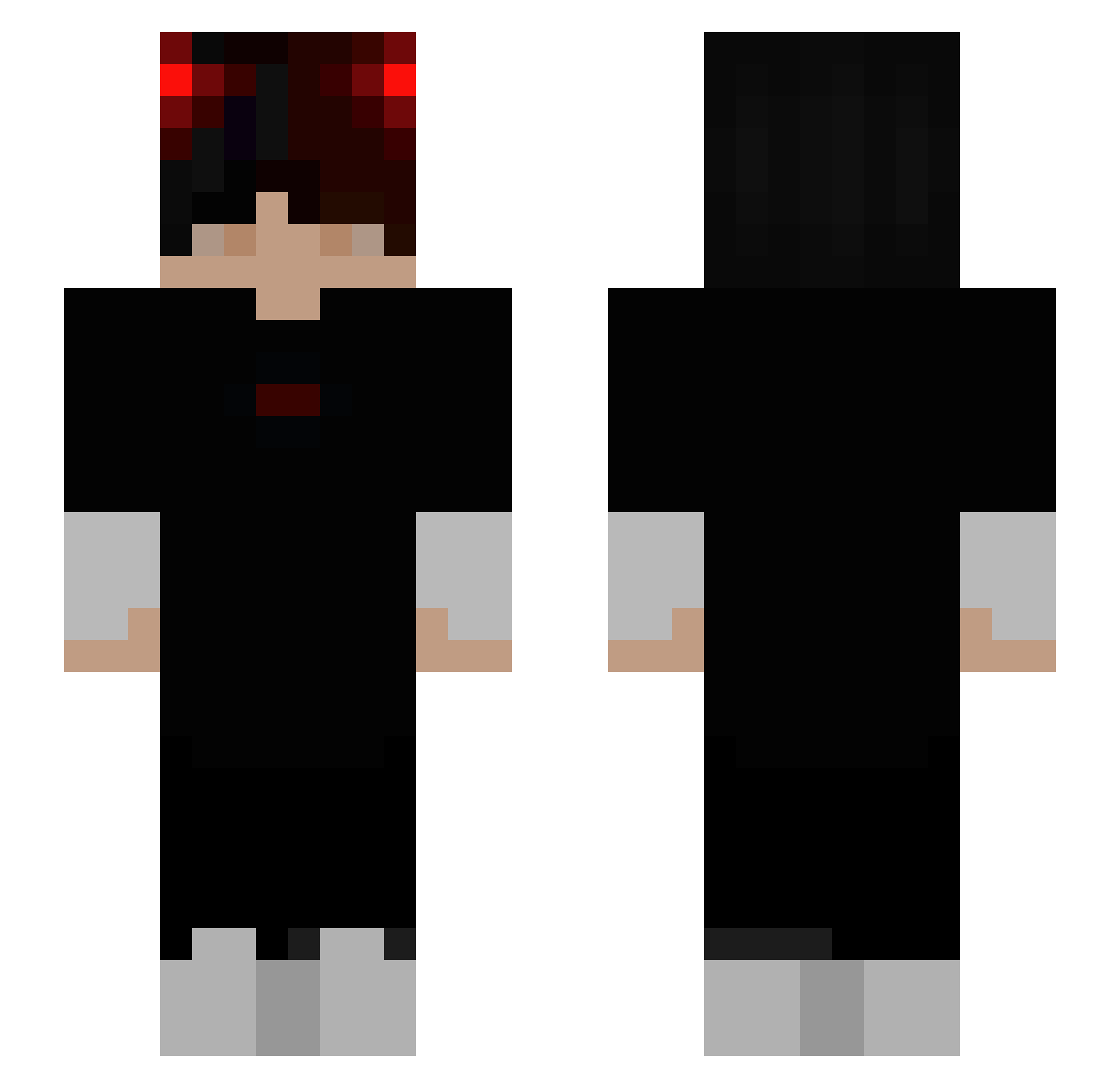
Current Minecraft skin of the player kankanpanpan, loaded from the official Mojang API. Rotate the 3D model with your mouse or finger, then download the skin as a PNG file and use it in Minecraft: Bedrock Edition or Java Edition for free. When kankanpanpan changes their skin, this page updates automatically and the old skin stays in the history below.
Other players with this skin (240)
kankanpanpan was the 192nd player we have seen with this skin, first spotted on 11.10.2026. The same skin was seen on these players. Open a nickname to see their current skin and skin history.
 hyp3rionv3 GremixTV MoWang256 CryptedRat Zero_Th Lonely_YeTian xChrees SDC_Demon Edwarrdo wrjz EXenoss tobiichuu dolpin_c NJin00 Meph1sto LeKonnard CaraQueen Adamos77 GorkemSins48 neorox Zevs4323 zsombigod hopekq ScyKo69 Damvp097 AugustBusse ooKalm SpartanxBeast Oscar_le_Derp Wu_cow TasteTheCydex brnesd Ddeung_Mae wuauservdl GalanPA Ender_Dragon_01 Txm131 No_Jamzz OhMemebrawler Caveliero Austinxd666 Domray111 Nyquill_Jornan AmeDouxLillas molandxdddd byjossu Thiggy66 SplitOpticz 0x0Tanuki HackProGamer33 Bobby_1ke TheoGamer1 DrakenPR Finestar like_aboss1 Snipes_T1K0 KycbKycb Darekcity PXFlexx Egeyiu
How to install the kankanpanpan skin
- Press the Download button above to save the skin as a PNG file.
- Minecraft: Bedrock Edition (PE): open the Dressing Room from the main menu (or tap your character → Edit Character), go to Classic Skins → Owned, press the + (new skin) button, choose the downloaded PNG and pick the Slim (Alex) model. Works on PC and mobile; consoles cannot import custom skins.
- Minecraft: Java Edition: open the Minecraft Launcher, go to the Skins tab, click New Skin, load the PNG, pick the Slim (Alex) model and press Save & Use. You can also upload it at minecraft.net → Profile → Change Skin.
The skin does not show up after import - what should I do?
Restart Minecraft and open the Dressing Room again - imported skins sometimes appear only after a restart. Also make sure you selected the imported skin and picked the Slim (Alex) model.
Which model should I choose, Classic or Slim?
This skin is designed for the Slim (Alex) model. If you pick the wrong model, the arms of the skin will look stretched or squeezed.
Is the skin of kankanpanpan free to download?
Yes. Press Download, save the PNG file and use it in Minecraft: Bedrock Edition or Java Edition - no payment or registration needed. The skin also works on multiplayer servers and Realms.
More skins
Looking for more? Go back to all Minecraft skins and check the top skins of the week, month and all time, or find any player's skin by nickname.