
kamilo4321 - Minecraft Skins & Skin History
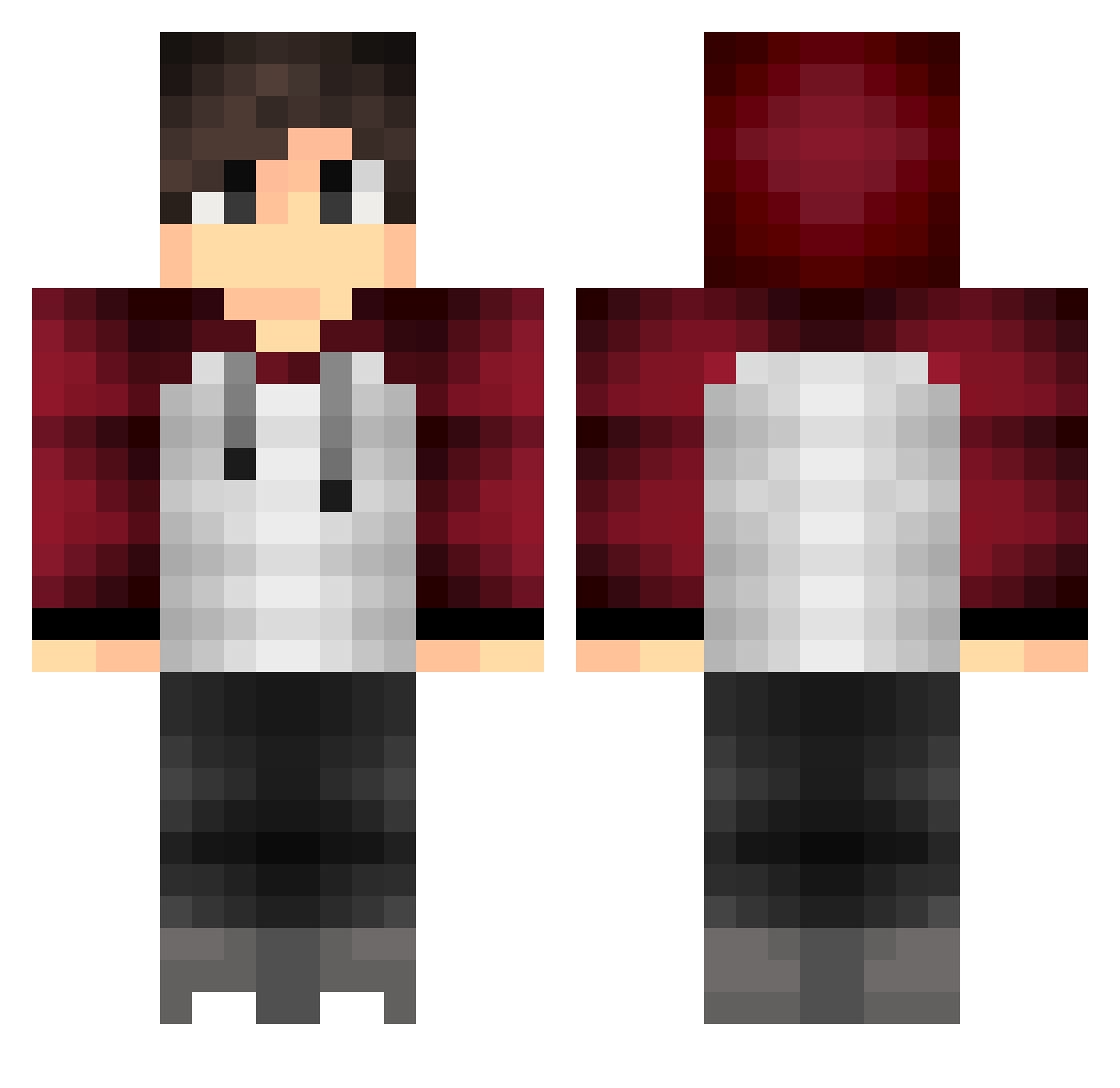
Current Minecraft skin of the player kamilo4321, loaded from the official Mojang API. Rotate the 3D model with your mouse or finger, then download the skin as a PNG file and use it in Minecraft: Bedrock Edition or Java Edition for free. When kamilo4321 changes their skin, this page updates automatically and the old skin stays in the history below.
Other players with this skin (163)
kamilo4321 was the 122nd player we have seen with this skin, first spotted on 06.10.2026. The same skin was seen on these players. Open a nickname to see their current skin and skin history.
 rodakfilip andvari101 twoEorz SuperOddvar Chaos4Breakfast koeln_007 TsaiBingXun ryanjoko MrGodlyzFx Kazutoshii VREXA BitLamb WhisperEcho andreuka16072000 coooooooot FooxGod Frank_Zhu SrCassol felipzin Hotel_Trivago Ninjas_Raptor Nothoozuki sprudell yurigv Vayder_PKB CRAFTFLO10 BenBumBum RayanRR Darkzaf WhySky Faller_Angel Nova_Thracia ofi11 LarsDutch lucaslima13 IrregularHQ lennyyyb DarkkFury_ Mi12DtLvD_MS Rondrous Fluffy_Cr33p3r rhyno2424 Skyz68 AceK29 THEBESTEVER1010 M0R3SC0 Holybacca Crazbeans Guitarzero2128 xKickoqNGD _PrimeYT_ aTryHard ruinavar lukinhakkj Joshhcox TragicChickenGr Skylls205 chuyproYT767 TheReyvil JosesDonkey
More Raglan Minecraft skins
How to install the kamilo4321 skin
- Press the Download button above to save the skin as a PNG file.
- Minecraft: Bedrock Edition (PE): open the Dressing Room from the main menu (or tap your character → Edit Character), go to Classic Skins → Owned, press the + (new skin) button, choose the downloaded PNG and pick the Classic (Steve) model. Works on PC and mobile; consoles cannot import custom skins.
- Minecraft: Java Edition: open the Minecraft Launcher, go to the Skins tab, click New Skin, load the PNG, pick the Classic (Steve) model and press Save & Use. You can also upload it at minecraft.net → Profile → Change Skin.
The skin does not show up after import - what should I do?
Restart Minecraft and open the Dressing Room again - imported skins sometimes appear only after a restart. Also make sure you selected the imported skin and picked the Classic (Steve) model.
Which model should I choose, Classic or Slim?
This skin is designed for the Classic (Steve) model. If you pick the wrong model, the arms of the skin will look stretched or squeezed.
Is the skin of kamilo4321 free to download?
Yes. Press Download, save the PNG file and use it in Minecraft: Bedrock Edition or Java Edition - no payment or registration needed. The skin also works on multiplayer servers and Realms.
More skins
Looking for more? Go back to all Minecraft skins and check the top skins of the week, month and all time, or find any player's skin by nickname.