
kailin_potter - Minecraft Skins & Skin History
Current Minecraft skin of the player kailin_potter, loaded from the official Mojang API. Rotate the 3D model with your mouse or finger, then download the skin as a PNG file and use it in Minecraft: Bedrock Edition or Java Edition for free. When kailin_potter changes their skin, this page updates automatically and the old skin stays in the history below.
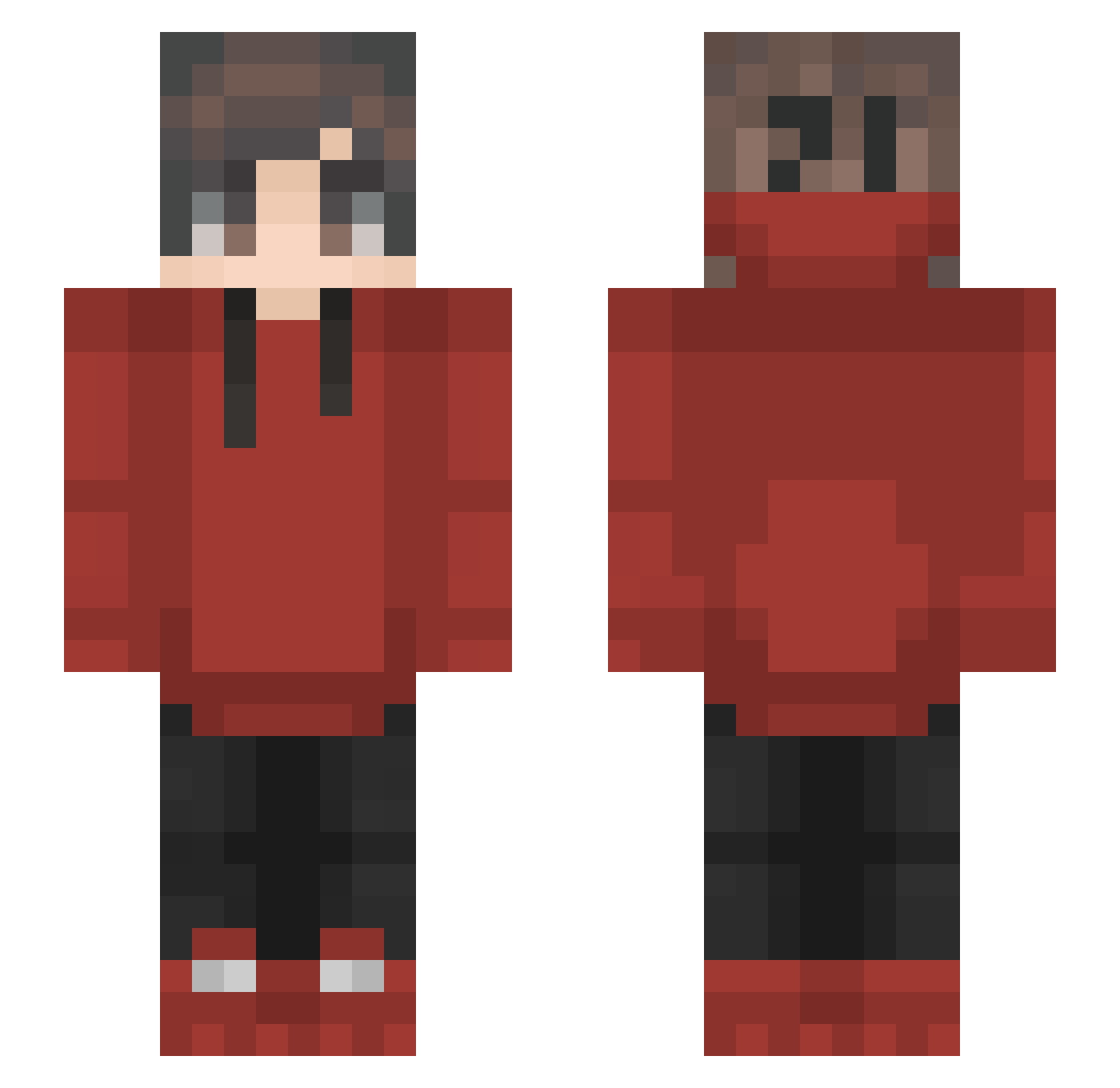
Other players with this skin (180)
kailin_potter was the 144th player we have seen with this skin, first spotted on 24.10.2026. The same skin was seen on these players. Open a nickname to see their current skin and skin history.
 Cyber789 Cyroose Krn_Ren R1zzaanirI edospi KmanBosshog ELPepeThePan Rolly_gamer WickedZac Orchid567 CryAsumo sneakyhippos Kavakli19 Szaman10 Jackuan LillF ifhml zKillua17 L0Px janfelixos Angel_Jude Rouble Chris_1659 Aneexx ZukuJustin laiyaaal KrzySolSol Piirii Nirbhay iShawnX tomemoti AkaGAMI_810 Benuuts LostCookies AlexSam86 Linus75 Sharkbutt322 hyper_active1234 theoshandler Namien_01 Tqx1c0 Grifote23 MelonWarden fifero1 Manron749 Sydzfl lulu50377 dDiegoGB Shuck_Pafel_ makera Mirumium qaqfwf Red33 Sheng1015 soki803 _ThatsWhatsUp Soldier42 Jabiru_ NugFire BlitzOv3r
How to install the kailin_potter skin
- Press the Download button above to save the skin as a PNG file.
- Minecraft: Bedrock Edition (PE): open the Dressing Room from the main menu (or tap your character → Edit Character), go to Classic Skins → Owned, press the + (new skin) button, choose the downloaded PNG and pick the Slim (Alex) model. Works on PC and mobile; consoles cannot import custom skins.
- Minecraft: Java Edition: open the Minecraft Launcher, go to the Skins tab, click New Skin, load the PNG, pick the Slim (Alex) model and press Save & Use. You can also upload it at minecraft.net → Profile → Change Skin.
The skin does not show up after import - what should I do?
Restart Minecraft and open the Dressing Room again - imported skins sometimes appear only after a restart. Also make sure you selected the imported skin and picked the Slim (Alex) model.
Which model should I choose, Classic or Slim?
This skin is designed for the Slim (Alex) model. If you pick the wrong model, the arms of the skin will look stretched or squeezed.
Is the skin of kailin_potter free to download?
Yes. Press Download, save the PNG file and use it in Minecraft: Bedrock Edition or Java Edition - no payment or registration needed. The skin also works on multiplayer servers and Realms.
More skins
Looking for more? Go back to all Minecraft skins and check the top skins of the week, month and all time, or find any player's skin by nickname.