
jx_uwo_ - Minecraft Skins & Skin History
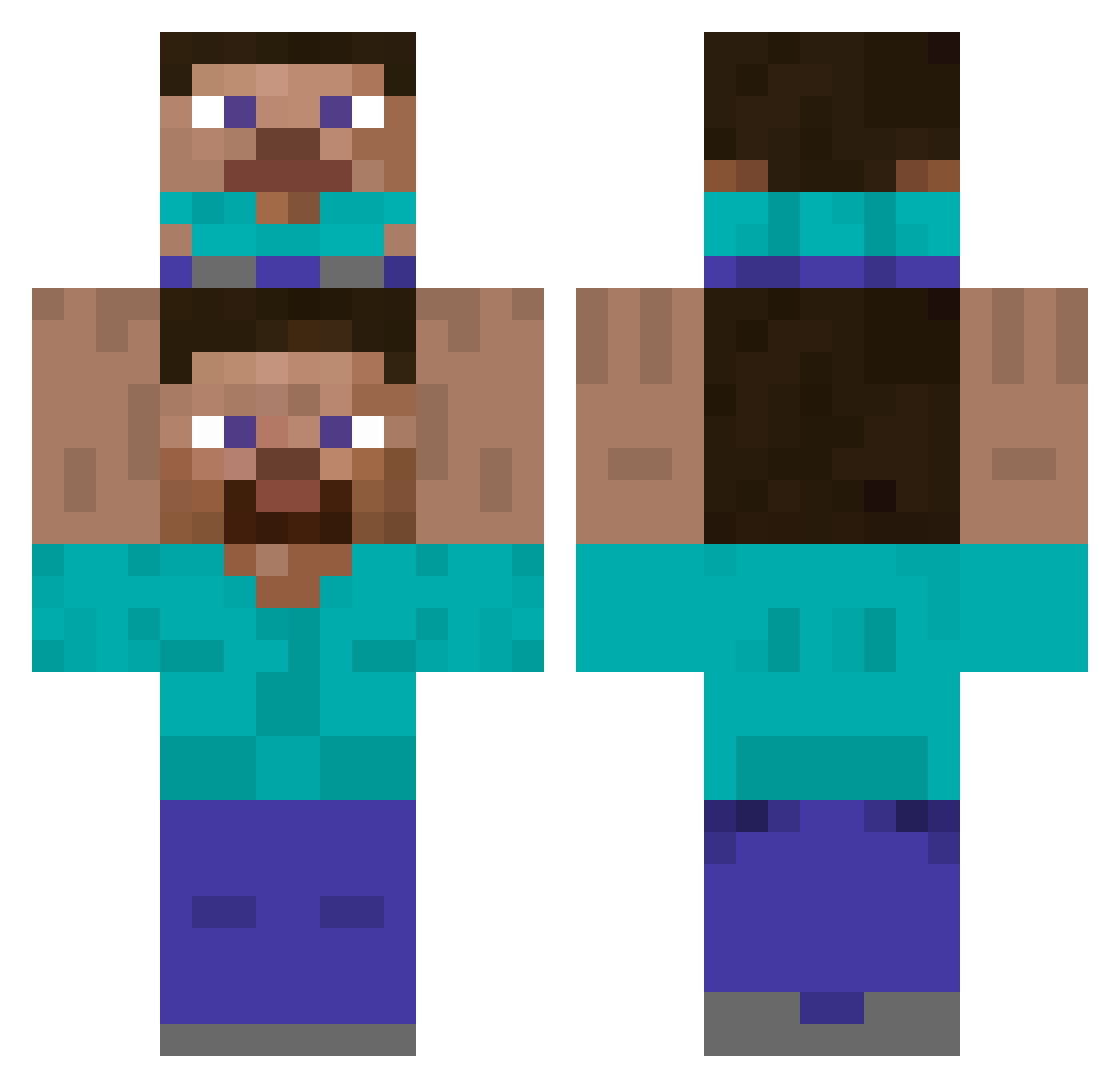
Current Minecraft skin of the player jx_uwo_, loaded from the official Mojang API. Rotate the 3D model with your mouse or finger, then download the skin as a PNG file and use it in Minecraft: Bedrock Edition or Java Edition for free. When jx_uwo_ changes their skin, this page updates automatically and the old skin stays in the history below.
Other players with this skin (504)
jx_uwo_ was the 248th player we have seen with this skin, first spotted on 19.09.2026. The same skin was seen on these players. Open a nickname to see their current skin and skin history.
 p__d_h harshheart milkygirl12 junseok99 vicentejscd IHHHHOO sunhsong GGUSTER JahweIV alcls33 alemario BossBobik 159kami LilDedi BIGHEE531 Ton_Cena Sunnyhmz raysirgaze _Erikaaaaaa_ Gh_oust snapuidown XawS2 Gabe_Wemm ISAAC_RAMIREZ ora111222 Batmanote NotPik4 TotsuKun FRSTBITEZ SeongyongE ItheImaginer needJ Spakuda truckybuckyjacob Rahkeiid Flaberg bole_bro 2Hwarang2 ZexionTheBloody KingPool29 ekwnrdlsmsrjdi parksi10 nabr tnzn Ozyloth Soonwoo Himbeertoni_6 korean_rockstar kerisa1128 kkoll Galuum SoySam156 pedomeister ferretnoodles issakun1789 nerd9999 ELEPER bluestreeter superpower1234 Sung6in
How to install the jx_uwo_ skin
- Press the Download button above to save the skin as a PNG file.
- Minecraft: Bedrock Edition (PE): open the Dressing Room from the main menu (or tap your character → Edit Character), go to Classic Skins → Owned, press the + (new skin) button, choose the downloaded PNG and pick the Classic (Steve) model. Works on PC and mobile; consoles cannot import custom skins.
- Minecraft: Java Edition: open the Minecraft Launcher, go to the Skins tab, click New Skin, load the PNG, pick the Classic (Steve) model and press Save & Use. You can also upload it at minecraft.net → Profile → Change Skin.
The skin does not show up after import - what should I do?
Restart Minecraft and open the Dressing Room again - imported skins sometimes appear only after a restart. Also make sure you selected the imported skin and picked the Classic (Steve) model.
Which model should I choose, Classic or Slim?
This skin is designed for the Classic (Steve) model. If you pick the wrong model, the arms of the skin will look stretched or squeezed.
Is the skin of jx_uwo_ free to download?
Yes. Press Download, save the PNG file and use it in Minecraft: Bedrock Edition or Java Edition - no payment or registration needed. The skin also works on multiplayer servers and Realms.
More skins
Looking for more? Go back to all Minecraft skins and check the top skins of the week, month and all time, or find any player's skin by nickname.