
jweenze - Minecraft Skins & Skin History
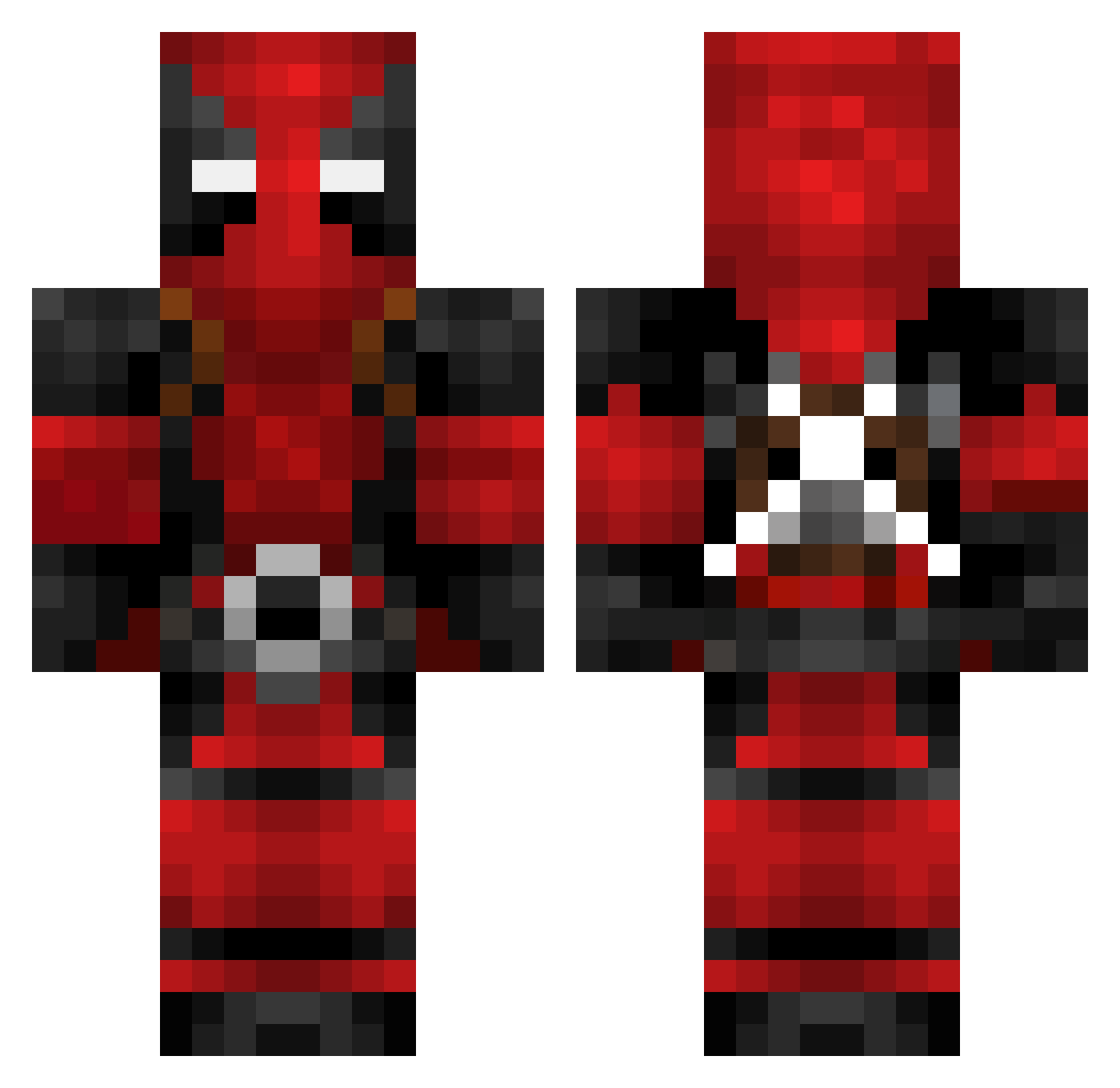
Current Minecraft skin of the player jweenze, loaded from the official Mojang API. Rotate the 3D model with your mouse or finger, then download the skin as a PNG file and use it in Minecraft: Bedrock Edition or Java Edition for free. When jweenze changes their skin, this page updates automatically and the old skin stays in the history below.
Other players with this skin (782)
jweenze was the 631st player we have seen with this skin, first spotted on 22.10.2026. The same skin was seen on these players. Open a nickname to see their current skin and skin history.
 Ikni4s cancerverus4231 46_neko NAN_CHANG_NIM ChrisW9144 Monoplan CallmeeJim carlos191000 iDaruhX Evil_Jamesy water0327 GeneralOkami Darkshadow18294 smallbleep ASS_ASS_IN420 SumminPropah DabAssassin _KiZzEr_ Insouciance86 5XK Gayol0 FearlessPierse yeethiggsboson im_antyx MushroomDijon Sweatbag420 spyzizme JohnThicc2 Chaosmash ETlouis Laney_Boy1440 Nameless17 DiegoGallu lil_j4f mlukas96 Elbridge290 SchwiftyRB CFSkud tabletos Cygorilla Ricksslime GooeyInc God_Zues PyroGargoyle LaLaLaLisaLi Bloodthirsty_87 Darkroyal214 equalzier MagnumDong__ Truschty thewilkinson Pidgeyman UnknownHAHAHA danilego638 kurtiscool5 tacospy805 JumperTrJr aThunderstruck _W4nhed4_ B33M0
More Deadpool Minecraft skins
How to install the jweenze skin
- Press the Download button above to save the skin as a PNG file.
- Minecraft: Bedrock Edition (PE): open the Dressing Room from the main menu (or tap your character → Edit Character), go to Classic Skins → Owned, press the + (new skin) button, choose the downloaded PNG and pick the Classic (Steve) model. Works on PC and mobile; consoles cannot import custom skins.
- Minecraft: Java Edition: open the Minecraft Launcher, go to the Skins tab, click New Skin, load the PNG, pick the Classic (Steve) model and press Save & Use. You can also upload it at minecraft.net → Profile → Change Skin.
The skin does not show up after import - what should I do?
Restart Minecraft and open the Dressing Room again - imported skins sometimes appear only after a restart. Also make sure you selected the imported skin and picked the Classic (Steve) model.
Which model should I choose, Classic or Slim?
This skin is designed for the Classic (Steve) model. If you pick the wrong model, the arms of the skin will look stretched or squeezed.
Is the skin of jweenze free to download?
Yes. Press Download, save the PNG file and use it in Minecraft: Bedrock Edition or Java Edition - no payment or registration needed. The skin also works on multiplayer servers and Realms.
More skins
Looking for more? Go back to all Minecraft skins and check the top skins of the week, month and all time, or find any player's skin by nickname.