
junyun666 - Minecraft Skins & Skin History
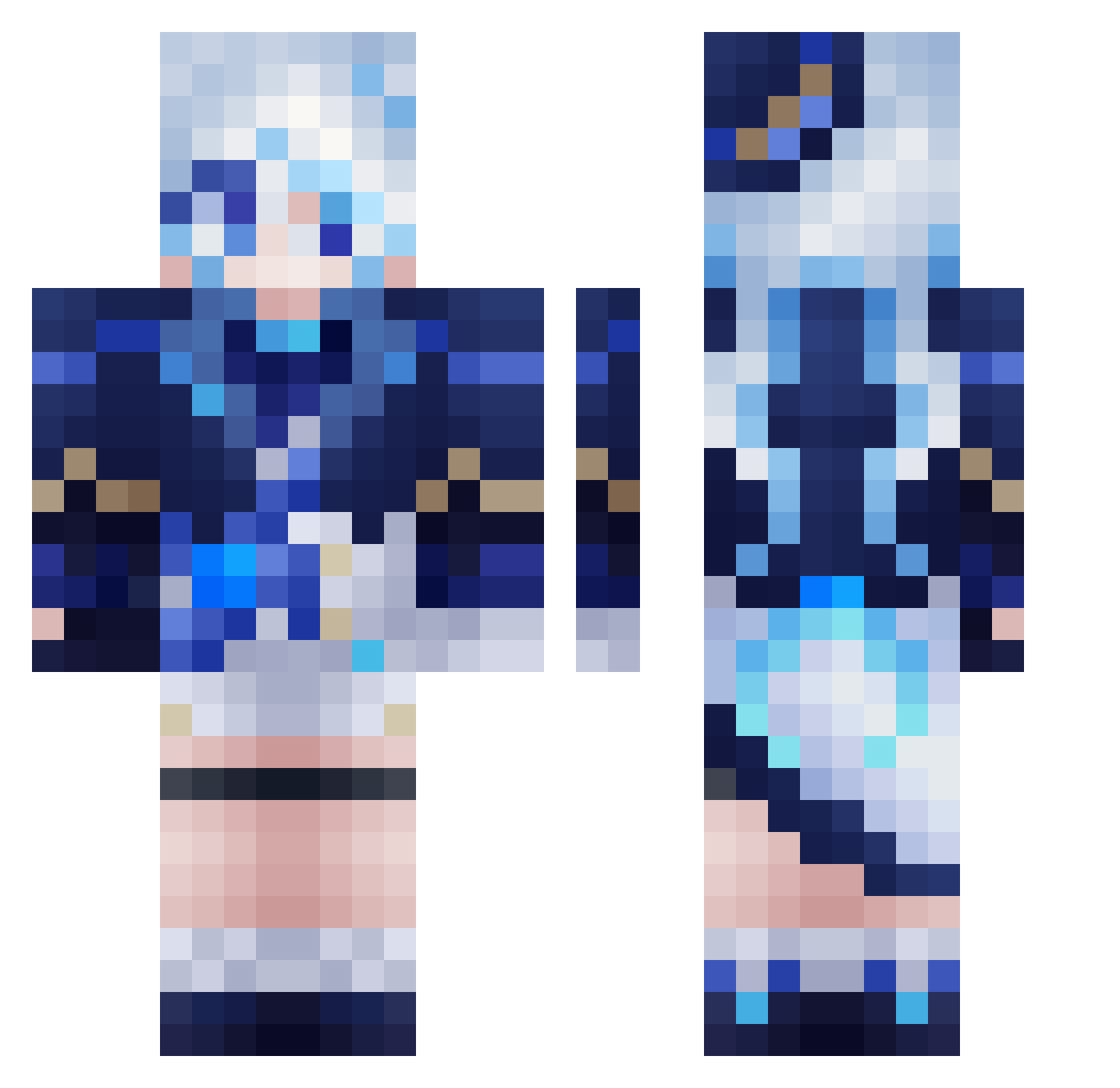
Current Minecraft skin of the player junyun666, loaded from the official Mojang API. Rotate the 3D model with your mouse or finger, then download the skin as a PNG file and use it in Minecraft: Bedrock Edition or Java Edition for free. When junyun666 changes their skin, this page updates automatically and the old skin stays in the history below.
Other players with this skin (560)
junyun666 was the 221st player we have seen with this skin, first spotted on 03.09.2026. The same skin was seen on these players. Open a nickname to see their current skin and skin history.
 FlorenciaLythrum Visionsrenders Original_Dogo MikeBobaguard1 KuonOhara zhicang chara2005 Ryzen5342 MrJoy5050 ifarted3 TaivasVeti kurumi53 Aezar1 Yunker_Star hikkkk gasmask0707 xytyeg ta1te28 Hexqbe hdddc Apinsxy monster98524 SurgSwag tianyuhuan MiraiIsDead JeZu31 BrieferChimp286 LOVE_MC_XD YaTianYY jojo1333 KeithMaxwell97 hung0808 keiki678 MagicMango_ Hiro_Ka _HEKSU_ PozysCatgirl kirisaki_ bijuhao LilGatack Kane_nose fur1na___ Dprs0 Night_FBK nomadxa Young46611 MINqwq JOHNNYK1811 hengluan1 Akane0110 seeles Alaxcium CFYLLR hamuhamuo xCyndi Lnyew daydreamer32 poconamu huayouxian
 liboyang
More Furina Minecraft skins
How to install the junyun666 skin
- Press the Download button above to save the skin as a PNG file.
- Minecraft: Bedrock Edition (PE): open the Dressing Room from the main menu (or tap your character → Edit Character), go to Classic Skins → Owned, press the + (new skin) button, choose the downloaded PNG and pick the Classic (Steve) model. Works on PC and mobile; consoles cannot import custom skins.
- Minecraft: Java Edition: open the Minecraft Launcher, go to the Skins tab, click New Skin, load the PNG, pick the Classic (Steve) model and press Save & Use. You can also upload it at minecraft.net → Profile → Change Skin.
The skin does not show up after import - what should I do?
Restart Minecraft and open the Dressing Room again - imported skins sometimes appear only after a restart. Also make sure you selected the imported skin and picked the Classic (Steve) model.
Which model should I choose, Classic or Slim?
This skin is designed for the Classic (Steve) model. If you pick the wrong model, the arms of the skin will look stretched or squeezed.
Is the skin of junyun666 free to download?
Yes. Press Download, save the PNG file and use it in Minecraft: Bedrock Edition or Java Edition - no payment or registration needed. The skin also works on multiplayer servers and Realms.
More skins
Looking for more? Go back to all Minecraft skins and check the top skins of the week, month and all time, or find any player's skin by nickname.