
junglesmurf - Minecraft Skins & Skin History
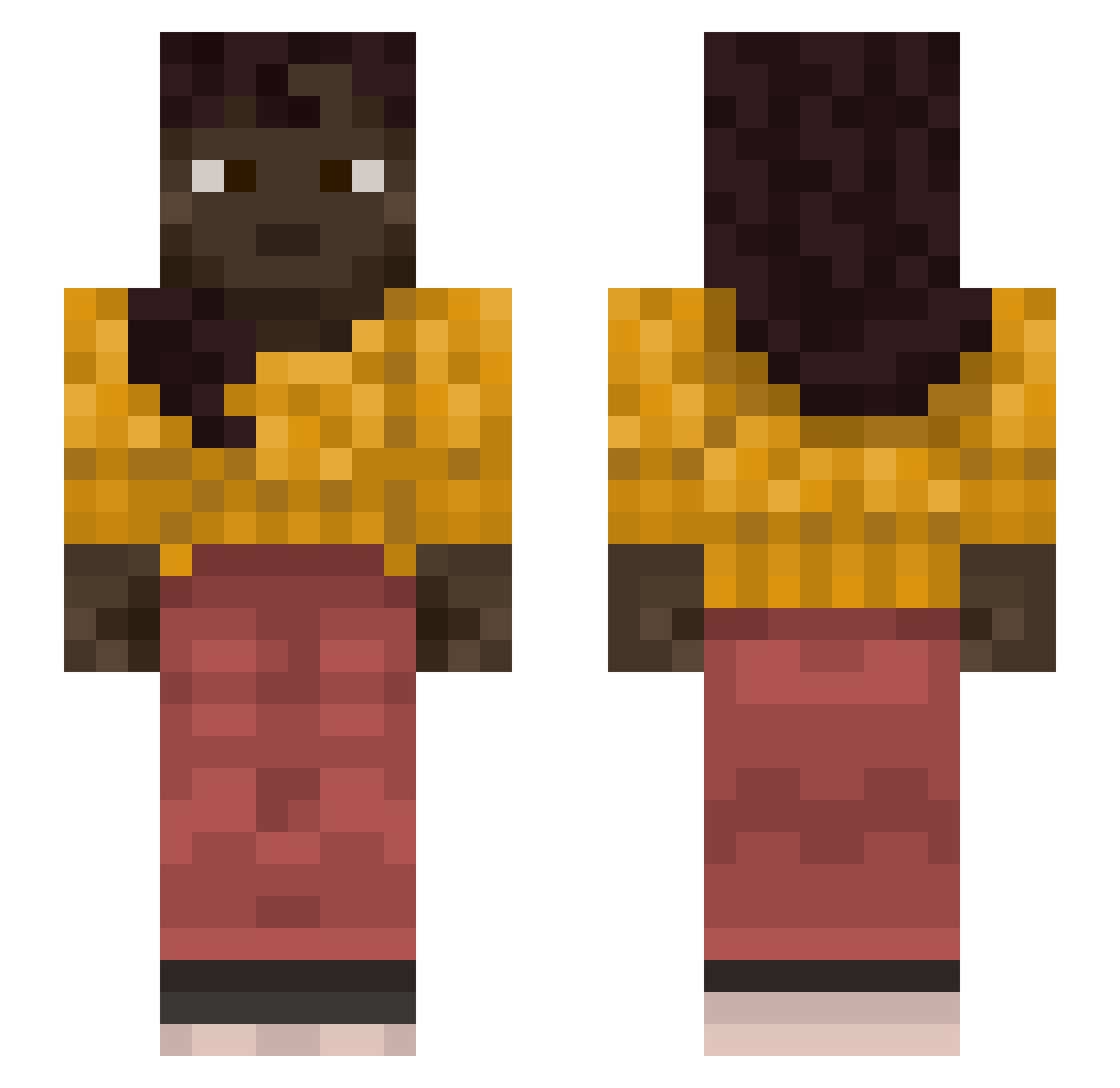
Current Minecraft skin of the player junglesmurf, loaded from the official Mojang API. Rotate the 3D model with your mouse or finger, then download the skin as a PNG file and use it in Minecraft: Bedrock Edition or Java Edition for free. When junglesmurf changes their skin, this page updates automatically and the old skin stays in the history below.
Other players with this skin (984)
junglesmurf was the 837th player we have seen with this skin, first spotted on 13.10.2026. The same skin was seen on these players. Open a nickname to see their current skin and skin history.
 avavolt EunhaSom_ LilAsian07 ACEBraap WDG_boy gallopers Laminates UPHILLS Looseness capper007 seascout SeBastiAnMrs Blackdoge2 jeremozah nankeen Epicrisis DejvidosKie1basa pique728 Sma11D b3n11s GodOfKratos jahames69420 Mitty bellmen hot_beef_chicken moera11 Outscars equilibria byproducts ravePvODc2SF The_beast_1977 Plogg Epizoite loveboy13 CoverKiler Clayzer Maggi_Pablo wanga sakunoh_805WW Tromping FlashBiGGuN Mgzy teet blisd szymknja cantilever trademarkets cycylefou Carnivora mirusko44 Kirbytrinity Fracturable Hamantash tavmet caburn Saeculum Bridgebuilding PsychMo jimpixwrld Ianster630
More Braid Minecraft skins
How to install the junglesmurf skin
- Press the Download button above to save the skin as a PNG file.
- Minecraft: Bedrock Edition (PE): open the Dressing Room from the main menu (or tap your character → Edit Character), go to Classic Skins → Owned, press the + (new skin) button, choose the downloaded PNG and pick the Slim (Alex) model. Works on PC and mobile; consoles cannot import custom skins.
- Minecraft: Java Edition: open the Minecraft Launcher, go to the Skins tab, click New Skin, load the PNG, pick the Slim (Alex) model and press Save & Use. You can also upload it at minecraft.net → Profile → Change Skin.
The skin does not show up after import - what should I do?
Restart Minecraft and open the Dressing Room again - imported skins sometimes appear only after a restart. Also make sure you selected the imported skin and picked the Slim (Alex) model.
Which model should I choose, Classic or Slim?
This skin is designed for the Slim (Alex) model. If you pick the wrong model, the arms of the skin will look stretched or squeezed.
Is the skin of junglesmurf free to download?
Yes. Press Download, save the PNG file and use it in Minecraft: Bedrock Edition or Java Edition - no payment or registration needed. The skin also works on multiplayer servers and Realms.
More skins
Looking for more? Go back to all Minecraft skins and check the top skins of the week, month and all time, or find any player's skin by nickname.