
jungeljan - Minecraft Skins & Skin History
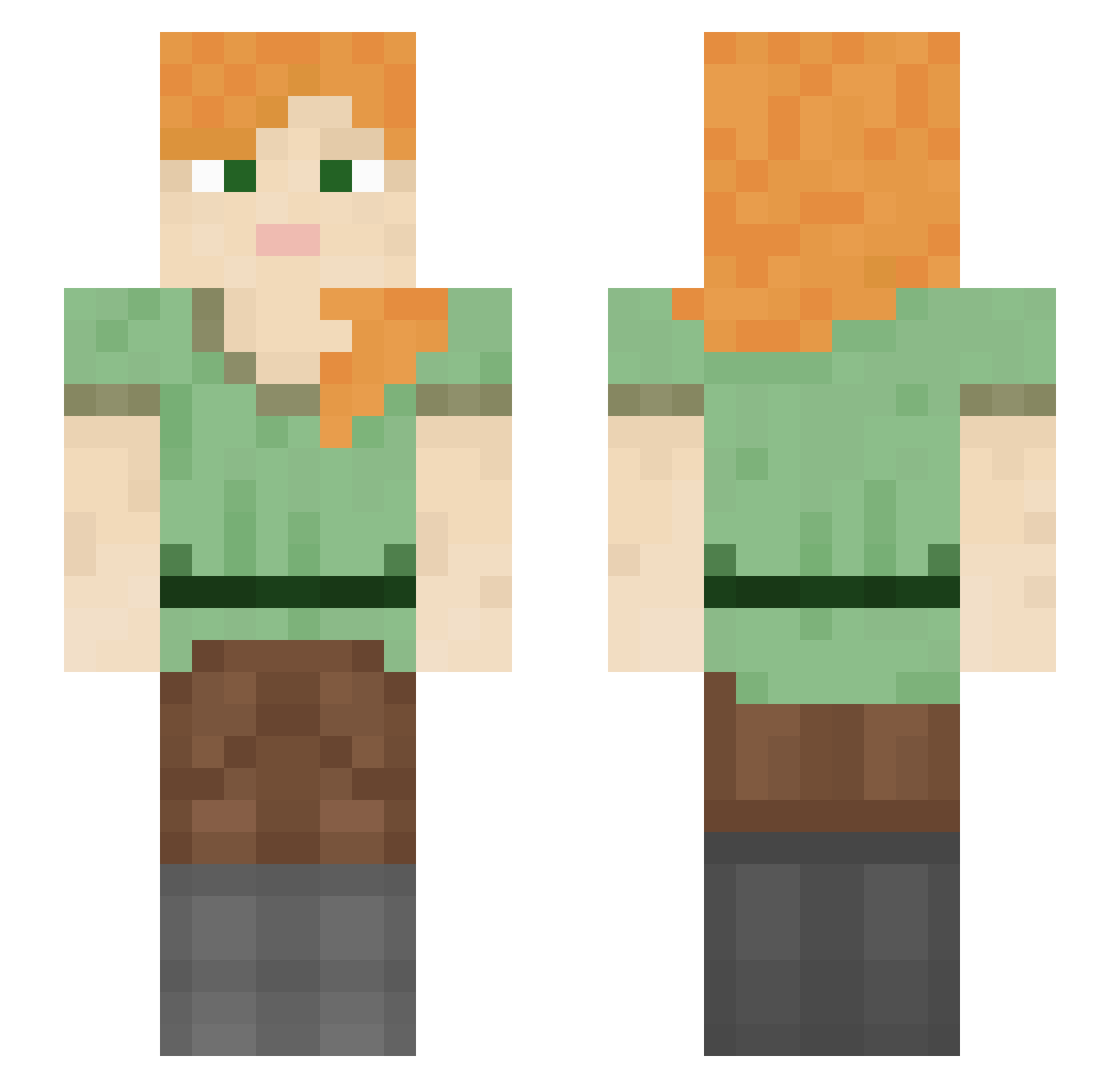
Current Minecraft skin of the player jungeljan, loaded from the official Mojang API. Rotate the 3D model with your mouse or finger, then download the skin as a PNG file and use it in Minecraft: Bedrock Edition or Java Edition for free. When jungeljan changes their skin, this page updates automatically and the old skin stays in the history below.
Other players with this skin (1211)
jungeljan was the 692nd player we have seen with this skin, first spotted on 26.09.2026. The same skin was seen on these players. Open a nickname to see their current skin and skin history.
 Supermantha4444 ixos zRobloxZeusGod_8 Relooaad Hawwtie Vildhjerta HardcoreGngBng TLo VoidNoxious pedrinhw Crawling85 basilpestol YWHS iwinez67 HyperLX_ Radiantly Java_Guava Etlqkf huu1000 fiafied DodoPark STONEMAN0 Mayst usernameokay luv2minecraft Marley iBeatDishwashers SmallBoy159 knorio Office1887 gabyandmilly Mazraxa hcookie aleceleste LumosTheora sandejj Mavygravyss Anhedron Scorching_Dragon LightKnight09 clebsandwich iSebxstian Bombaster gulash_popi Wufgang znack SirGuppie imayan101 Obi444 Socializing Maker_2001 marxielo Rabah_Pro_Man EarlJosh Gibberella LizaMazanova MoreCargo GraveTap AddMeBack royalmi1ktea
How to install the jungeljan skin
- Press the Download button above to save the skin as a PNG file.
- Minecraft: Bedrock Edition (PE): open the Dressing Room from the main menu (or tap your character → Edit Character), go to Classic Skins → Owned, press the + (new skin) button, choose the downloaded PNG and pick the Slim (Alex) model. Works on PC and mobile; consoles cannot import custom skins.
- Minecraft: Java Edition: open the Minecraft Launcher, go to the Skins tab, click New Skin, load the PNG, pick the Slim (Alex) model and press Save & Use. You can also upload it at minecraft.net → Profile → Change Skin.
The skin does not show up after import - what should I do?
Restart Minecraft and open the Dressing Room again - imported skins sometimes appear only after a restart. Also make sure you selected the imported skin and picked the Slim (Alex) model.
Which model should I choose, Classic or Slim?
This skin is designed for the Slim (Alex) model. If you pick the wrong model, the arms of the skin will look stretched or squeezed.
Is the skin of jungeljan free to download?
Yes. Press Download, save the PNG file and use it in Minecraft: Bedrock Edition or Java Edition - no payment or registration needed. The skin also works on multiplayer servers and Realms.
More skins
Looking for more? Go back to all Minecraft skins and check the top skins of the week, month and all time, or find any player's skin by nickname.