
jumyue - Minecraft Skins & Skin History
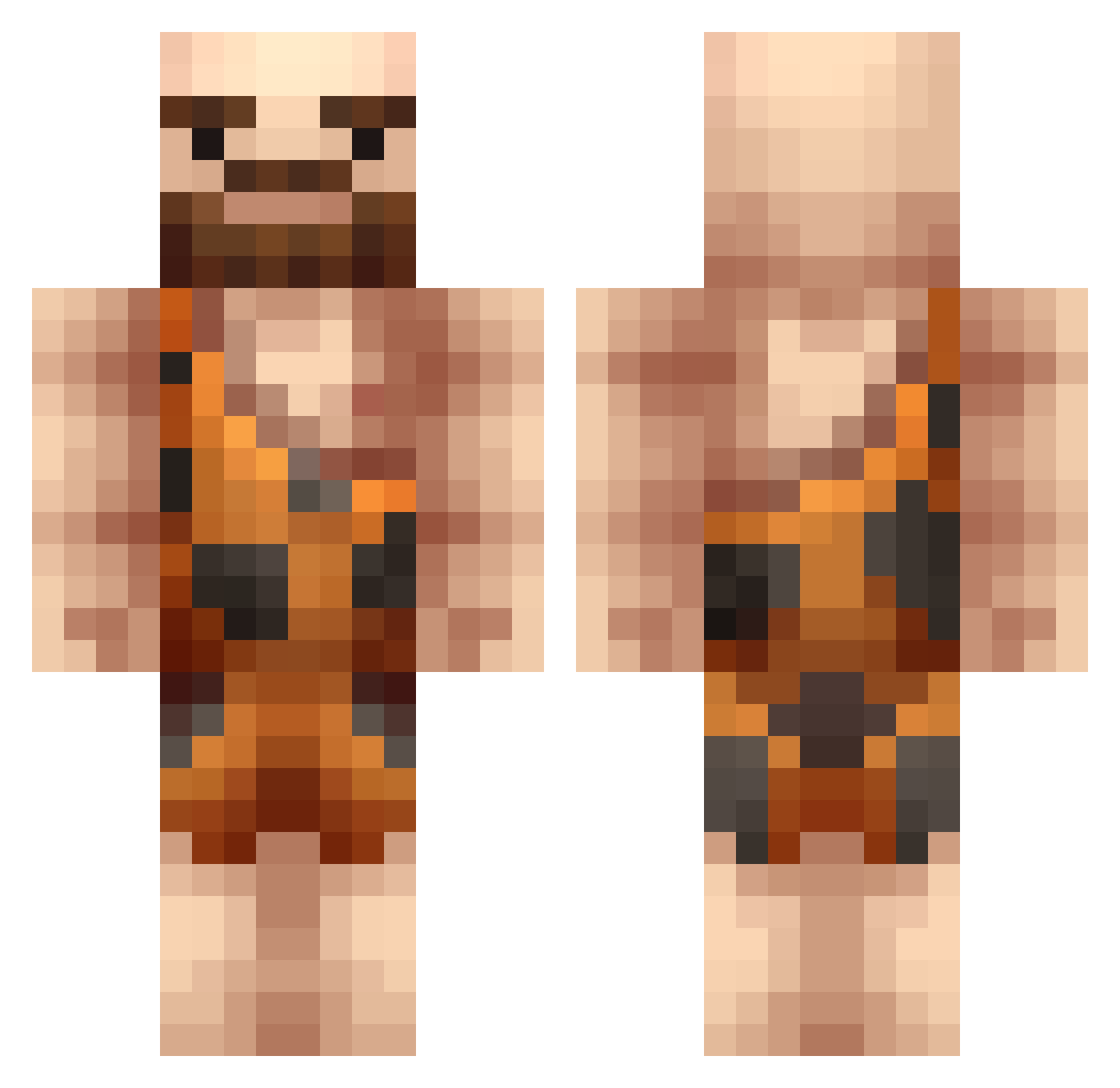
Current Minecraft skin of the player jumyue, loaded from the official Mojang API. Rotate the 3D model with your mouse or finger, then download the skin as a PNG file and use it in Minecraft: Bedrock Edition or Java Edition for free. When jumyue changes their skin, this page updates automatically and the old skin stays in the history below.
Other players with this skin (220)
jumyue was the 199th player we have seen with this skin, first spotted on 25.10.2026. The same skin was seen on these players. Open a nickname to see their current skin and skin history.
 kingwaffle332 MobottoV1 ImSowan Terrariano Temelapo MrBigharry69 harrypotterhenry Meunga KendoUnmercy Kurt4004 lucifersam1 DarkAngel_4021 Uncl3Tony The_Lord_Luna Levague BiuDeFou SorenSeverest TheKingRajah Neanderthal_ AnonymousCaveman KingSlopeur ZSN98 ClayCreated furkanmusus K4yto10 CavemanJohnny Magda_Esports Budayaro sickoris69 MorteCouille21 Senor_Blarp itzmowly Armighon Flannigan ParvenMC Valrak01 GomJaeKi Nordicraft MuscleHedz WantaSpud Tiganu3 MoniChon dawgeth LanaRhoadoula Gamer_Girl_Goo MyErsXD1299 LordGeorgis Agresciwo xXProBeuXx JustShadi Davvoon barbarolo jdhs41 Netherninja19 Ansonjmc Capn_Caveman Frodo1188 Hakeemmmm Hopa27 Akatleptyk
More Caveman Minecraft skins
How to install the jumyue skin
- Press the Download button above to save the skin as a PNG file.
- Minecraft: Bedrock Edition (PE): open the Dressing Room from the main menu (or tap your character → Edit Character), go to Classic Skins → Owned, press the + (new skin) button, choose the downloaded PNG and pick the Classic (Steve) model. Works on PC and mobile; consoles cannot import custom skins.
- Minecraft: Java Edition: open the Minecraft Launcher, go to the Skins tab, click New Skin, load the PNG, pick the Classic (Steve) model and press Save & Use. You can also upload it at minecraft.net → Profile → Change Skin.
The skin does not show up after import - what should I do?
Restart Minecraft and open the Dressing Room again - imported skins sometimes appear only after a restart. Also make sure you selected the imported skin and picked the Classic (Steve) model.
Which model should I choose, Classic or Slim?
This skin is designed for the Classic (Steve) model. If you pick the wrong model, the arms of the skin will look stretched or squeezed.
Is the skin of jumyue free to download?
Yes. Press Download, save the PNG file and use it in Minecraft: Bedrock Edition or Java Edition - no payment or registration needed. The skin also works on multiplayer servers and Realms.
More skins
Looking for more? Go back to all Minecraft skins and check the top skins of the week, month and all time, or find any player's skin by nickname.