
julibot111 - Minecraft Skins & Skin History
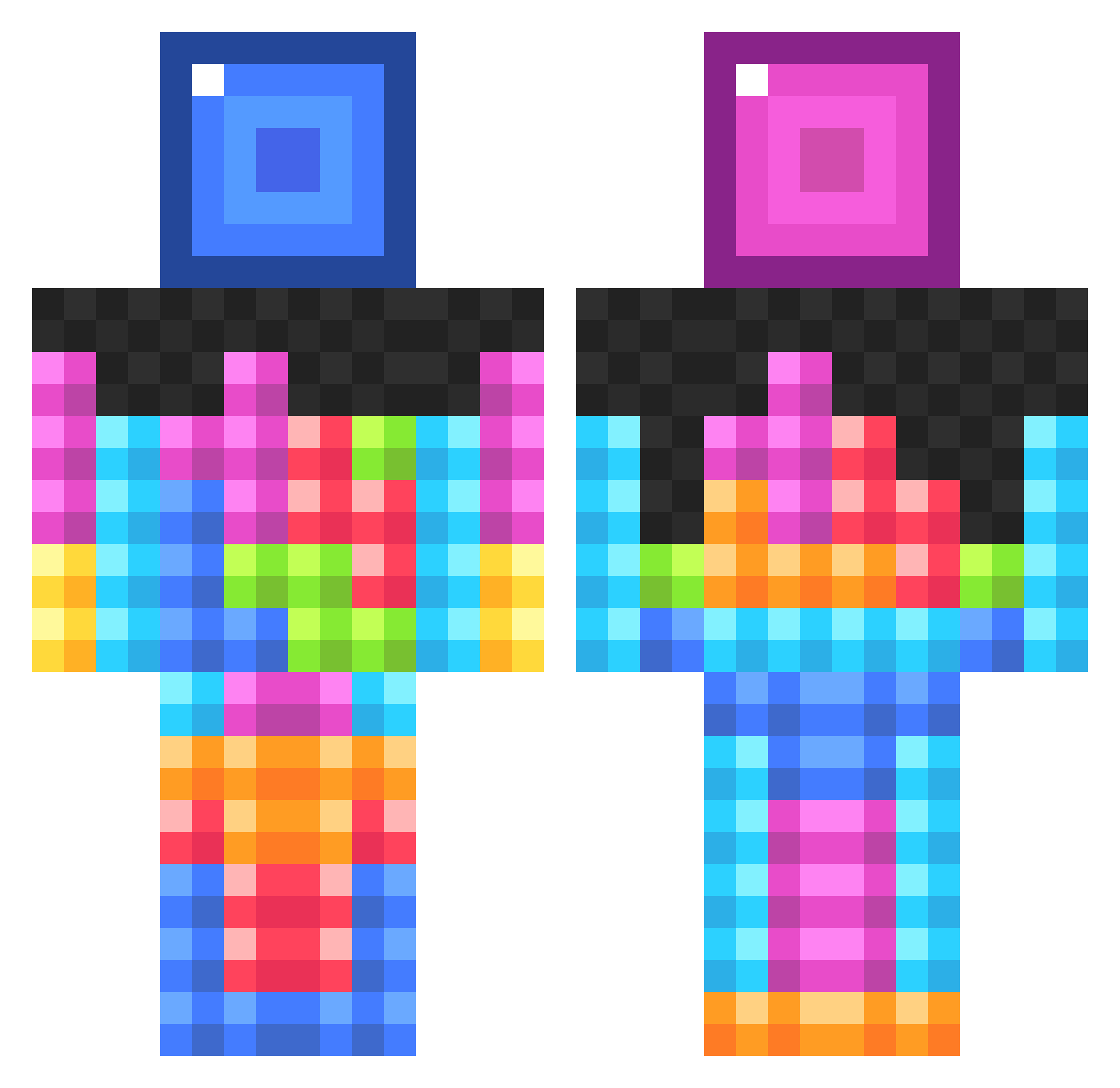
Current Minecraft skin of the player julibot111, loaded from the official Mojang API. Rotate the 3D model with your mouse or finger, then download the skin as a PNG file and use it in Minecraft: Bedrock Edition or Java Edition for free. When julibot111 changes their skin, this page updates automatically and the old skin stays in the history below.
Other players with this skin (833)
julibot111 was the 722nd player we have seen with this skin, first spotted on 20.10.2026. The same skin was seen on these players. Open a nickname to see their current skin and skin history.
 machineoperator VvleovV hild404 funkybob22 YUTASO 2mar10s Tektt Markshark100 leonelbv123 scratman59 SomethingGreater Parker_Robbins olly457 HusbandBOT xXRengaWXxYT warior510 Kota2300 ElDodoo Pepsiliker CptPotatoNuggets TechnoKraft Cookie_King06 zephyrswings FaceHead rhino101400 Desomec1 SuperDudeICE SgtSquibbles mooseknuckle121 Haxplague Reenoa Trikeking00 ZaP9X BrutalBoss1 Covenge Ewing OhhRevenge imdirtydev D1NGO13 napitcher9 iJMPGamer Shashu82917 aklra961 kikrip StraightBlockz Gwakkk FussyParts geenadhillon mrwonderwaffle32 super292 SmikkelPjoes gewoonred life2001 TommyRol CupOfPomelos Merksession mospeeds Blocktologist picksix22 illiniman1
More Tetris Minecraft skins
How to install the julibot111 skin
- Press the Download button above to save the skin as a PNG file.
- Minecraft: Bedrock Edition (PE): open the Dressing Room from the main menu (or tap your character → Edit Character), go to Classic Skins → Owned, press the + (new skin) button, choose the downloaded PNG and pick the Classic (Steve) model. Works on PC and mobile; consoles cannot import custom skins.
- Minecraft: Java Edition: open the Minecraft Launcher, go to the Skins tab, click New Skin, load the PNG, pick the Classic (Steve) model and press Save & Use. You can also upload it at minecraft.net → Profile → Change Skin.
The skin does not show up after import - what should I do?
Restart Minecraft and open the Dressing Room again - imported skins sometimes appear only after a restart. Also make sure you selected the imported skin and picked the Classic (Steve) model.
Which model should I choose, Classic or Slim?
This skin is designed for the Classic (Steve) model. If you pick the wrong model, the arms of the skin will look stretched or squeezed.
Is the skin of julibot111 free to download?
Yes. Press Download, save the PNG file and use it in Minecraft: Bedrock Edition or Java Edition - no payment or registration needed. The skin also works on multiplayer servers and Realms.
More skins
Looking for more? Go back to all Minecraft skins and check the top skins of the week, month and all time, or find any player's skin by nickname.