
juanpi2610 - Minecraft Skins & Skin History
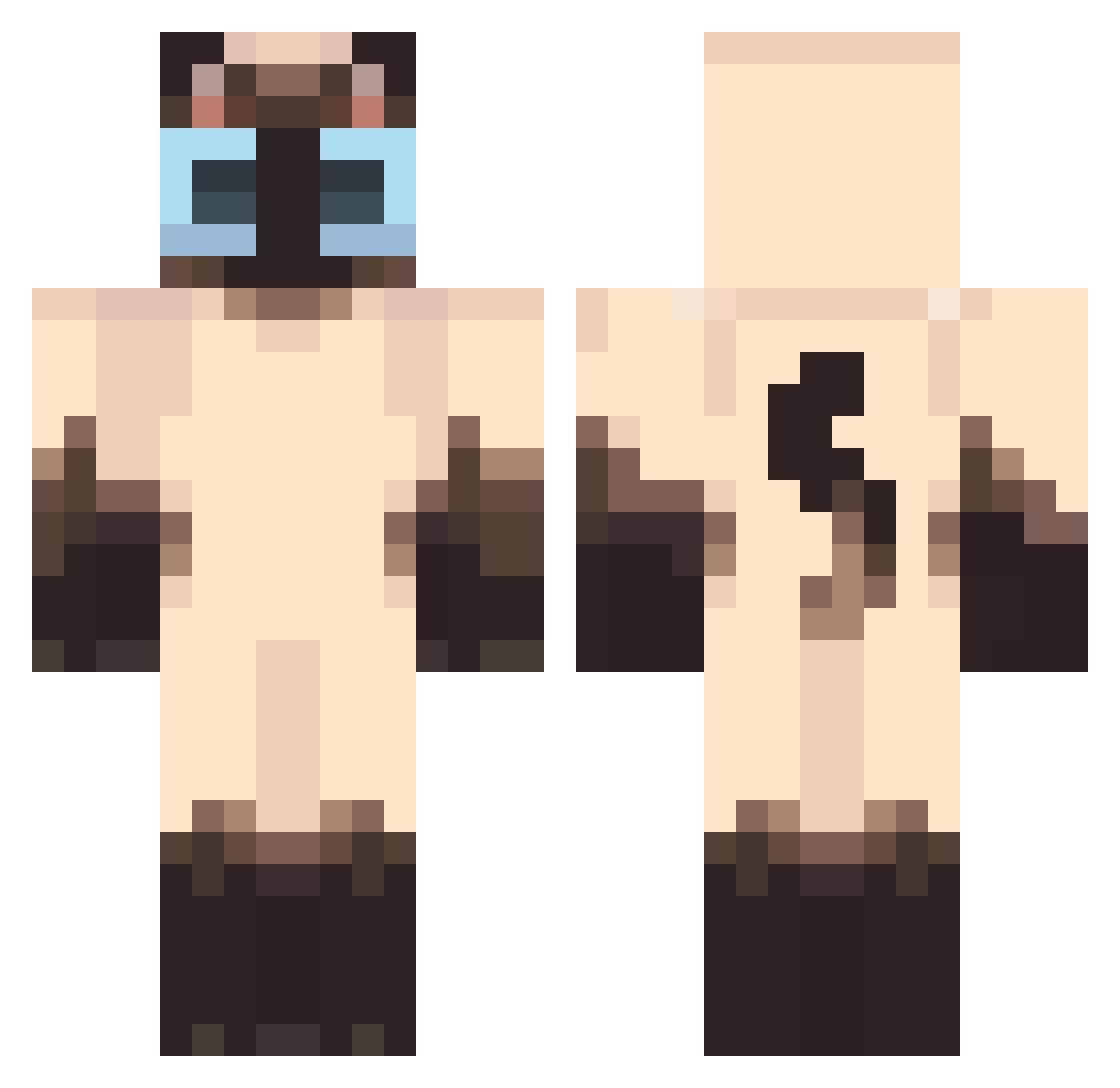
Current Minecraft skin of the player juanpi2610, loaded from the official Mojang API. Rotate the 3D model with your mouse or finger, then download the skin as a PNG file and use it in Minecraft: Bedrock Edition or Java Edition for free. When juanpi2610 changes their skin, this page updates automatically and the old skin stays in the history below.
Other players with this skin (50)
juanpi2610 was the 21st player we have seen with this skin, first spotted on 08.09.2026. The same skin was seen on these players. Open a nickname to see their current skin and skin history.
 Thanyxx IGRT YuanShenDWswy Neziakps DouglasRocha kotaromee Ulkior 2224679 gregwaskilled
 Kiwi_bird9 wedvelvet Samiik mrauuuw Im_aPenguin nuttscott morsmortem adsw1 RedShadow317 LavendrLily CoCo_fly Majarino Marrtin_ jsw111112 Norbu10 skinar2654 kyjhome cmrynhdn kolly_y ATIK203 Isaru Mis_o Lavis1 Kristine745 Sara_Cool MolecularDear logowanieh playare Billy0829 NotEggYolkz byteorder PINOCHENC0 Maeyang Glitch_Cat_YT FAQALL jackoqp Faago Merkooo_ ilovefrankocean_ helpmequick berrymocchi
More Siamese Cat Minecraft skins
How to install the juanpi2610 skin
- Press the Download button above to save the skin as a PNG file.
- Minecraft: Bedrock Edition (PE): open the Dressing Room from the main menu (or tap your character → Edit Character), go to Classic Skins → Owned, press the + (new skin) button, choose the downloaded PNG and pick the Classic (Steve) model. Works on PC and mobile; consoles cannot import custom skins.
- Minecraft: Java Edition: open the Minecraft Launcher, go to the Skins tab, click New Skin, load the PNG, pick the Classic (Steve) model and press Save & Use. You can also upload it at minecraft.net → Profile → Change Skin.
The skin does not show up after import - what should I do?
Restart Minecraft and open the Dressing Room again - imported skins sometimes appear only after a restart. Also make sure you selected the imported skin and picked the Classic (Steve) model.
Which model should I choose, Classic or Slim?
This skin is designed for the Classic (Steve) model. If you pick the wrong model, the arms of the skin will look stretched or squeezed.
Is the skin of juanpi2610 free to download?
Yes. Press Download, save the PNG file and use it in Minecraft: Bedrock Edition or Java Edition - no payment or registration needed. The skin also works on multiplayer servers and Realms.
More skins
Looking for more? Go back to all Minecraft skins and check the top skins of the week, month and all time, or find any player's skin by nickname.