
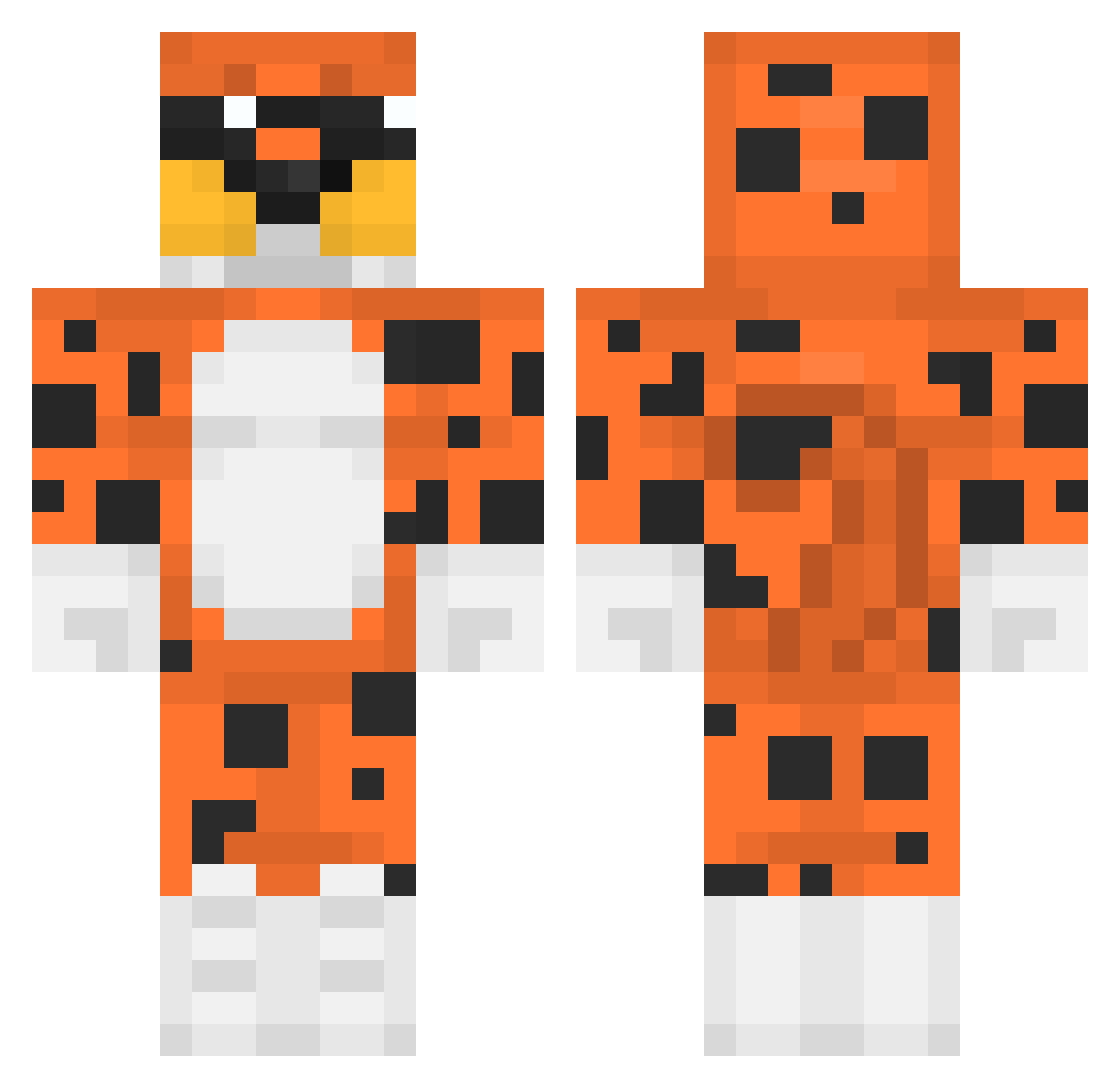
Current Minecraft skin of the player jrq_msmc_gl3, loaded from the official Mojang API. Rotate the 3D model with your mouse or finger, then download the skin as a PNG file and use it in Minecraft: Bedrock Edition or Java Edition for free. When jrq_msmc_gl3 changes their skin, this page updates automatically and the old skin stays in the history below.
Other players with this skin (325)
jrq_msmc_gl3 was the 107th player we have seen with this skin, first spotted on 24.08.2026. The same skin was seen on these players. Open a nickname to see their current skin and skin history.
 jopaa126 ams0908 Salamez DarkChampion15 ButtNot alexbltrn_ Wang_Bing RoninXIII HogRider70 Josean090 M_Mister ZeeroNight woofclient_user Wooxxii Zoreg_ sumaia mertxxyt vnccs_ _lipa_11_ Eimygrb Miloq Chalkz1 DraconicAmber Geery GiggityGiggity32 BigStink42 Timmyxd777 L1tr0fa uzibean Pancaseroo chtxz oBolsinho Mrblub7 Paodocesalgado Baciboy Bartek345k Wilzin00 Lumb0403 Macob_ qllmirGG Dewi428 Stunner0 Smourge pikisodo Meadley Inwestorr TroNiiKx
 GxnzaMEX Lagrry Thangdeptrai123 SageEquation456 aleksporfafor Fase_zero davidanymc36 Albrado FinessedYourMom seneca_ttv MrBolli26 Lucca_Simas luchonazar
More Leopard Minecraft skins
How to install the jrq_msmc_gl3 skin
- Press the Download button above to save the skin as a PNG file.
- Minecraft: Bedrock Edition (PE): open the Dressing Room from the main menu (or tap your character → Edit Character), go to Classic Skins → Owned, press the + (new skin) button, choose the downloaded PNG and pick the Classic (Steve) model. Works on PC and mobile; consoles cannot import custom skins.
- Minecraft: Java Edition: open the Minecraft Launcher, go to the Skins tab, click New Skin, load the PNG, pick the Classic (Steve) model and press Save & Use. You can also upload it at minecraft.net → Profile → Change Skin.
The skin does not show up after import - what should I do?
Restart Minecraft and open the Dressing Room again - imported skins sometimes appear only after a restart. Also make sure you selected the imported skin and picked the Classic (Steve) model.
Which model should I choose, Classic or Slim?
This skin is designed for the Classic (Steve) model. If you pick the wrong model, the arms of the skin will look stretched or squeezed.
Is the skin of jrq_msmc_gl3 free to download?
Yes. Press Download, save the PNG file and use it in Minecraft: Bedrock Edition or Java Edition - no payment or registration needed. The skin also works on multiplayer servers and Realms.
More skins
Looking for more? Go back to all Minecraft skins and check the top skins of the week, month and all time, or find any player's skin by nickname.