
josiellll - Minecraft Skins & Skin History
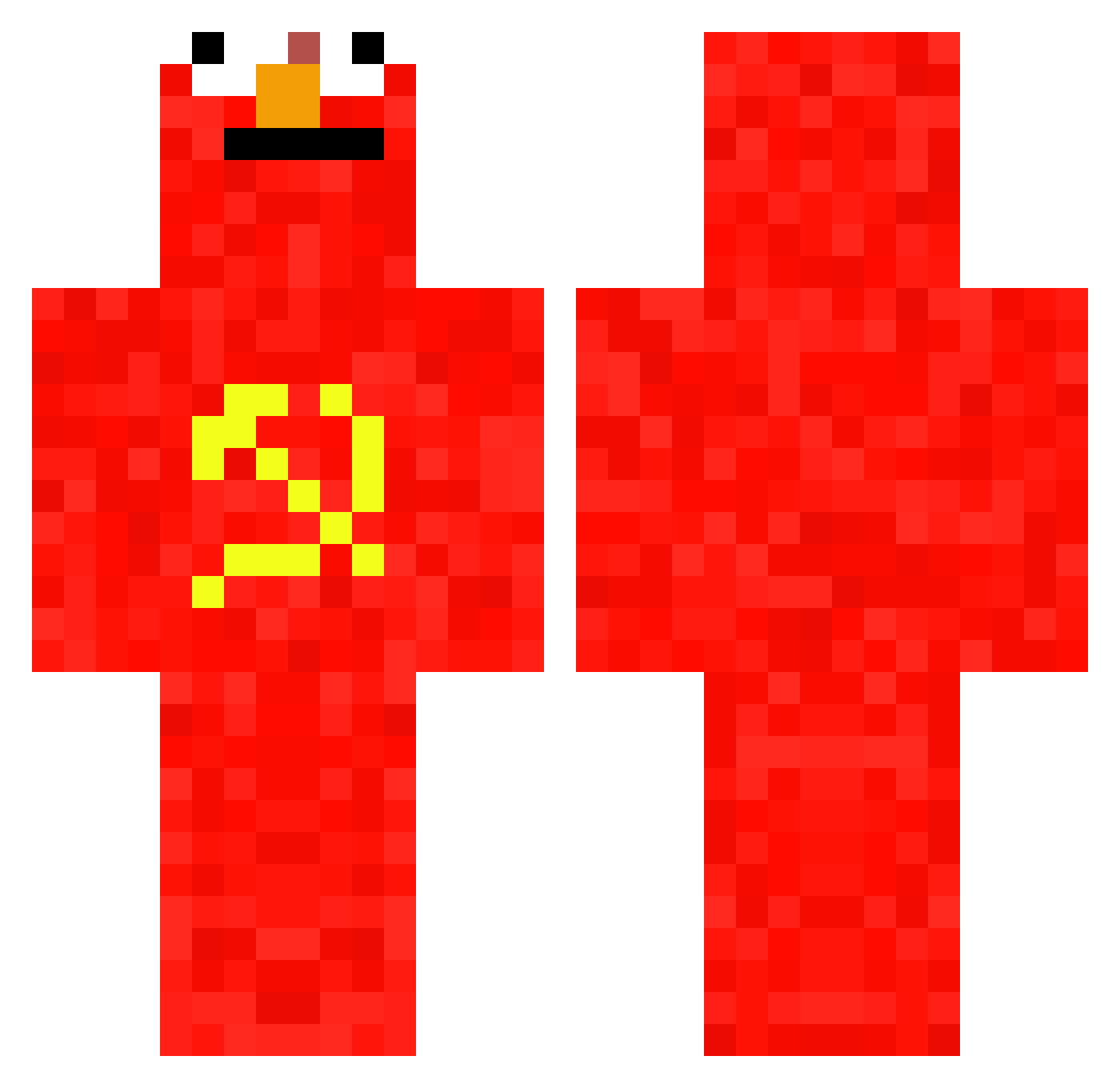
Current Minecraft skin of the player josiellll, loaded from the official Mojang API. Rotate the 3D model with your mouse or finger, then download the skin as a PNG file and use it in Minecraft: Bedrock Edition or Java Edition for free. When josiellll changes their skin, this page updates automatically and the old skin stays in the history below.
Other players with this skin (658)
josiellll was the 537th player we have seen with this skin, first spotted on 12.10.2026. The same skin was seen on these players. Open a nickname to see their current skin and skin history.
 XameonN Shmingus47 pepijnf2006 morey513 ducklor Ryhx64 skibiidtoilet bigdysn04_on_sc SkyFlo_2 666aiissac Davis1903 Pilter9 comunista66 21stMarch l34ky BeetleJuice693 Deezylol LowTideR zekibuz Argusx91 Fewgamerboy zaturgo MuffinFart445 Leak_1 Overbugs SERPMOLOT pota_2 foela Invernoo xCommunistxElmox bobakondo PiinkSapling KutchyBr2010 Boo5423 tryhard0forlife doctorwhoshart Dreamteamxd Bjorncc2 Pfeif3 CommunismCarl187 FableXebel prfyr13 ReeGzzY SniperMonke187 ApollonToast706 Sipoluc dapa KapitanKox2013PL dantwarb_ BohusMatus Ugh11 ails14 GX360GAMER CaptainTripoteur laverdartem madenmax01 babubooey fNovak Cener273 MasinkaTom_1
More Communist Minecraft skins
How to install the josiellll skin
- Press the Download button above to save the skin as a PNG file.
- Minecraft: Bedrock Edition (PE): open the Dressing Room from the main menu (or tap your character → Edit Character), go to Classic Skins → Owned, press the + (new skin) button, choose the downloaded PNG and pick the Classic (Steve) model. Works on PC and mobile; consoles cannot import custom skins.
- Minecraft: Java Edition: open the Minecraft Launcher, go to the Skins tab, click New Skin, load the PNG, pick the Classic (Steve) model and press Save & Use. You can also upload it at minecraft.net → Profile → Change Skin.
The skin does not show up after import - what should I do?
Restart Minecraft and open the Dressing Room again - imported skins sometimes appear only after a restart. Also make sure you selected the imported skin and picked the Classic (Steve) model.
Which model should I choose, Classic or Slim?
This skin is designed for the Classic (Steve) model. If you pick the wrong model, the arms of the skin will look stretched or squeezed.
Is the skin of josiellll free to download?
Yes. Press Download, save the PNG file and use it in Minecraft: Bedrock Edition or Java Edition - no payment or registration needed. The skin also works on multiplayer servers and Realms.
More skins
Looking for more? Go back to all Minecraft skins and check the top skins of the week, month and all time, or find any player's skin by nickname.