
jophua - Minecraft Skins & Skin History
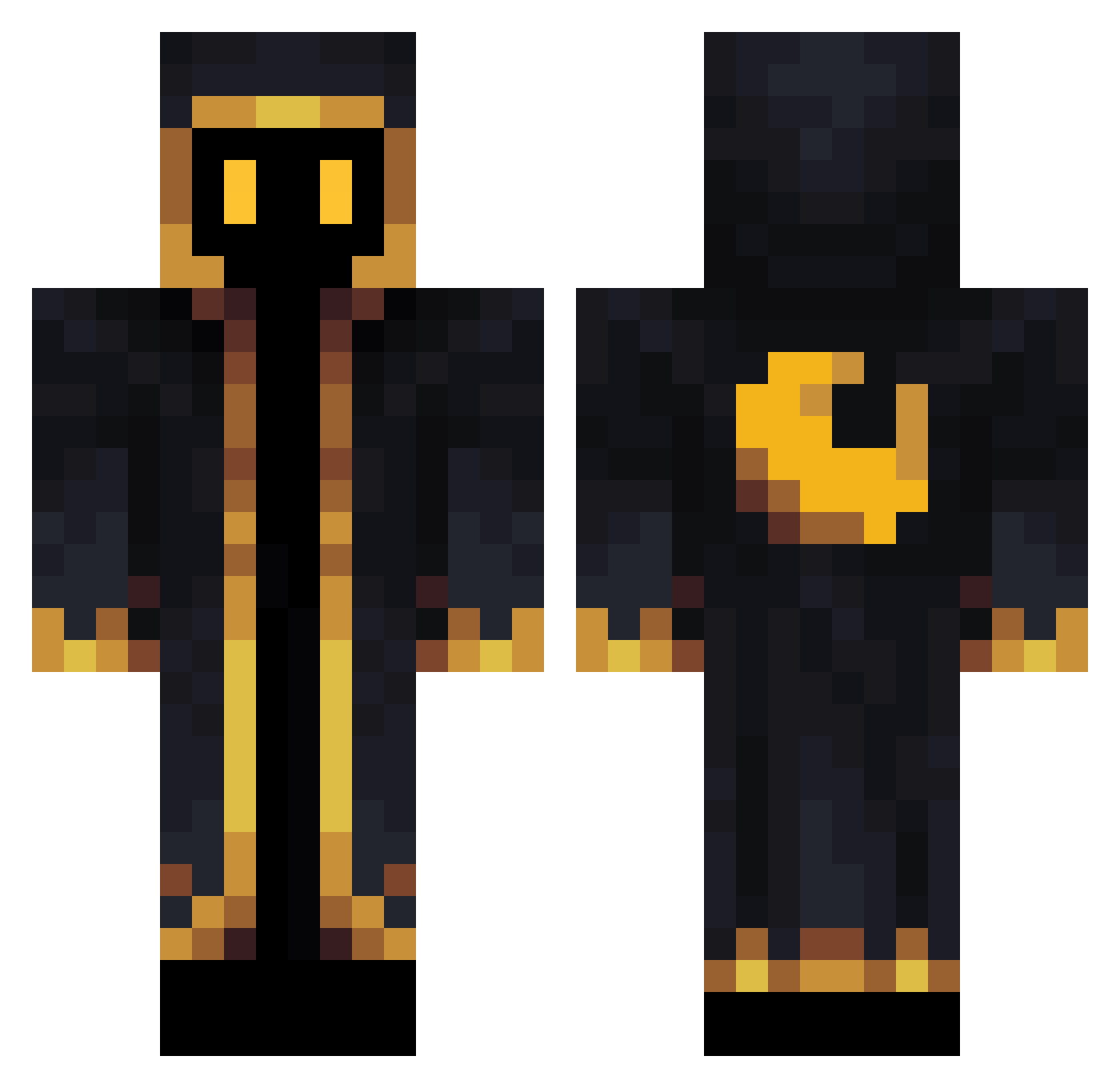
Current Minecraft skin of the player jophua, loaded from the official Mojang API. Rotate the 3D model with your mouse or finger, then download the skin as a PNG file and use it in Minecraft: Bedrock Edition or Java Edition for free. When jophua changes their skin, this page updates automatically and the old skin stays in the history below.
Other players with this skin (564)
jophua was the 195th player we have seen with this skin, first spotted on 30.08.2026. The same skin was seen on these players. Open a nickname to see their current skin and skin history.
 N0TGREED999 Texens RicardoDEV sanghoon__ dani090 RedVelvet999 carpikes Happy_mason007 MisterMagicman_ jungmin0418 MysticFlames7 BilboFragins12 Egoshooter71 Pad00 CRYPT1C_SH8D0W NecroMage212 DragonFire24 almighty_ghost StoneTeas JOVIN97 plumquasar Darksmol69 fortnite_god420 Star1008_YT ze_spooky Bozkurt_06 MQ_hongfeng Staston jellybeant5t Mipsyrium SCmArIO mingi XxPucketsxX orangethekidd__ LynxRoyalty dogday_ Brendino22 shxfi Luigi_0610 Katkouleur MinerofD00M Raven23098 lordlightning_ Eyyup41 Lolcomix14 dallaskeen iToXln zadio10K LilPebble438 SlayerOfTheDark Erodiert PFSoFOLDRANDOM Ruwa0909 Subahk Yzls_ Doge47 Gerett GaleExplorer Flinty081 Espera07
More Crescent Moon Minecraft skins
See all 274 Crescent Moon skins
How to install the jophua skin
- Press the Download button above to save the skin as a PNG file.
- Minecraft: Bedrock Edition (PE): open the Dressing Room from the main menu (or tap your character → Edit Character), go to Classic Skins → Owned, press the + (new skin) button, choose the downloaded PNG and pick the Classic (Steve) model. Works on PC and mobile; consoles cannot import custom skins.
- Minecraft: Java Edition: open the Minecraft Launcher, go to the Skins tab, click New Skin, load the PNG, pick the Classic (Steve) model and press Save & Use. You can also upload it at minecraft.net → Profile → Change Skin.
The skin does not show up after import - what should I do?
Restart Minecraft and open the Dressing Room again - imported skins sometimes appear only after a restart. Also make sure you selected the imported skin and picked the Classic (Steve) model.
Which model should I choose, Classic or Slim?
This skin is designed for the Classic (Steve) model. If you pick the wrong model, the arms of the skin will look stretched or squeezed.
Is the skin of jophua free to download?
Yes. Press Download, save the PNG file and use it in Minecraft: Bedrock Edition or Java Edition - no payment or registration needed. The skin also works on multiplayer servers and Realms.
More skins
Looking for more? Go back to all Minecraft skins and check the top skins of the week, month and all time, or find any player's skin by nickname.