
jonde06 - Minecraft Skins & Skin History
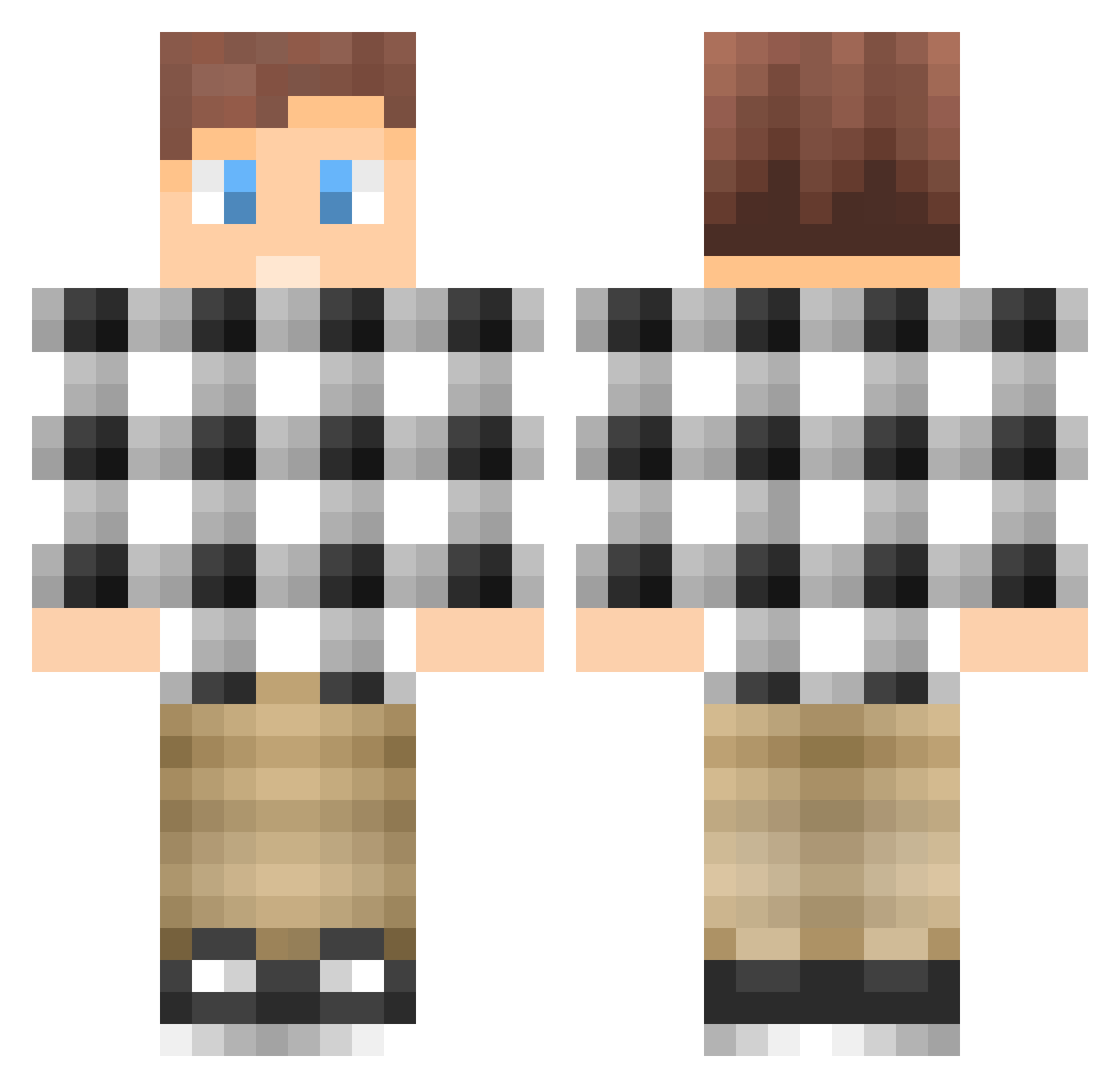
Current Minecraft skin of the player jonde06, loaded from the official Mojang API. Rotate the 3D model with your mouse or finger, then download the skin as a PNG file and use it in Minecraft: Bedrock Edition or Java Edition for free. When jonde06 changes their skin, this page updates automatically and the old skin stays in the history below.
Other players with this skin (295)
jonde06 was the 261st player we have seen with this skin, first spotted on 31.10.2026. The same skin was seen on these players. Open a nickname to see their current skin and skin history.
 Castiel282 gmeeira Xenophilic IsIClipper kenwall lukeblockslife theatomicmelon ajsides74 UnknownGravity ayos100 lailuc ZeroedBerserk DestinyGamerDK BubbasSZN AmanBasant svenneman2003 F1oppyWaff1e Axele10 MulaB Mackeeee Robi842001 Buckets128 JustViv KleyPrime LefDrgn knolpowerboy1 DarkGoose21 MrWiik JohnnyBoi17 EasyJohnsen GommoMop 12398 NathanRaider Zimbocraft blue_sun37 vuyile19 Amkafrica madlywarriors cooleststar goobersquad99 iToby2506 matthewmcv DutchKingJob cyborg66 plasvis Manuelpal16 nzbomber Dabomba_ ByGeTx OmgitsBl4ze Floms TheLastShogun_ Axelsvan TRANCESTEP Snipe101 ersie1801 3boodPs MaliStric_ Briemm pieman374
How to install the jonde06 skin
- Press the Download button above to save the skin as a PNG file.
- Minecraft: Bedrock Edition (PE): open the Dressing Room from the main menu (or tap your character → Edit Character), go to Classic Skins → Owned, press the + (new skin) button, choose the downloaded PNG and pick the Classic (Steve) model. Works on PC and mobile; consoles cannot import custom skins.
- Minecraft: Java Edition: open the Minecraft Launcher, go to the Skins tab, click New Skin, load the PNG, pick the Classic (Steve) model and press Save & Use. You can also upload it at minecraft.net → Profile → Change Skin.
The skin does not show up after import - what should I do?
Restart Minecraft and open the Dressing Room again - imported skins sometimes appear only after a restart. Also make sure you selected the imported skin and picked the Classic (Steve) model.
Which model should I choose, Classic or Slim?
This skin is designed for the Classic (Steve) model. If you pick the wrong model, the arms of the skin will look stretched or squeezed.
Is the skin of jonde06 free to download?
Yes. Press Download, save the PNG file and use it in Minecraft: Bedrock Edition or Java Edition - no payment or registration needed. The skin also works on multiplayer servers and Realms.
More skins
Looking for more? Go back to all Minecraft skins and check the top skins of the week, month and all time, or find any player's skin by nickname.