
jojojo22000 - Minecraft Skins & Skin History
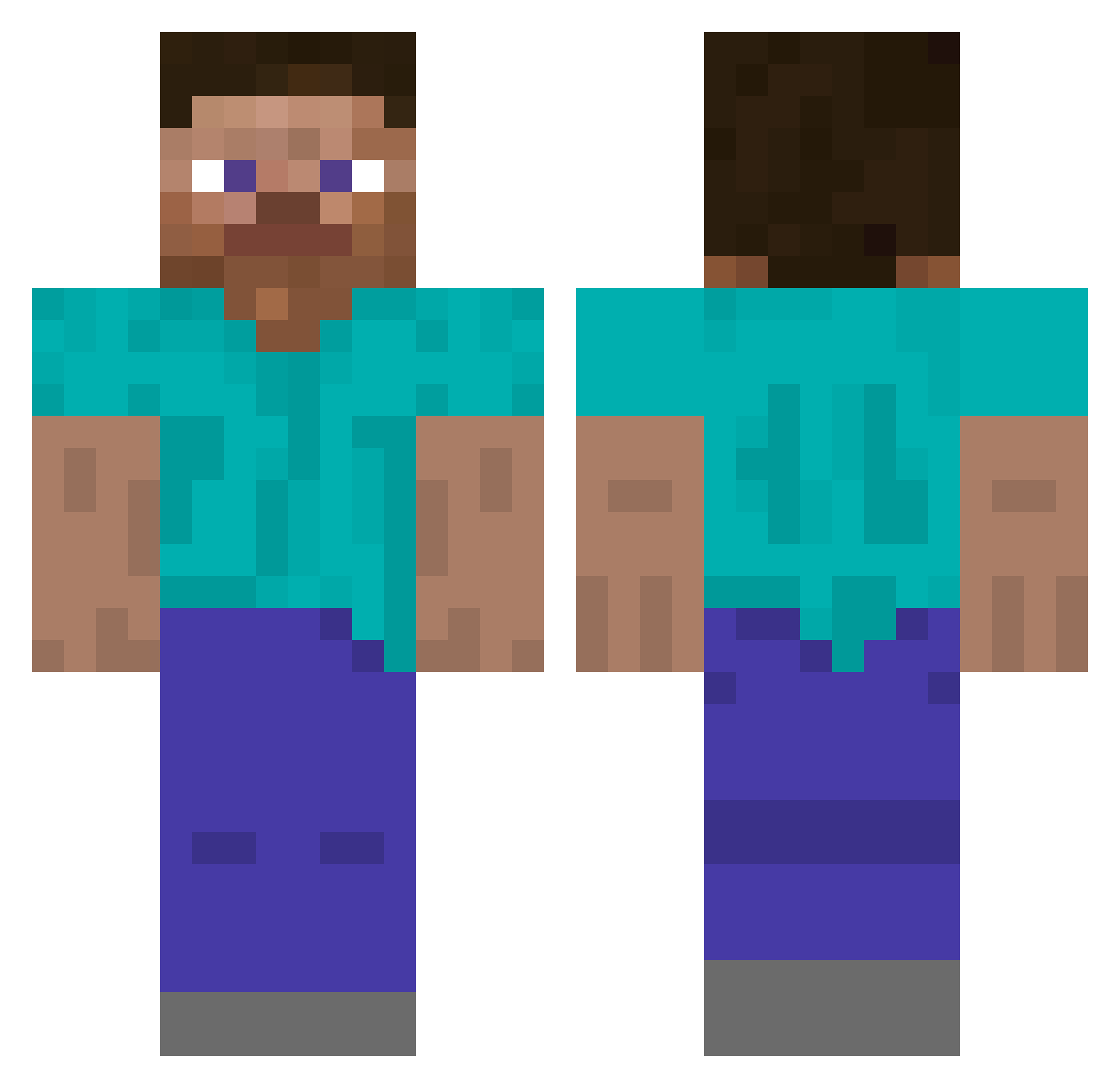
Current Minecraft skin of the player jojojo22000, loaded from the official Mojang API. Rotate the 3D model with your mouse or finger, then download the skin as a PNG file and use it in Minecraft: Bedrock Edition or Java Edition for free. When jojojo22000 changes their skin, this page updates automatically and the old skin stays in the history below.
Other players with this skin (5791)
jojojo22000 was the 5308th player we have seen with this skin, first spotted on 10.11.2026. The same skin was seen on these players. Open a nickname to see their current skin and skin history.
 iEmirxd JimboFGC meegw HAKRA ItzZaphy that_is_now quincylee082802 sweetobby blen_213 Stormer Propanol drink_the_clorox julianxus CrazyHope9 EpsteinFan Spondias SOlish Reverrse NightPhoenix31B viky031 Peener _JM_ itskensen_yt zizoabi Player521 Swivy_ Stxrm09 PoyrazStrafee DongBr Cheatting 8BitRyRy JarkMan ViggoKgamer1 JuniorBitelo Somatical SlowStrqfe sandydaze3 Eark200054 Scarley666 dacianpascu06 Waldemar_Warrior Defaecate ClumsyApex EnizSatelit Predaxx churka1209 jivebiscuit PallMall1234 schmaltzy Strompis Gamming Awesome021 DMnXtrm bahManu WSIF DjungleTrees ralazyyy192 Asswages yukias robotninjaanna
How to install the jojojo22000 skin
- Press the Download button above to save the skin as a PNG file.
- Minecraft: Bedrock Edition (PE): open the Dressing Room from the main menu (or tap your character → Edit Character), go to Classic Skins → Owned, press the + (new skin) button, choose the downloaded PNG and pick the Classic (Steve) model. Works on PC and mobile; consoles cannot import custom skins.
- Minecraft: Java Edition: open the Minecraft Launcher, go to the Skins tab, click New Skin, load the PNG, pick the Classic (Steve) model and press Save & Use. You can also upload it at minecraft.net → Profile → Change Skin.
The skin does not show up after import - what should I do?
Restart Minecraft and open the Dressing Room again - imported skins sometimes appear only after a restart. Also make sure you selected the imported skin and picked the Classic (Steve) model.
Which model should I choose, Classic or Slim?
This skin is designed for the Classic (Steve) model. If you pick the wrong model, the arms of the skin will look stretched or squeezed.
Is the skin of jojojo22000 free to download?
Yes. Press Download, save the PNG file and use it in Minecraft: Bedrock Edition or Java Edition - no payment or registration needed. The skin also works on multiplayer servers and Realms.
More skins
Looking for more? Go back to all Minecraft skins and check the top skins of the week, month and all time, or find any player's skin by nickname.