
jmardesich - Minecraft Skins & Skin History
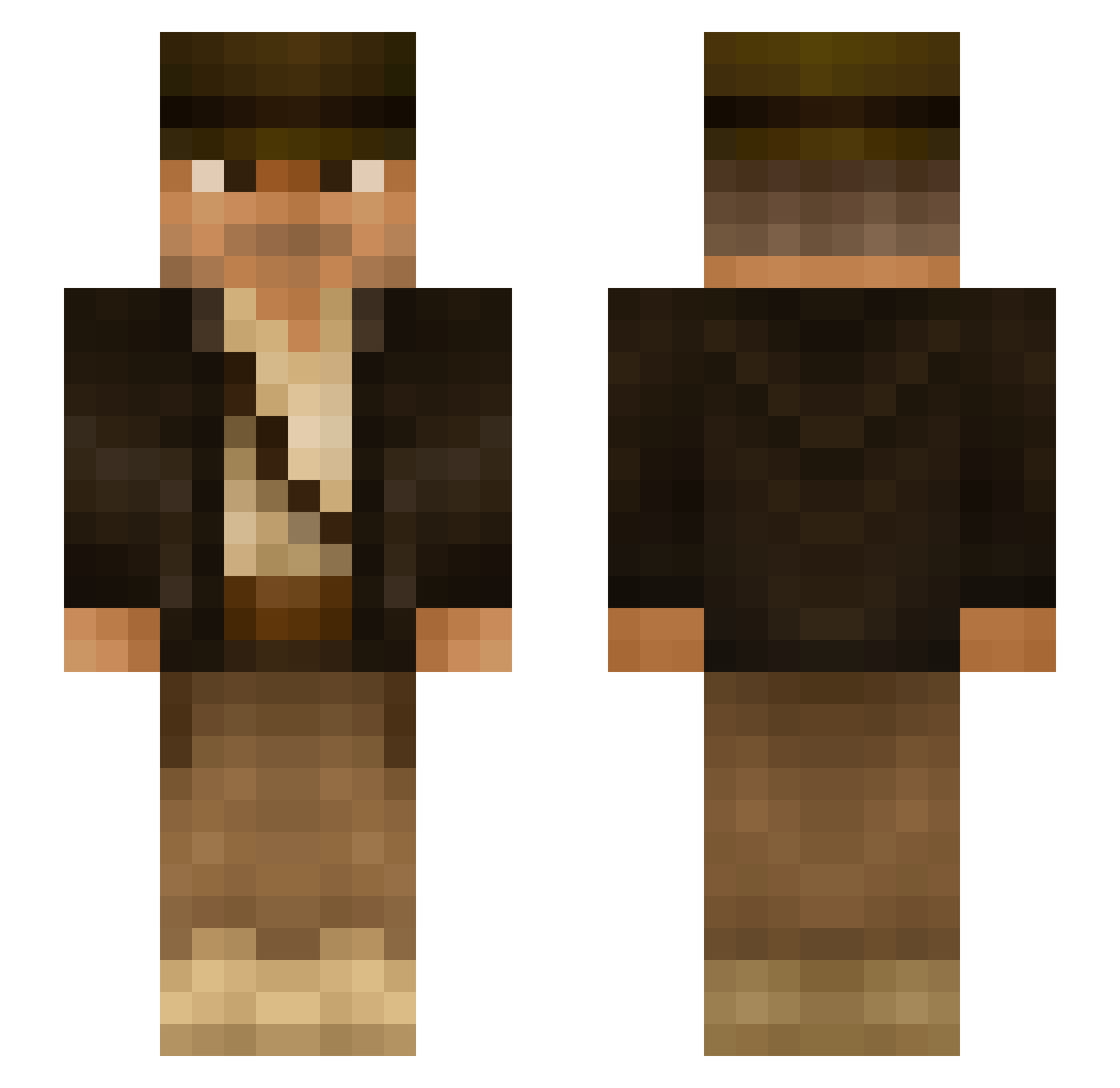
Current Minecraft skin of the player jmardesich, loaded from the official Mojang API. Rotate the 3D model with your mouse or finger, then download the skin as a PNG file and use it in Minecraft: Bedrock Edition or Java Edition for free. When jmardesich changes their skin, this page updates automatically and the old skin stays in the history below.
Other players with this skin (292)
jmardesich was the 63rd player we have seen with this skin, first spotted on 12.08.2026. The same skin was seen on these players. Open a nickname to see their current skin and skin history.
 Matze0903 Liukk06 Nickplays_HD BigLehr38 ysfkyl5 se0ngjun FrosticSyn Numenorius JaimeMorell Pobledit Andalzo debanaan01 WasserBart OfficialNautical Lag3
 mlgfin Tux1983 GenX78 Rockhound210 tasmanin joediev elbocha90 Houseplantsss Alfinator1 billfox_ mac_m4 Sanmik Viatorcaeli FanFleki irpay Truffaut reeal SonicGoose TheLastJediVO SoapyPL MightyQwerty benp2 ElemenT_OMM DocFeelgood Tacowrestler Noctail mefjusz83 K0BH BigNate04 DeadlySun skibiditoiletm7n Raptor94783 CallsignCopey69 Iam_Malik tay_l0 Dummy2333 Wolpertinger_ AgnaresAlert Shinfaya Ready_to_Retire _Rakshasas_ DavidSinHachee
 berryboy10 TheSpoob Lazioderhum
More Indiana Jones Minecraft skins
See all 80 Indiana Jones skins
How to install the jmardesich skin
- Press the Download button above to save the skin as a PNG file.
- Minecraft: Bedrock Edition (PE): open the Dressing Room from the main menu (or tap your character → Edit Character), go to Classic Skins → Owned, press the + (new skin) button, choose the downloaded PNG and pick the Slim (Alex) model. Works on PC and mobile; consoles cannot import custom skins.
- Minecraft: Java Edition: open the Minecraft Launcher, go to the Skins tab, click New Skin, load the PNG, pick the Slim (Alex) model and press Save & Use. You can also upload it at minecraft.net → Profile → Change Skin.
The skin does not show up after import - what should I do?
Restart Minecraft and open the Dressing Room again - imported skins sometimes appear only after a restart. Also make sure you selected the imported skin and picked the Slim (Alex) model.
Which model should I choose, Classic or Slim?
This skin is designed for the Slim (Alex) model. If you pick the wrong model, the arms of the skin will look stretched or squeezed.
Is the skin of jmardesich free to download?
Yes. Press Download, save the PNG file and use it in Minecraft: Bedrock Edition or Java Edition - no payment or registration needed. The skin also works on multiplayer servers and Realms.
More skins
Looking for more? Go back to all Minecraft skins and check the top skins of the week, month and all time, or find any player's skin by nickname.