
jky6632 - Minecraft Skins & Skin History
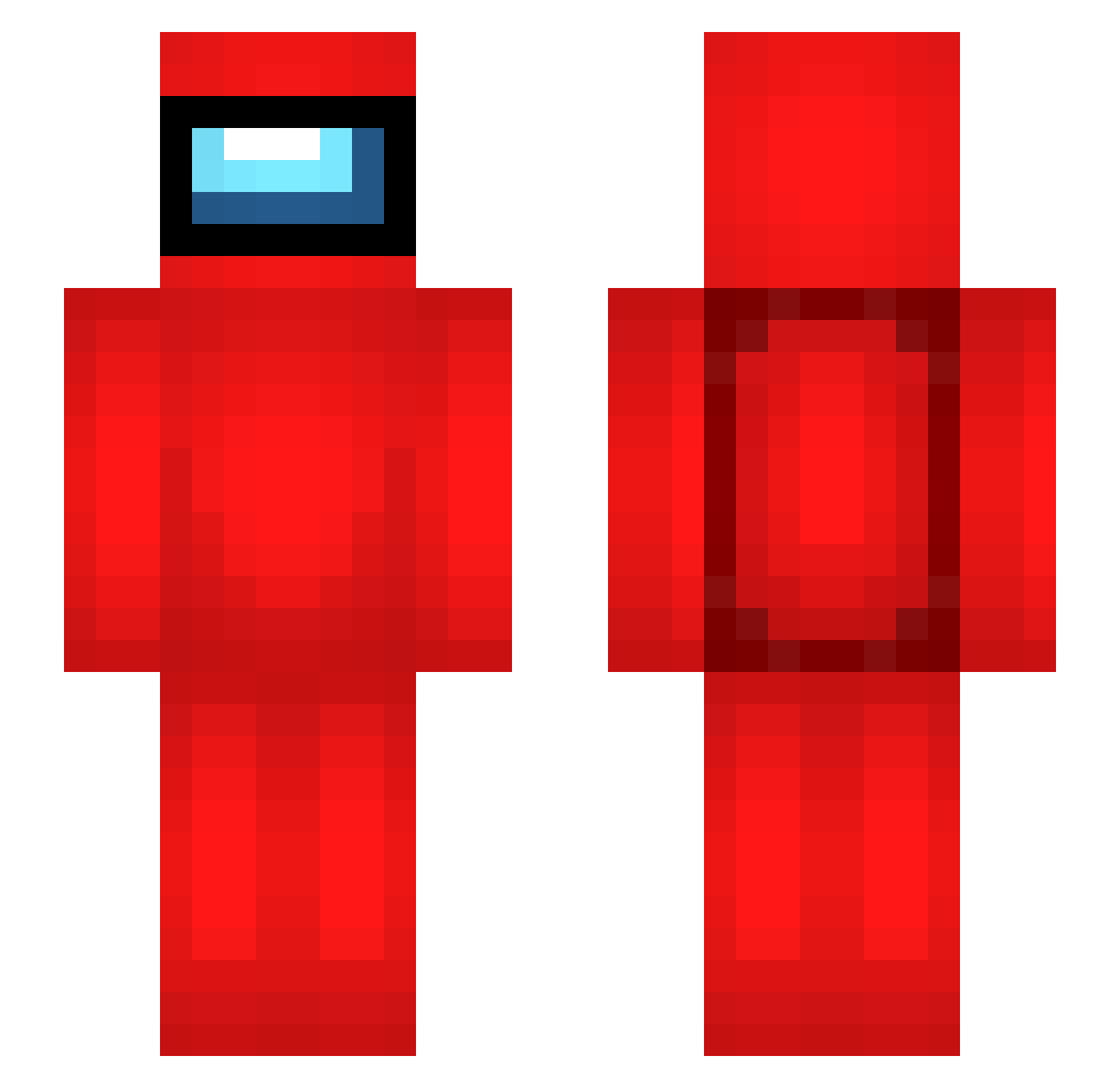
Current Minecraft skin of the player jky6632, loaded from the official Mojang API. Rotate the 3D model with your mouse or finger, then download the skin as a PNG file and use it in Minecraft: Bedrock Edition or Java Edition for free. When jky6632 changes their skin, this page updates automatically and the old skin stays in the history below.
Other players with this skin (354)
jky6632 was the 319th player we have seen with this skin, first spotted on 26.10.2026. The same skin was seen on these players. Open a nickname to see their current skin and skin history.
 lee1228 vivalaliah Skogliv KLUV3R PoongPoong_E _KOMPOSTER_ metaupa4 Mola_Legion ugotOhos joon0311 takekoma smedgy ItchyScratchy_ Elder_spy Drazyra FuzzballDreamer PooPoon Boop_i giannimw3 Spicyking1234 REDLESS123 LeftKidney Koen1503 sw_17 jackpai THE_Madmax poppo_ HaywoodJasuhme Matt_srs Jefvv Slay_NiT bellybabywest dayssants _thatoneguy9 Yellair Modecaiser Skallow PaJoJa Timi_CD TW_JERRY0310 amhap lnrd33 Charazazaa0007 Oscarjames10 CN_zhubimao QelpekajDetKipoL Vannsy99 Sang_chul_ Rubitsboiis HoseongE hollymolly1234 YOLOmen468 KingxBorni TomCitric Tobal2710 Spamred2 Trikeratops daltod Krxasy Lord_Ayex
More Crewmate Minecraft skins
How to install the jky6632 skin
- Press the Download button above to save the skin as a PNG file.
- Minecraft: Bedrock Edition (PE): open the Dressing Room from the main menu (or tap your character → Edit Character), go to Classic Skins → Owned, press the + (new skin) button, choose the downloaded PNG and pick the Slim (Alex) model. Works on PC and mobile; consoles cannot import custom skins.
- Minecraft: Java Edition: open the Minecraft Launcher, go to the Skins tab, click New Skin, load the PNG, pick the Slim (Alex) model and press Save & Use. You can also upload it at minecraft.net → Profile → Change Skin.
The skin does not show up after import - what should I do?
Restart Minecraft and open the Dressing Room again - imported skins sometimes appear only after a restart. Also make sure you selected the imported skin and picked the Slim (Alex) model.
Which model should I choose, Classic or Slim?
This skin is designed for the Slim (Alex) model. If you pick the wrong model, the arms of the skin will look stretched or squeezed.
Is the skin of jky6632 free to download?
Yes. Press Download, save the PNG file and use it in Minecraft: Bedrock Edition or Java Edition - no payment or registration needed. The skin also works on multiplayer servers and Realms.
More skins
Looking for more? Go back to all Minecraft skins and check the top skins of the week, month and all time, or find any player's skin by nickname.