
jking20 - Minecraft Skins & Skin History
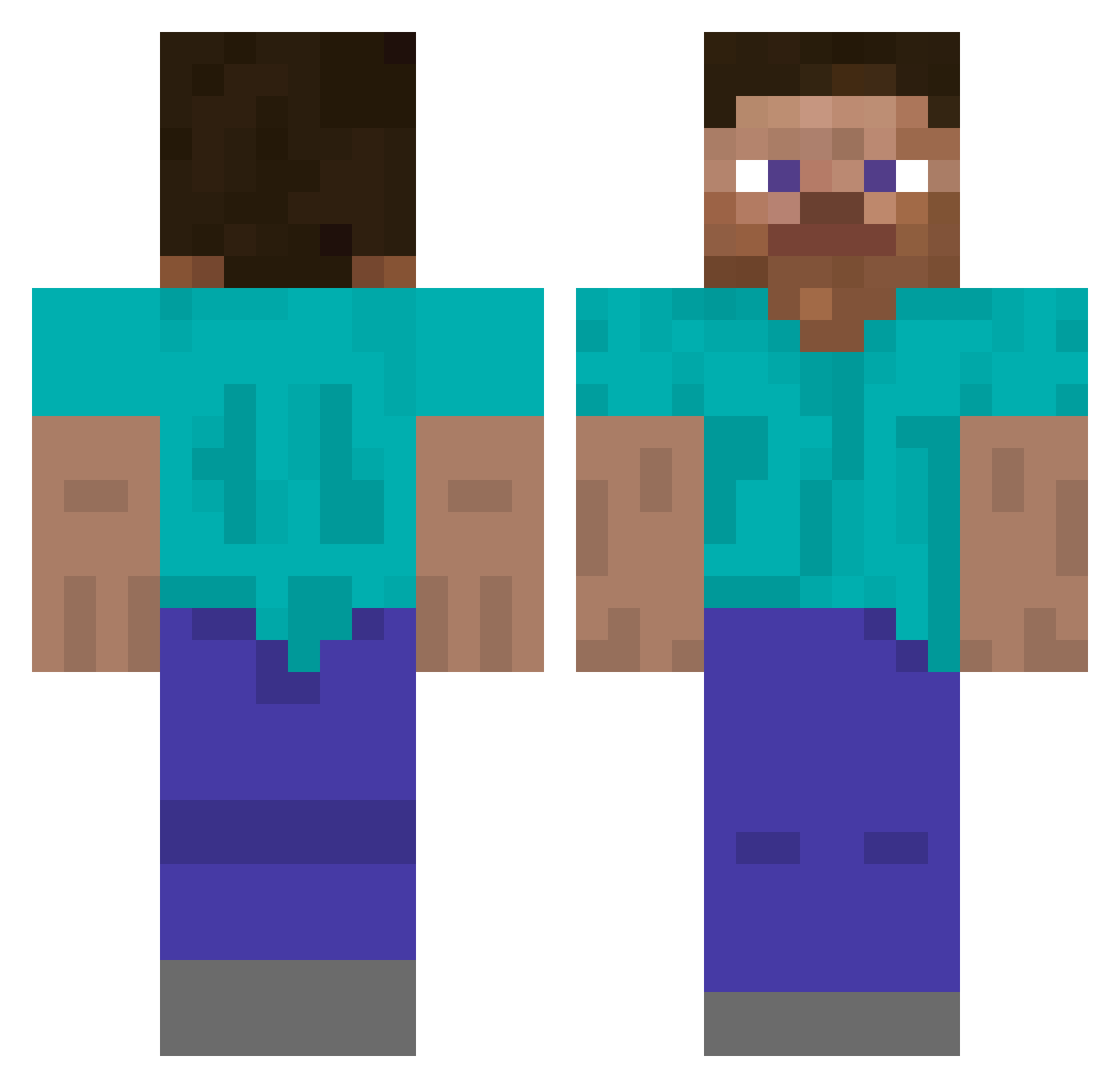
Current Minecraft skin of the player jking20, loaded from the official Mojang API. Rotate the 3D model with your mouse or finger, then download the skin as a PNG file and use it in Minecraft: Bedrock Edition or Java Edition for free. When jking20 changes their skin, this page updates automatically and the old skin stays in the history below.
Other players with this skin (509)
jking20 was the 411th player we have seen with this skin, first spotted on 09.10.2026. The same skin was seen on these players. Open a nickname to see their current skin and skin history.
 FCMasloPL tommy7om Macbe MCawsom3 plkm49 BeenBoy733 SkinnyPeen50 lapommeputride Qingliyun oleo_7 JongHyeon0712 omerfo pvsaf Ruoh Gugas_69 KRZYSIEK00083 LocaIMemes moonposs Pommespilot BonlessPizzaV1 kekisquire Dasan1Water Moskau1 thanhb1nh SkyLo01 MiserableMonk snava127 AutominerMan koeh LEECOMPANY yujun_12 MoKafh MateMathias1 ChRkY_ haejeu znznsj hotlilpancakes Chindanai001 AncatXbox154 FLACOW08 Pedrin_ EducatedApple17 arjiscool black_jack25 Lewbert1 yunseop1106 LinhDuskd2yUwU password1145 ItSAbIgBOi06 B0BASANS Anniecanters SupremePandaYT ItzAlexJones phorant Elethus VortexXD Phteven_Hawking bloodylake Kotu_x Saramebr
How to install the jking20 skin
- Press the Download button above to save the skin as a PNG file.
- Minecraft: Bedrock Edition (PE): open the Dressing Room from the main menu (or tap your character → Edit Character), go to Classic Skins → Owned, press the + (new skin) button, choose the downloaded PNG and pick the Classic (Steve) model. Works on PC and mobile; consoles cannot import custom skins.
- Minecraft: Java Edition: open the Minecraft Launcher, go to the Skins tab, click New Skin, load the PNG, pick the Classic (Steve) model and press Save & Use. You can also upload it at minecraft.net → Profile → Change Skin.
The skin does not show up after import - what should I do?
Restart Minecraft and open the Dressing Room again - imported skins sometimes appear only after a restart. Also make sure you selected the imported skin and picked the Classic (Steve) model.
Which model should I choose, Classic or Slim?
This skin is designed for the Classic (Steve) model. If you pick the wrong model, the arms of the skin will look stretched or squeezed.
Is the skin of jking20 free to download?
Yes. Press Download, save the PNG file and use it in Minecraft: Bedrock Edition or Java Edition - no payment or registration needed. The skin also works on multiplayer servers and Realms.
More skins
Looking for more? Go back to all Minecraft skins and check the top skins of the week, month and all time, or find any player's skin by nickname.