
jjangggun - Minecraft Skins & Skin History
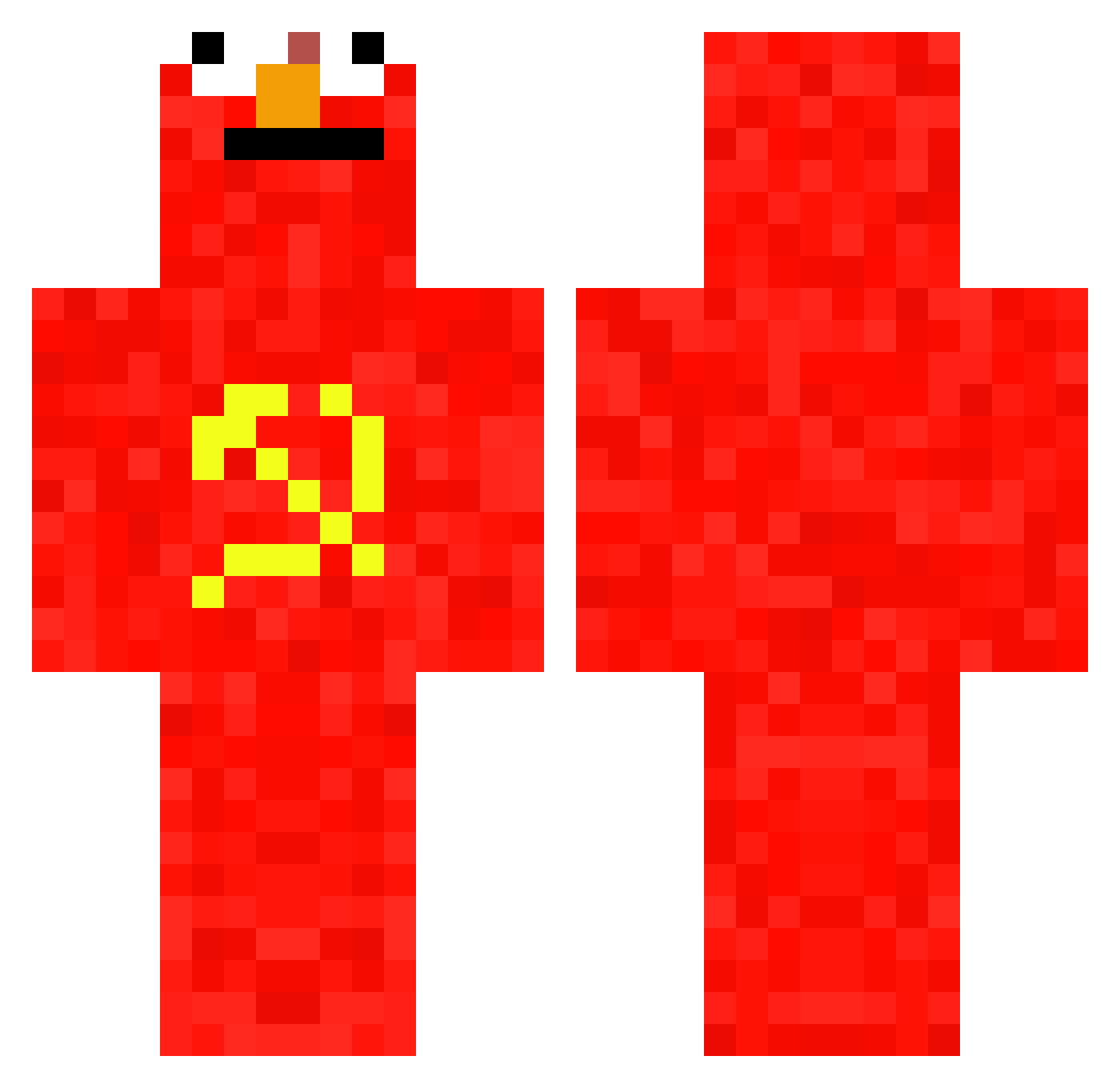
Current Minecraft skin of the player jjangggun, loaded from the official Mojang API. Rotate the 3D model with your mouse or finger, then download the skin as a PNG file and use it in Minecraft: Bedrock Edition or Java Edition for free. When jjangggun changes their skin, this page updates automatically and the old skin stays in the history below.
Other players with this skin (697)
jjangggun was the 91st player we have seen with this skin, first spotted on 07.08.2026. The same skin was seen on these players. Open a nickname to see their current skin and skin history.
 KAYRA4 Romeer74 DoubleBlingBling MrNoclip JaoVituuu s1tteru realOGsandwich purplewater1212 12MiKi Safeness KT_onion _GameZero_ pilocatotosa Cashlicious martin_wifi saltyymann Diego_12 jhc_junior Legenderix _brojobs_ OlivierVVE alienpretzel Clxpped_Skyes tobz1992 MrCeebs69 Janeq24 tommod_21 Trekking2103 Vastick INAJAO xDirectVelocity Kimadono Adamez04 munkkimies321 Hakexino ENPOT00
 joakoARG Padri69 Nilsvdveen Kathis_Freund Framez69 KaioDaKombi landlord888 Bodhiisattva SenpaiClavis
 AzCrosstyle Levyzll lolmgfyi TenenPindaKaas Claaaas megachungus ssnigel AstralRobot Tempus1212 VCLuffy FKGLOR icube36 Notrew N0turbabydoll Hellmo__
More Communist Minecraft skins
How to install the jjangggun skin
- Press the Download button above to save the skin as a PNG file.
- Minecraft: Bedrock Edition (PE): open the Dressing Room from the main menu (or tap your character → Edit Character), go to Classic Skins → Owned, press the + (new skin) button, choose the downloaded PNG and pick the Classic (Steve) model. Works on PC and mobile; consoles cannot import custom skins.
- Minecraft: Java Edition: open the Minecraft Launcher, go to the Skins tab, click New Skin, load the PNG, pick the Classic (Steve) model and press Save & Use. You can also upload it at minecraft.net → Profile → Change Skin.
The skin does not show up after import - what should I do?
Restart Minecraft and open the Dressing Room again - imported skins sometimes appear only after a restart. Also make sure you selected the imported skin and picked the Classic (Steve) model.
Which model should I choose, Classic or Slim?
This skin is designed for the Classic (Steve) model. If you pick the wrong model, the arms of the skin will look stretched or squeezed.
Is the skin of jjangggun free to download?
Yes. Press Download, save the PNG file and use it in Minecraft: Bedrock Edition or Java Edition - no payment or registration needed. The skin also works on multiplayer servers and Realms.
More skins
Looking for more? Go back to all Minecraft skins and check the top skins of the week, month and all time, or find any player's skin by nickname.