
jewishspongebob - Minecraft Skins & Skin History
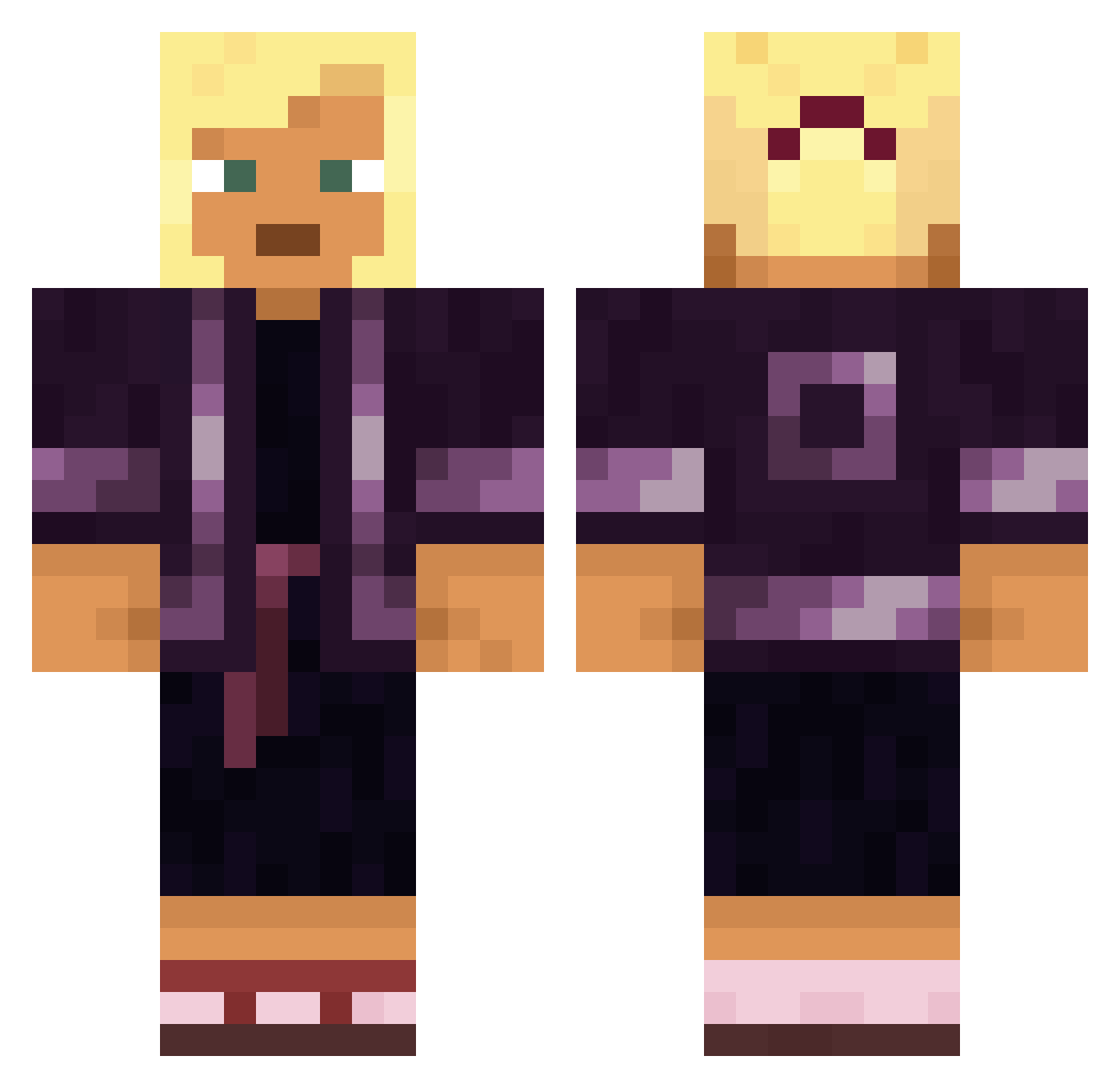
Current Minecraft skin of the player jewishspongebob, loaded from the official Mojang API. Rotate the 3D model with your mouse or finger, then download the skin as a PNG file and use it in Minecraft: Bedrock Edition or Java Edition for free. When jewishspongebob changes their skin, this page updates automatically and the old skin stays in the history below.
Other players with this skin (1887)
jewishspongebob was the 1570th player we have seen with this skin, first spotted on 03.11.2026. The same skin was seen on these players. Open a nickname to see their current skin and skin history.
 Wren18 loduffka Raidx1 D00CX Dream142 PorscheBoxster Poached Theatron onewest_ Gizzzzzzzzzz Slappington LLC12345 Rowlzer Circumventer Fresh_Asako sh1br0 hayride D1alDuck Juul_Daddy Beggarman ginto12 Grenddd Franekjwi Bartekjakwilk Drat Guizi Bonetta Anchat Leo110718 ColeXRP Michabou BigBlackBala niboGambino Ramuin Skifire Eligellla CrazyStar_3000 TwistedGuy420 _enigma_one Roosting SphinxFudge Vassalage Eggs__Dee HavocKing Harrage KingD4vid hypoxia L1ncoln9 FadeXFruit igi_jajo Felones NasalBand953343 Jovan633 Agefirotos somaticleader TheRedTriangle w1n5t0n3r ProMaster7811 celvyx_ katz13
More Kimono Minecraft skins
How to install the jewishspongebob skin
- Press the Download button above to save the skin as a PNG file.
- Minecraft: Bedrock Edition (PE): open the Dressing Room from the main menu (or tap your character → Edit Character), go to Classic Skins → Owned, press the + (new skin) button, choose the downloaded PNG and pick the Classic (Steve) model. Works on PC and mobile; consoles cannot import custom skins.
- Minecraft: Java Edition: open the Minecraft Launcher, go to the Skins tab, click New Skin, load the PNG, pick the Classic (Steve) model and press Save & Use. You can also upload it at minecraft.net → Profile → Change Skin.
The skin does not show up after import - what should I do?
Restart Minecraft and open the Dressing Room again - imported skins sometimes appear only after a restart. Also make sure you selected the imported skin and picked the Classic (Steve) model.
Which model should I choose, Classic or Slim?
This skin is designed for the Classic (Steve) model. If you pick the wrong model, the arms of the skin will look stretched or squeezed.
Is the skin of jewishspongebob free to download?
Yes. Press Download, save the PNG file and use it in Minecraft: Bedrock Edition or Java Edition - no payment or registration needed. The skin also works on multiplayer servers and Realms.
More skins
Looking for more? Go back to all Minecraft skins and check the top skins of the week, month and all time, or find any player's skin by nickname.