
jeremy2345 - Minecraft Skins & Skin History
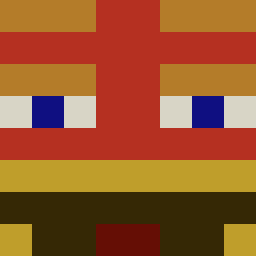
Current Minecraft skin of the player jeremy2345, loaded from the official Mojang API. Rotate the 3D model with your mouse or finger, then download the skin as a PNG file and use it in Minecraft: Bedrock Edition or Java Edition for free. When jeremy2345 changes their skin, this page updates automatically and the old skin stays in the history below.

Other players with this skin (719)
jeremy2345 was the 26th player we have seen with this skin, first spotted on 26.07.2026. The same skin was seen on these players. Open a nickname to see their current skin and skin history.
 aculc A300KATERYN Hexz_16 TimmySE Epitaphio eclaiv2thesecond MidgetGamer69 ProPabloEz branded07 kcid20 mifinka_123
 litmate einfachTEA Guligabi zhongklee
 LSavage_XD snatcher2 joseph_caulfield justclarence69
 DADAGUAIO Thirsttyn _Eru_ narcocount kloppi1901 Tasro
 Ale_capo shenqianyv HTG___ poopy_pants420 SurpriseHola Puungg Omar_abi Waxxyi HOSKVAOFC Yttrivm ILoveRanchMore brawlf Vysocinka05 MenahemZz ADeAgazio Fastfi35 DiceAge gizemzi Mikeyman8u Yaomeister clsedo _Fruiti_ linsan04 topollillo GoldenZebra89 p0dzie shadowzeusz oxxonomy eyes_of_ice ivanic936 NooBffly Lava_MLG Smaykel_Cr borkbork6 Ehmil
More Stickman Minecraft skins
How to install the jeremy2345 skin
- Press the Download button above to save the skin as a PNG file.
- Minecraft: Bedrock Edition (PE): open the Dressing Room from the main menu (or tap your character → Edit Character), go to Classic Skins → Owned, press the + (new skin) button, choose the downloaded PNG and pick the Classic (Steve) model. Works on PC and mobile; consoles cannot import custom skins.
- Minecraft: Java Edition: open the Minecraft Launcher, go to the Skins tab, click New Skin, load the PNG, pick the Classic (Steve) model and press Save & Use. You can also upload it at minecraft.net → Profile → Change Skin.
The skin does not show up after import - what should I do?
Restart Minecraft and open the Dressing Room again - imported skins sometimes appear only after a restart. Also make sure you selected the imported skin and picked the Classic (Steve) model.
Which model should I choose, Classic or Slim?
This skin is designed for the Classic (Steve) model. If you pick the wrong model, the arms of the skin will look stretched or squeezed.
Is the skin of jeremy2345 free to download?
Yes. Press Download, save the PNG file and use it in Minecraft: Bedrock Edition or Java Edition - no payment or registration needed. The skin also works on multiplayer servers and Realms.
More skins
Looking for more? Go back to all Minecraft skins and check the top skins of the week, month and all time, or find any player's skin by nickname.