
jepa60 - Minecraft Skins & Skin History
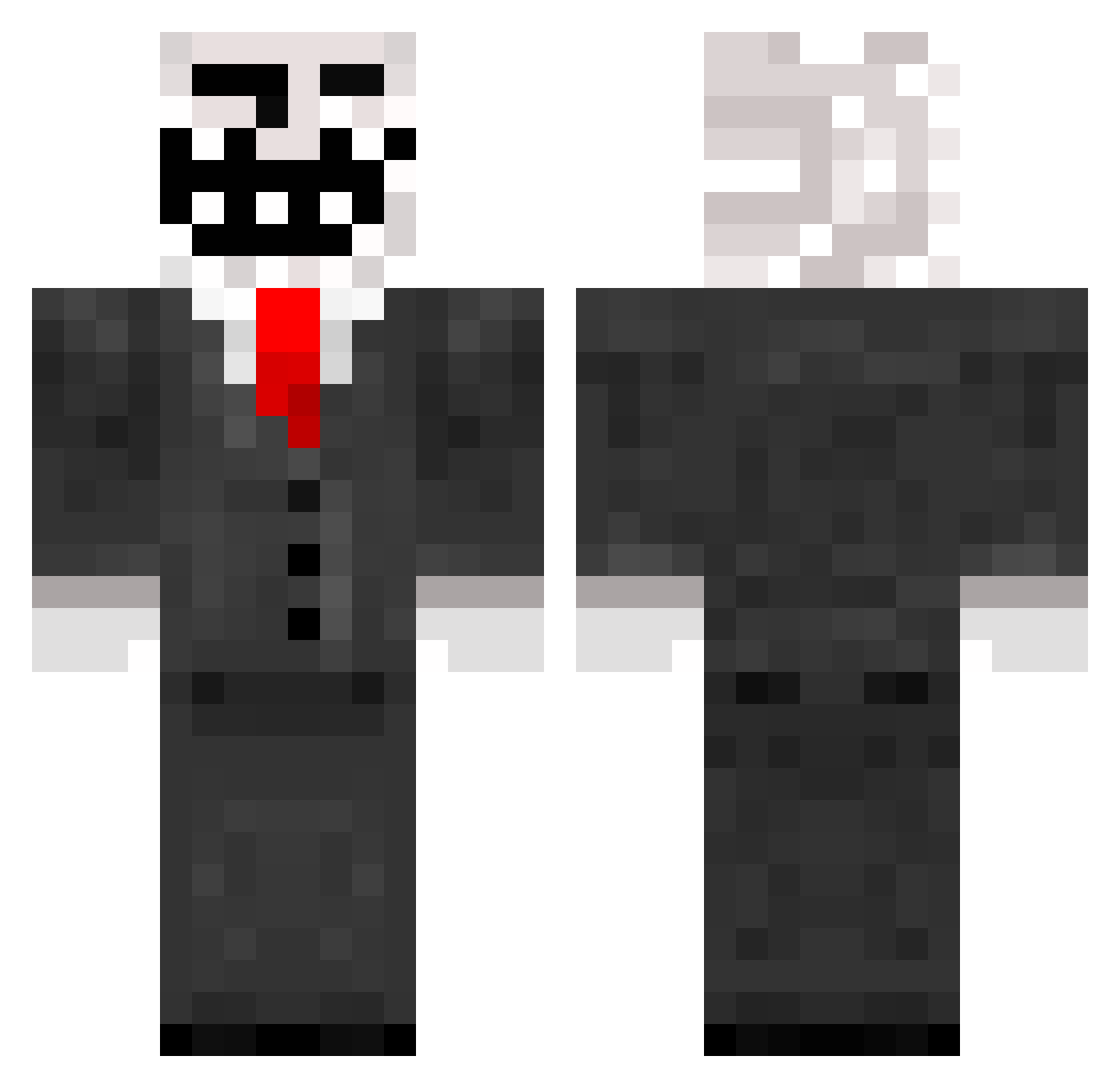
Current Minecraft skin of the player jepa60, loaded from the official Mojang API. Rotate the 3D model with your mouse or finger, then download the skin as a PNG file and use it in Minecraft: Bedrock Edition or Java Edition for free. When jepa60 changes their skin, this page updates automatically and the old skin stays in the history below.
Other players with this skin (788)
jepa60 was the 150th player we have seen with this skin, first spotted on 15.08.2026. The same skin was seen on these players. Open a nickname to see their current skin and skin history.
 mw3killer xGriefNx Darksolid83 da_oneO_O oJINXo carsonf10 Neonflash aia431 Jerrejerre vik3311 ii_tom Soehnke mrknight64 Viktoredstrom alafonk2 sebbepm12 aexis0409 Hybrid_SoulZz johanm1207 LeglessFootball Oobergoober21 skubaba Inspector_Holmes mxpopp binbinou99 johnnyboy188 pacmanv16 gunnu7we DesmoGame giothegreat02 Hodorz RoflanZdorova EviLRangeR maximillien127 ganjabis Soszenbrot Vherus Tomcool64 GamingStyle300 Schnils09 DarkKrai danjones1993 pete4kaa lumatu_2003 MilkyFilms spleisler TheTop42 Dog_Duke Subsoil assfart27 monsterspawnerXD Philotic NaRc0tik xvenomaster MrAzazazaza CyberBlade03 miviro goodbub LordJohnnie dimikbad
More Trollface Minecraft skins
How to install the jepa60 skin
- Press the Download button above to save the skin as a PNG file.
- Minecraft: Bedrock Edition (PE): open the Dressing Room from the main menu (or tap your character → Edit Character), go to Classic Skins → Owned, press the + (new skin) button, choose the downloaded PNG and pick the Classic (Steve) model. Works on PC and mobile; consoles cannot import custom skins.
- Minecraft: Java Edition: open the Minecraft Launcher, go to the Skins tab, click New Skin, load the PNG, pick the Classic (Steve) model and press Save & Use. You can also upload it at minecraft.net → Profile → Change Skin.
The skin does not show up after import - what should I do?
Restart Minecraft and open the Dressing Room again - imported skins sometimes appear only after a restart. Also make sure you selected the imported skin and picked the Classic (Steve) model.
Which model should I choose, Classic or Slim?
This skin is designed for the Classic (Steve) model. If you pick the wrong model, the arms of the skin will look stretched or squeezed.
Is the skin of jepa60 free to download?
Yes. Press Download, save the PNG file and use it in Minecraft: Bedrock Edition or Java Edition - no payment or registration needed. The skin also works on multiplayer servers and Realms.
More skins
Looking for more? Go back to all Minecraft skins and check the top skins of the week, month and all time, or find any player's skin by nickname.