
jednanoga - Minecraft Skins & Skin History
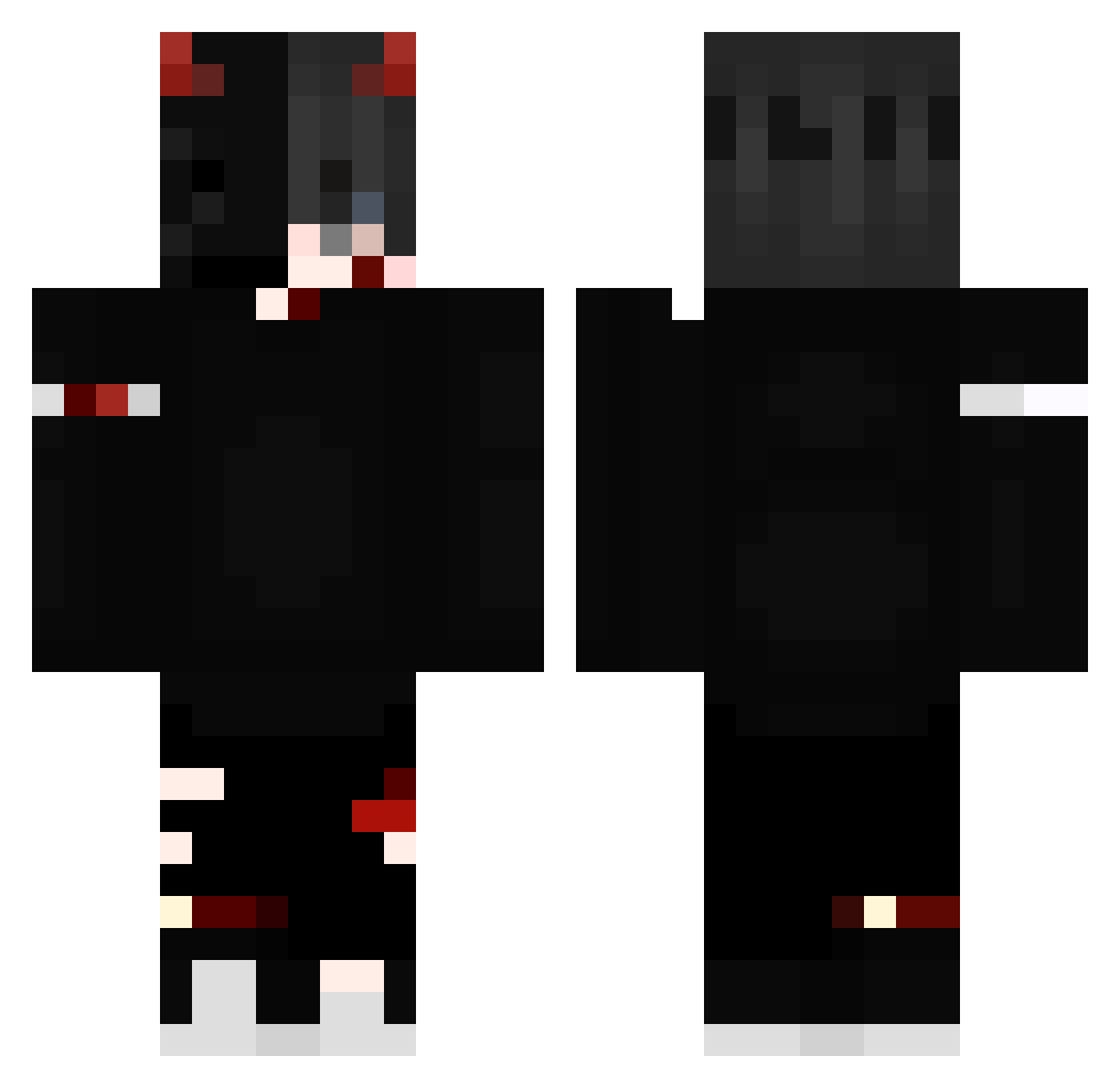
Current Minecraft skin of the player jednanoga, loaded from the official Mojang API. Rotate the 3D model with your mouse or finger, then download the skin as a PNG file and use it in Minecraft: Bedrock Edition or Java Edition for free. When jednanoga changes their skin, this page updates automatically and the old skin stays in the history below.
Other players with this skin (239)
jednanoga was the 185th player we have seen with this skin, first spotted on 11.10.2026. The same skin was seen on these players. Open a nickname to see their current skin and skin history.
 Shravanghg RogueSummonerX Ruzgarlevelup Eastifx Zemaniack JustZhyke Shakerry Soul_Demons PetrPr0 Maku__ ItsMomon _ItsAloneX2 Homicidal_Terra BALLASPARTAN22 chrisstouu Ndcap13 Sun_King24 Xjack__dragon SilmeKiller MathiasVB12 NAIM10 D3M0N_On_yT LokiVilulf vodkae6425 ITz_Raouf_Dz matuleno MatheiixxYTB paleselan Darkii1 Kazuya_Yuku Dabodi 7mada_man ElGustavoProPvp Blazin8 zi0ms0npl69 v1per01 Campyxx Hachidairyuo N0xuU skmilo Call_me_Boss Dej9vu ShenShiro Hunter0519 BocqGaming LeBDemon sector553 xMokyu IcedDemonWolf Azwelf ix_viii_i HaiKoerper67676 codex00015 MrMaikHD Melissa0908 abu6r xNoah4k Sha1ev GabrielzinTaDeAk SUPERNOVA200810
More Edgy Minecraft skins
How to install the jednanoga skin
- Press the Download button above to save the skin as a PNG file.
- Minecraft: Bedrock Edition (PE): open the Dressing Room from the main menu (or tap your character → Edit Character), go to Classic Skins → Owned, press the + (new skin) button, choose the downloaded PNG and pick the Classic (Steve) model. Works on PC and mobile; consoles cannot import custom skins.
- Minecraft: Java Edition: open the Minecraft Launcher, go to the Skins tab, click New Skin, load the PNG, pick the Classic (Steve) model and press Save & Use. You can also upload it at minecraft.net → Profile → Change Skin.
The skin does not show up after import - what should I do?
Restart Minecraft and open the Dressing Room again - imported skins sometimes appear only after a restart. Also make sure you selected the imported skin and picked the Classic (Steve) model.
Which model should I choose, Classic or Slim?
This skin is designed for the Classic (Steve) model. If you pick the wrong model, the arms of the skin will look stretched or squeezed.
Is the skin of jednanoga free to download?
Yes. Press Download, save the PNG file and use it in Minecraft: Bedrock Edition or Java Edition - no payment or registration needed. The skin also works on multiplayer servers and Realms.
More skins
Looking for more? Go back to all Minecraft skins and check the top skins of the week, month and all time, or find any player's skin by nickname.