
jdude505 - Minecraft Skins & Skin History
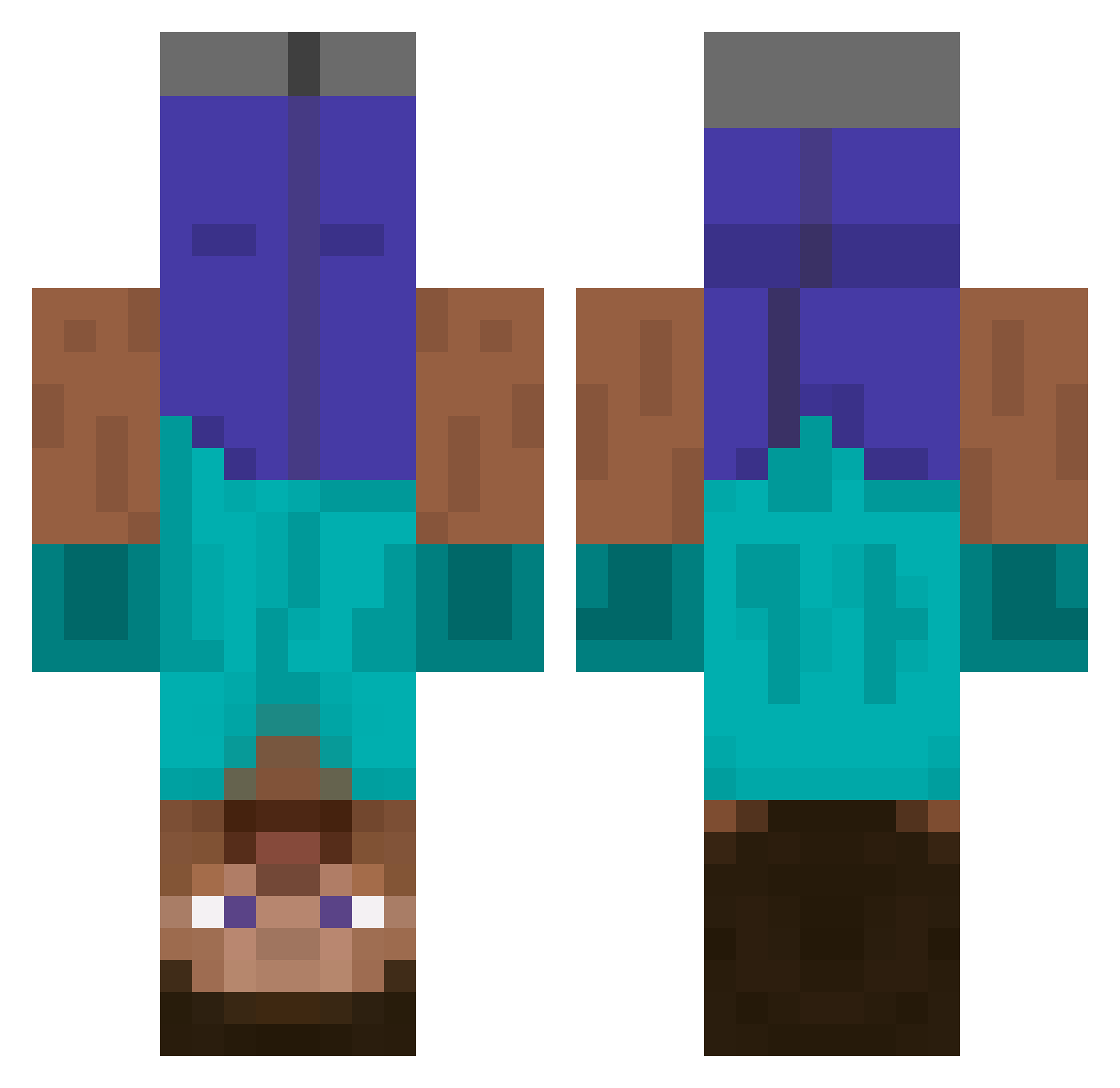
Current Minecraft skin of the player jdude505, loaded from the official Mojang API. Rotate the 3D model with your mouse or finger, then download the skin as a PNG file and use it in Minecraft: Bedrock Edition or Java Edition for free. When jdude505 changes their skin, this page updates automatically and the old skin stays in the history below.
Other players with this skin (438)
jdude505 was the 423rd player we have seen with this skin, first spotted on 19.10.2026. The same skin was seen on these players. Open a nickname to see their current skin and skin history.
 CuzinRoman Phantasmaa Starr_kiD FoucaultMG SrikarsMother DAETONG HolyHair cirdecidou CitizenErased26 minishep_7 Vladus779 fury1337 Pentolico EvasiveCasey tp61i6u04 Conpatshe jeppepepson SuperKid4222 UnicornBacon Jango_Fett11 Dantepimp MTROB coolkid97 TrashCompact Flowersted Lichblade mvpRIP gman4757 Dave_van_da_lulu egyokeo thepigmaster HE4DSHOT 3scoper joep360 Obstructing aussielink44 ekoloso dudezandr stevesonaplane Kumpu JackCostello legoman4285 Devarian iTzHeartyxD Clawsole InnocntBystandr Drschnabel SoccerSteve65 Frank_Magecaster chipchipperson55 James10115 SLO_AMG Doroesss mfpm janssen98 Flufftypanda LuxZ_ dolixxe MasonDaGamer ajrslg
More Dinnerbone Minecraft skins
How to install the jdude505 skin
- Press the Download button above to save the skin as a PNG file.
- Minecraft: Bedrock Edition (PE): open the Dressing Room from the main menu (or tap your character → Edit Character), go to Classic Skins → Owned, press the + (new skin) button, choose the downloaded PNG and pick the Classic (Steve) model. Works on PC and mobile; consoles cannot import custom skins.
- Minecraft: Java Edition: open the Minecraft Launcher, go to the Skins tab, click New Skin, load the PNG, pick the Classic (Steve) model and press Save & Use. You can also upload it at minecraft.net → Profile → Change Skin.
The skin does not show up after import - what should I do?
Restart Minecraft and open the Dressing Room again - imported skins sometimes appear only after a restart. Also make sure you selected the imported skin and picked the Classic (Steve) model.
Which model should I choose, Classic or Slim?
This skin is designed for the Classic (Steve) model. If you pick the wrong model, the arms of the skin will look stretched or squeezed.
Is the skin of jdude505 free to download?
Yes. Press Download, save the PNG file and use it in Minecraft: Bedrock Edition or Java Edition - no payment or registration needed. The skin also works on multiplayer servers and Realms.
More skins
Looking for more? Go back to all Minecraft skins and check the top skins of the week, month and all time, or find any player's skin by nickname.