
jblocks1 - Minecraft Skins & Skin History
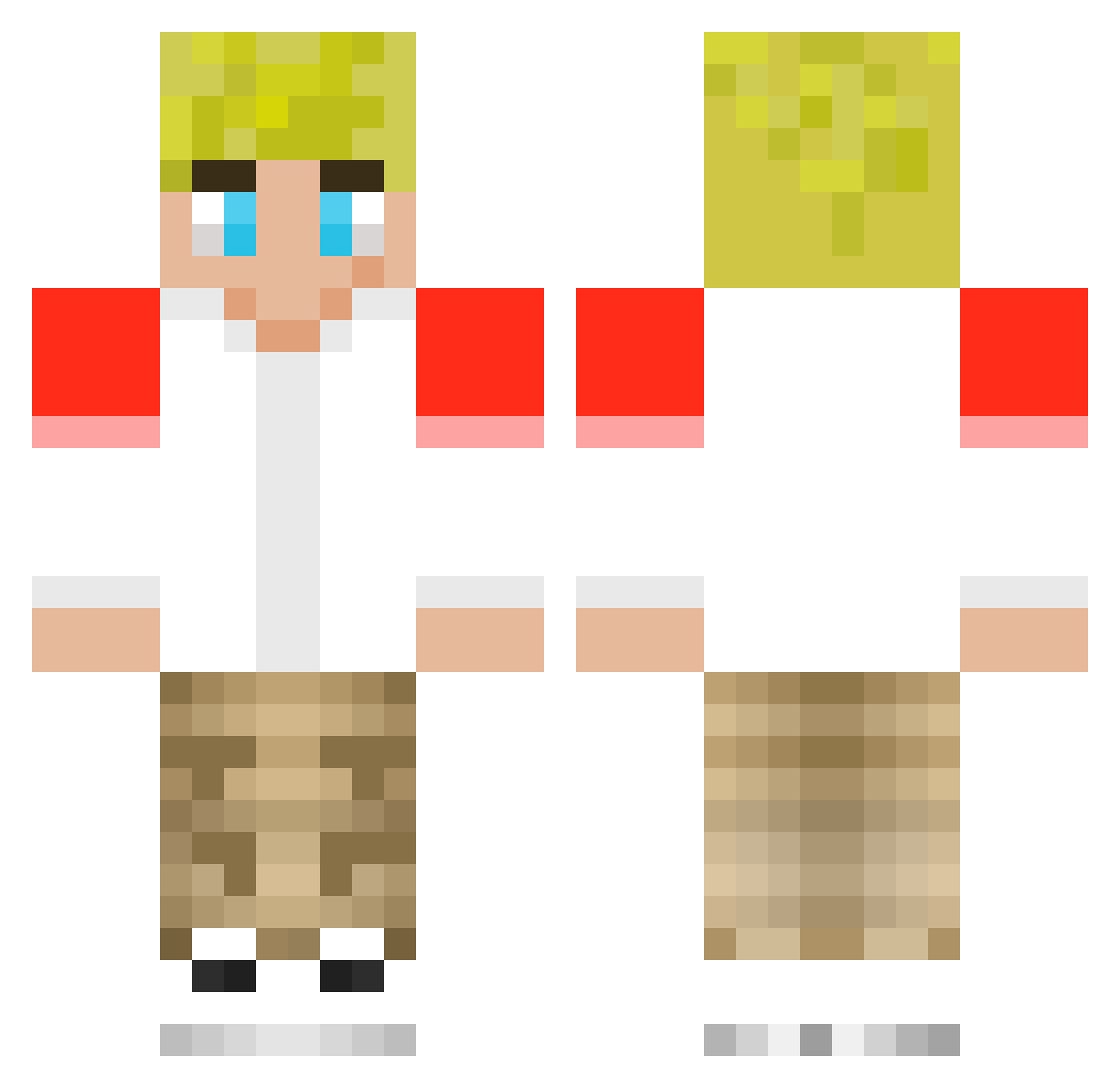
Current Minecraft skin of the player jblocks1, loaded from the official Mojang API. Rotate the 3D model with your mouse or finger, then download the skin as a PNG file and use it in Minecraft: Bedrock Edition or Java Edition for free. When jblocks1 changes their skin, this page updates automatically and the old skin stays in the history below.
Other players with this skin (253)
jblocks1 was the 238th player we have seen with this skin, first spotted on 13.11.2026. The same skin was seen on these players. Open a nickname to see their current skin and skin history.
 BensonNotFound Zwiz258 TommyinnitFan xReus McsherlockJr Jerazz Kristann R088IEK1967 jelly9909 t3rtzinnnn juncomputer6 Aredoffox Block_diamond JJDJ_da_boss Beaver79 HarrietPotter13 Smiphy nyonyonatey alknapps redxenonbeam Sillyxvibez soupbreath Milomogster Tommy_XD mBaPpE411 ycpro7 grogo0 rockedman525 whtheseus__ Parxzyyyy ClaraM7 Curry5928 MASONINIT9602 shedm8 EbcylikesToes Tommynotfound Cheerfreak7 _HeyWoah_ dtbhankz BroadSum Jackeronie9 RobertOlivo Rae_Piste1926 CrowAmd Tranners2010 Maddox566 RolexCK sji83 Liam_Demps3y H3M_ cellboierism Berrynotberry LacMac JINJNI arekkusuOoof WillSmells realvicadepro154 Bingohope MagnusSoPro raymox
More Tommyinnit Minecraft skins
How to install the jblocks1 skin
- Press the Download button above to save the skin as a PNG file.
- Minecraft: Bedrock Edition (PE): open the Dressing Room from the main menu (or tap your character → Edit Character), go to Classic Skins → Owned, press the + (new skin) button, choose the downloaded PNG and pick the Classic (Steve) model. Works on PC and mobile; consoles cannot import custom skins.
- Minecraft: Java Edition: open the Minecraft Launcher, go to the Skins tab, click New Skin, load the PNG, pick the Classic (Steve) model and press Save & Use. You can also upload it at minecraft.net → Profile → Change Skin.
The skin does not show up after import - what should I do?
Restart Minecraft and open the Dressing Room again - imported skins sometimes appear only after a restart. Also make sure you selected the imported skin and picked the Classic (Steve) model.
Which model should I choose, Classic or Slim?
This skin is designed for the Classic (Steve) model. If you pick the wrong model, the arms of the skin will look stretched or squeezed.
Is the skin of jblocks1 free to download?
Yes. Press Download, save the PNG file and use it in Minecraft: Bedrock Edition or Java Edition - no payment or registration needed. The skin also works on multiplayer servers and Realms.
More skins
Looking for more? Go back to all Minecraft skins and check the top skins of the week, month and all time, or find any player's skin by nickname.