
jb5000 - Minecraft Skins & Skin History
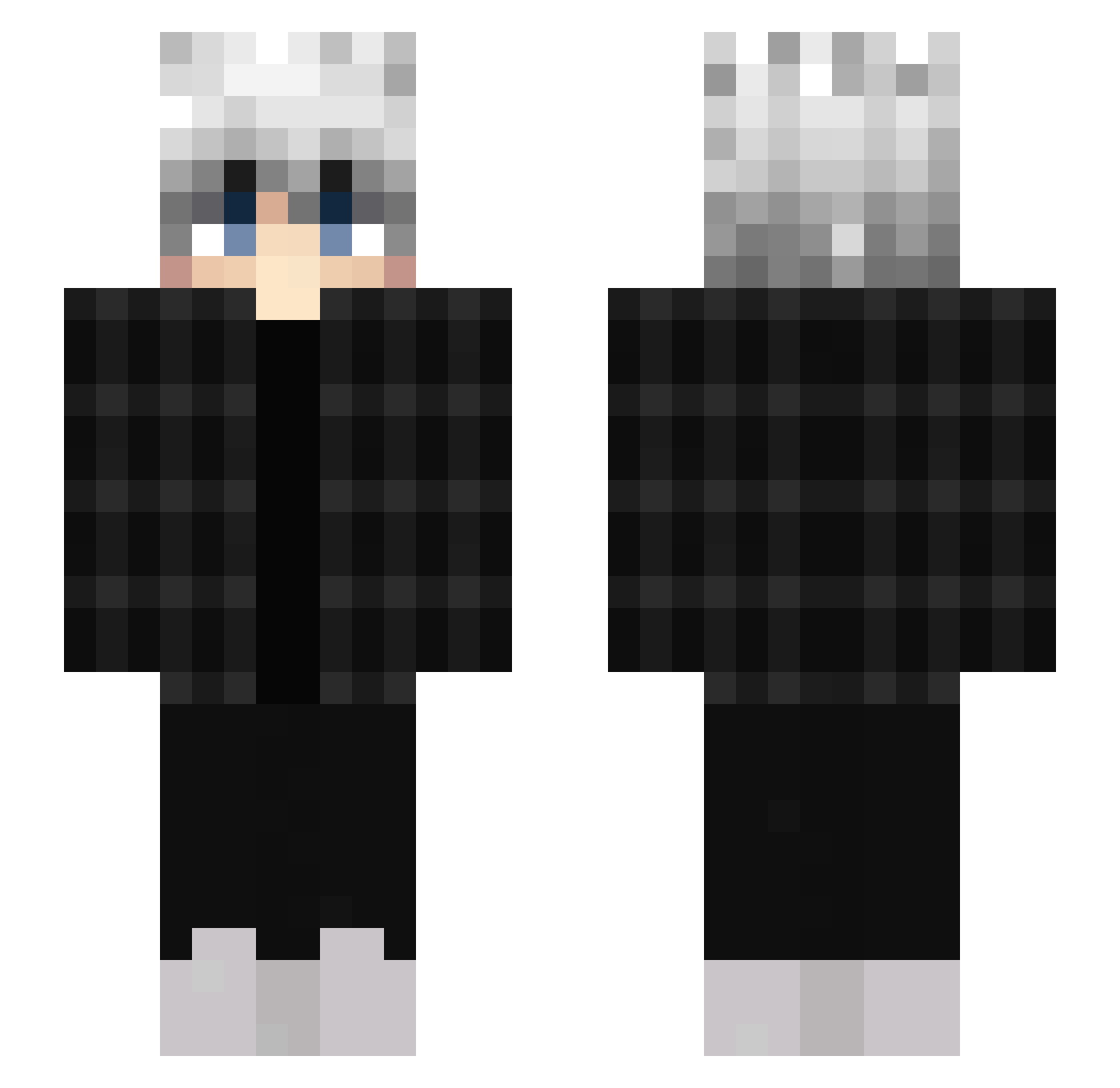
Current Minecraft skin of the player jb5000, loaded from the official Mojang API. Rotate the 3D model with your mouse or finger, then download the skin as a PNG file and use it in Minecraft: Bedrock Edition or Java Edition for free. When jb5000 changes their skin, this page updates automatically and the old skin stays in the history below.
Other players with this skin (552)
jb5000 was the 484th player we have seen with this skin, first spotted on 05.11.2026. The same skin was seen on these players. Open a nickname to see their current skin and skin history.
 wvtness CanineKey4281 Trylex9 redditchr Entitey Sium104 BimodialJupador9 CFNorth QMamy Ghoul_Flippy Raishen Infys Malakoiz Werclas Cilycans AttiCFAIth233 Noobie1004 PestoIstLeben Disript Maulings oysterbank Akysx Narois SIeepyy M23000 Jack_Frost___ foursixxxes II_XenoX_II Swikii_ SwazyWazy ohkili Majamii Dawiddawidziasty De4d_Me4t Spectrus_0099 ansebu_high Its_Pezza Cracul StJohns Guto_001 SumUp pqlf WispyRain5 kikounette83 Yaku_Senpai xXRockman1Xx Nullity_01 90j_Houzz_dyt camelot22 themontanadior Kaptain17 Goq0 Wnsehf Zoomber10 taffyke soraruwur ipsilont21 MrBean11112 Kyoji2_0 DrAfIxX
How to install the jb5000 skin
- Press the Download button above to save the skin as a PNG file.
- Minecraft: Bedrock Edition (PE): open the Dressing Room from the main menu (or tap your character → Edit Character), go to Classic Skins → Owned, press the + (new skin) button, choose the downloaded PNG and pick the Slim (Alex) model. Works on PC and mobile; consoles cannot import custom skins.
- Minecraft: Java Edition: open the Minecraft Launcher, go to the Skins tab, click New Skin, load the PNG, pick the Slim (Alex) model and press Save & Use. You can also upload it at minecraft.net → Profile → Change Skin.
The skin does not show up after import - what should I do?
Restart Minecraft and open the Dressing Room again - imported skins sometimes appear only after a restart. Also make sure you selected the imported skin and picked the Slim (Alex) model.
Which model should I choose, Classic or Slim?
This skin is designed for the Slim (Alex) model. If you pick the wrong model, the arms of the skin will look stretched or squeezed.
Is the skin of jb5000 free to download?
Yes. Press Download, save the PNG file and use it in Minecraft: Bedrock Edition or Java Edition - no payment or registration needed. The skin also works on multiplayer servers and Realms.
More skins
Looking for more? Go back to all Minecraft skins and check the top skins of the week, month and all time, or find any player's skin by nickname.