
jaydennch - Minecraft Skins & Skin History
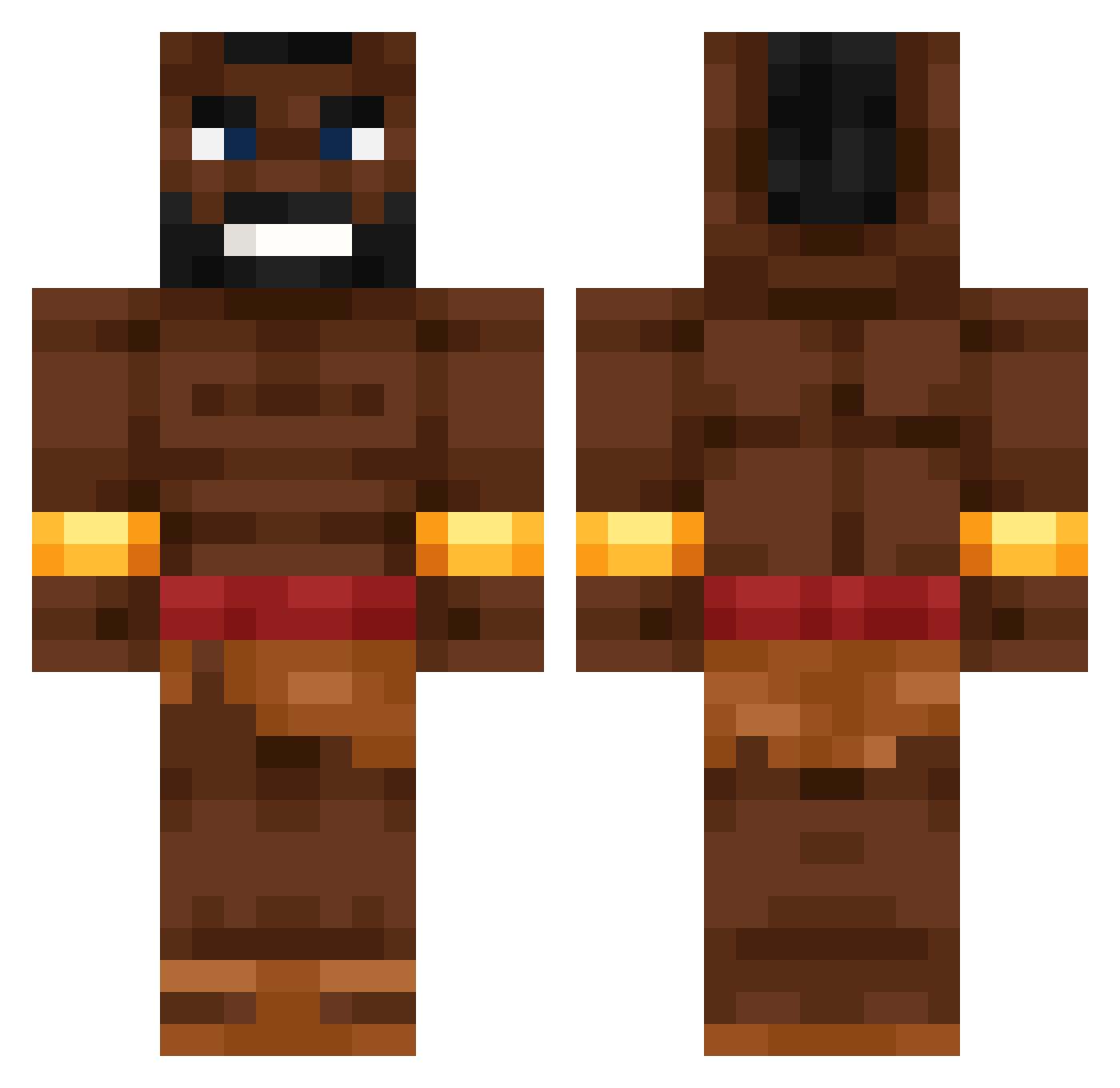
Current Minecraft skin of the player jaydennch, loaded from the official Mojang API. Rotate the 3D model with your mouse or finger, then download the skin as a PNG file and use it in Minecraft: Bedrock Edition or Java Edition for free. When jaydennch changes their skin, this page updates automatically and the old skin stays in the history below.
Other players with this skin (531)
jaydennch was the 249th player we have seen with this skin, first spotted on 09.09.2026. The same skin was seen on these players. Open a nickname to see their current skin and skin history.
 CHINALINGLING AABigFish 47czareeq CourtlyBoat9191 SexyRexi dr_constant chickenraph69 Narko_0
 doftz EngiExz Ninjabobst3r Andrzejowsky MagoChiquito PRJR2 Yassserr 41Eyes kurva_any4d Mizukarri 2115szaman Meme_py 4inch casebar 21TraviSavage Poutreur_ jyxxn W1k1p3d1a_ lornistar Marvin17061 Sway2115 DihCollector3 Blackjay72 Bevereccio aliontempting385 BlizzyG
 BigPotatoAi SaadSak aboggg _Hardus_ valenelmascapito Greyunicorn7559 Juflington Karmaecilop Tino06012010 SlaveOnStock MatELCAFARD
 Flaviostorm Noah_Nightside csdminecraft15 AlonsoEsquizo33 Reich_Comeback Noattention_ MustaKukko Metalwolf1 deiviiddd noskcaj_0 Blog_4 Mikael1311 Mumintrollet__ Schreibauz KAROL13131e
More Actor Minecraft skins
How to install the jaydennch skin
- Press the Download button above to save the skin as a PNG file.
- Minecraft: Bedrock Edition (PE): open the Dressing Room from the main menu (or tap your character → Edit Character), go to Classic Skins → Owned, press the + (new skin) button, choose the downloaded PNG and pick the Classic (Steve) model. Works on PC and mobile; consoles cannot import custom skins.
- Minecraft: Java Edition: open the Minecraft Launcher, go to the Skins tab, click New Skin, load the PNG, pick the Classic (Steve) model and press Save & Use. You can also upload it at minecraft.net → Profile → Change Skin.
The skin does not show up after import - what should I do?
Restart Minecraft and open the Dressing Room again - imported skins sometimes appear only after a restart. Also make sure you selected the imported skin and picked the Classic (Steve) model.
Which model should I choose, Classic or Slim?
This skin is designed for the Classic (Steve) model. If you pick the wrong model, the arms of the skin will look stretched or squeezed.
Is the skin of jaydennch free to download?
Yes. Press Download, save the PNG file and use it in Minecraft: Bedrock Edition or Java Edition - no payment or registration needed. The skin also works on multiplayer servers and Realms.
More skins
Looking for more? Go back to all Minecraft skins and check the top skins of the week, month and all time, or find any player's skin by nickname.