
jatro2 - Minecraft Skins & Skin History
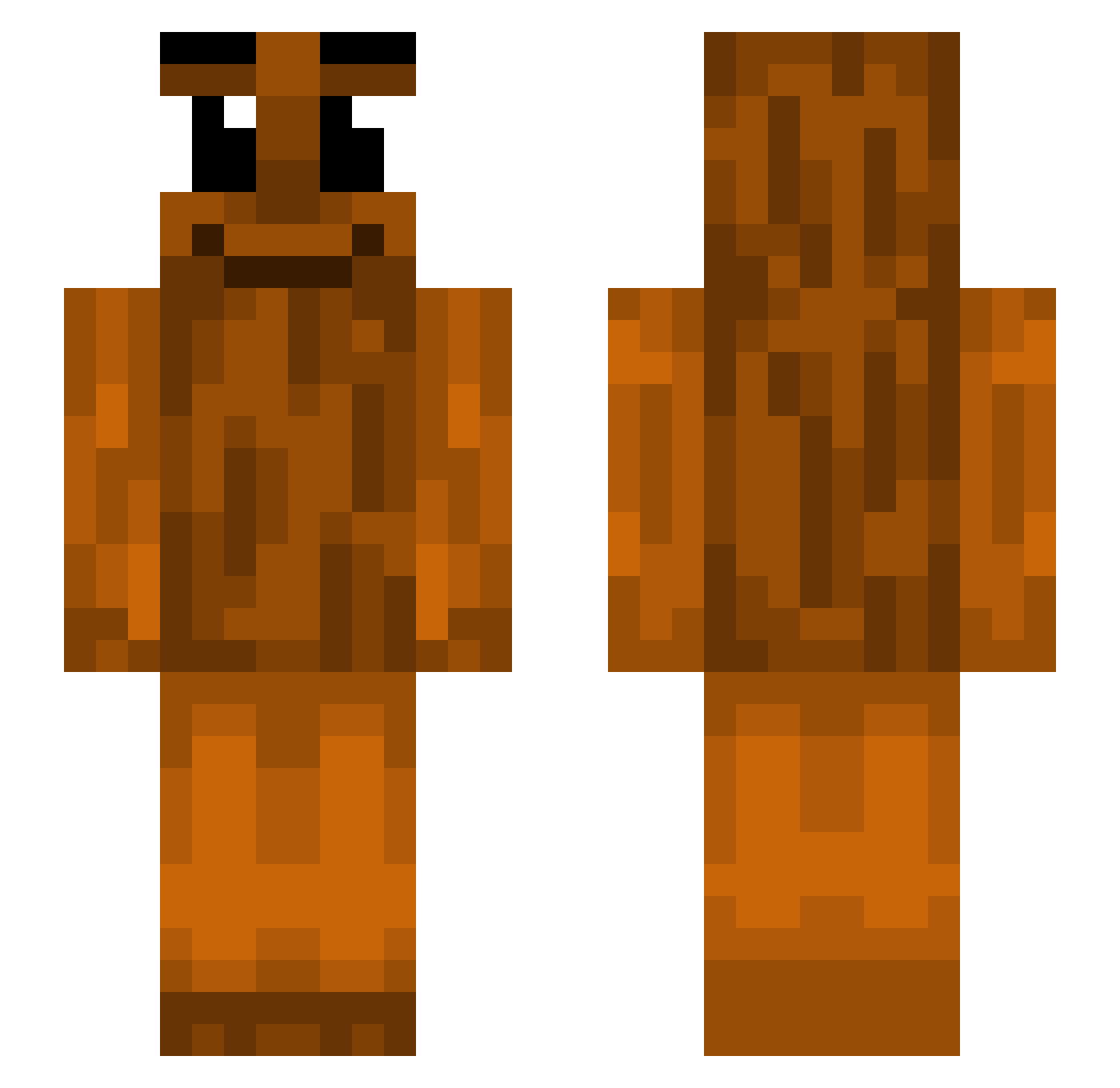
Current Minecraft skin of the player jatro2, loaded from the official Mojang API. Rotate the 3D model with your mouse or finger, then download the skin as a PNG file and use it in Minecraft: Bedrock Edition or Java Edition for free. When jatro2 changes their skin, this page updates automatically and the old skin stays in the history below.
Other players with this skin (439)
jatro2 was the 347th player we have seen with this skin, first spotted on 12.10.2026. The same skin was seen on these players. Open a nickname to see their current skin and skin history.
 cried_1 LilNasS3x Linrinth NarrowBrake4151 Turtle9026 chi_chi77 TtoThe3 Gerppuli PatrickMG TripleTSahuur Muffinsx28 shenkoooo NatheW23 MINER2023 HANSPOSTMAN ilidoe Ziemowit__ Reactionless qkasumii kaornis evanvoiture MayonnaiseHeinz DopeDustin Sv2Wvn2c29utKSv2 _Zlomek_0 Rentsuu LolPol102 santywant EmperorSolistice Berufsberater5 limitoffx PertPenguin892 Tunytuny sauhr cheesyonmypeeny1 reiGn1337 Panda___4 messilebron __b4s1c__ MaddestLad1234 kamiltunksahur12 Zahide123 sbsaurus Zinglekill roopermoop Brain2slow lucirvas PoppyDaRed123 Catlover191812 EwinBb K00BIDEH gillesverv123 Funfan2 Zawazz Banija OsuYomiYori Ceedis HamadThree cCharles123 ZheWang13
More Oak Log Minecraft skins
How to install the jatro2 skin
- Press the Download button above to save the skin as a PNG file.
- Minecraft: Bedrock Edition (PE): open the Dressing Room from the main menu (or tap your character → Edit Character), go to Classic Skins → Owned, press the + (new skin) button, choose the downloaded PNG and pick the Slim (Alex) model. Works on PC and mobile; consoles cannot import custom skins.
- Minecraft: Java Edition: open the Minecraft Launcher, go to the Skins tab, click New Skin, load the PNG, pick the Slim (Alex) model and press Save & Use. You can also upload it at minecraft.net → Profile → Change Skin.
The skin does not show up after import - what should I do?
Restart Minecraft and open the Dressing Room again - imported skins sometimes appear only after a restart. Also make sure you selected the imported skin and picked the Slim (Alex) model.
Which model should I choose, Classic or Slim?
This skin is designed for the Slim (Alex) model. If you pick the wrong model, the arms of the skin will look stretched or squeezed.
Is the skin of jatro2 free to download?
Yes. Press Download, save the PNG file and use it in Minecraft: Bedrock Edition or Java Edition - no payment or registration needed. The skin also works on multiplayer servers and Realms.
More skins
Looking for more? Go back to all Minecraft skins and check the top skins of the week, month and all time, or find any player's skin by nickname.