
jaro2gw - Minecraft Skins & Skin History
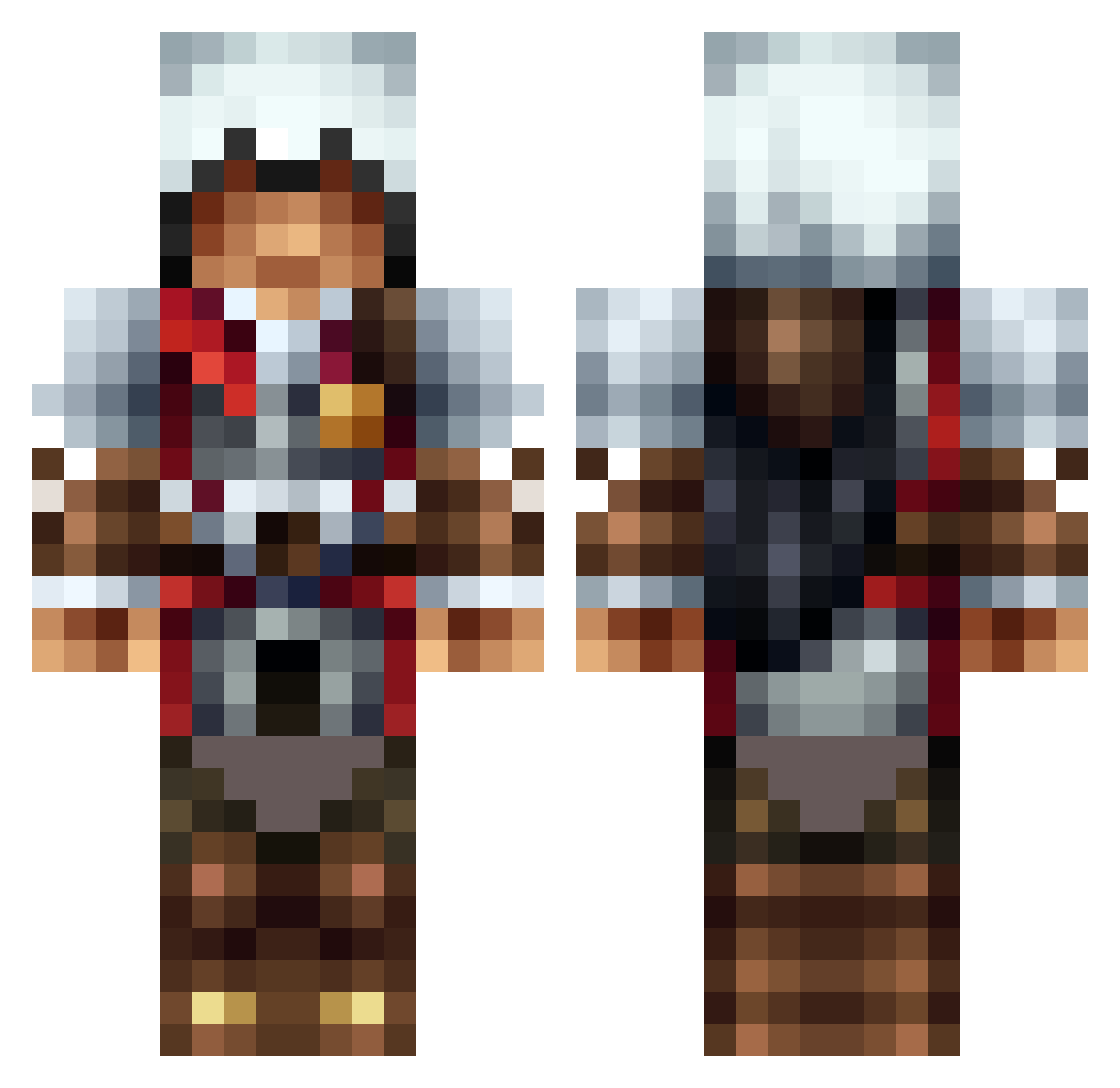
Current Minecraft skin of the player jaro2gw, loaded from the official Mojang API. Rotate the 3D model with your mouse or finger, then download the skin as a PNG file and use it in Minecraft: Bedrock Edition or Java Edition for free. When jaro2gw changes their skin, this page updates automatically and the old skin stays in the history below.
Other players with this skin (1306)
jaro2gw was the 1230th player we have seen with this skin, first spotted on 26.10.2026. The same skin was seen on these players. Open a nickname to see their current skin and skin history.
 Assassin_Beast boreptil Crazy_pie51 Deal_With_It17 Panini24 Karls_Papa Mallic8506 TheMagneticRobot YaassQueenn Catscratch8 ajcmiller aliface123 Apkcr 01Andrew zabom for58 AnimeQuinn dc291 Robb3Play reecejames123 Kidd_mix Prolegend21 rizza1234 Just_R3kt_M8 SirCody98 frankie92646 Gaspadlo amonumar 1willr FoxAndSpice DwynRyujin CARTERHORSE TheKid025 den_axl ralxon Neal_Caffrey_ Ardianzmii ScoutBoy02 MonkeysGoRawr Cyipros Remy0313 hnj07 all_talk997 biacheskillor123 FlarezM8 Mezenes ZeroTalont Louboy360 ForsakenDZ freezer3455 Vortex112002 misfitaaaaaaaa Lakerunner DarkAssassinX coolpeople1616 StewieOnFire misterxhank quentinou23 SpicyGav101 RamboAiden
More Altair Minecraft skins
How to install the jaro2gw skin
- Press the Download button above to save the skin as a PNG file.
- Minecraft: Bedrock Edition (PE): open the Dressing Room from the main menu (or tap your character → Edit Character), go to Classic Skins → Owned, press the + (new skin) button, choose the downloaded PNG and pick the Classic (Steve) model. Works on PC and mobile; consoles cannot import custom skins.
- Minecraft: Java Edition: open the Minecraft Launcher, go to the Skins tab, click New Skin, load the PNG, pick the Classic (Steve) model and press Save & Use. You can also upload it at minecraft.net → Profile → Change Skin.
The skin does not show up after import - what should I do?
Restart Minecraft and open the Dressing Room again - imported skins sometimes appear only after a restart. Also make sure you selected the imported skin and picked the Classic (Steve) model.
Which model should I choose, Classic or Slim?
This skin is designed for the Classic (Steve) model. If you pick the wrong model, the arms of the skin will look stretched or squeezed.
Is the skin of jaro2gw free to download?
Yes. Press Download, save the PNG file and use it in Minecraft: Bedrock Edition or Java Edition - no payment or registration needed. The skin also works on multiplayer servers and Realms.
More skins
Looking for more? Go back to all Minecraft skins and check the top skins of the week, month and all time, or find any player's skin by nickname.