
jaredmro11 - Minecraft Skins & Skin History
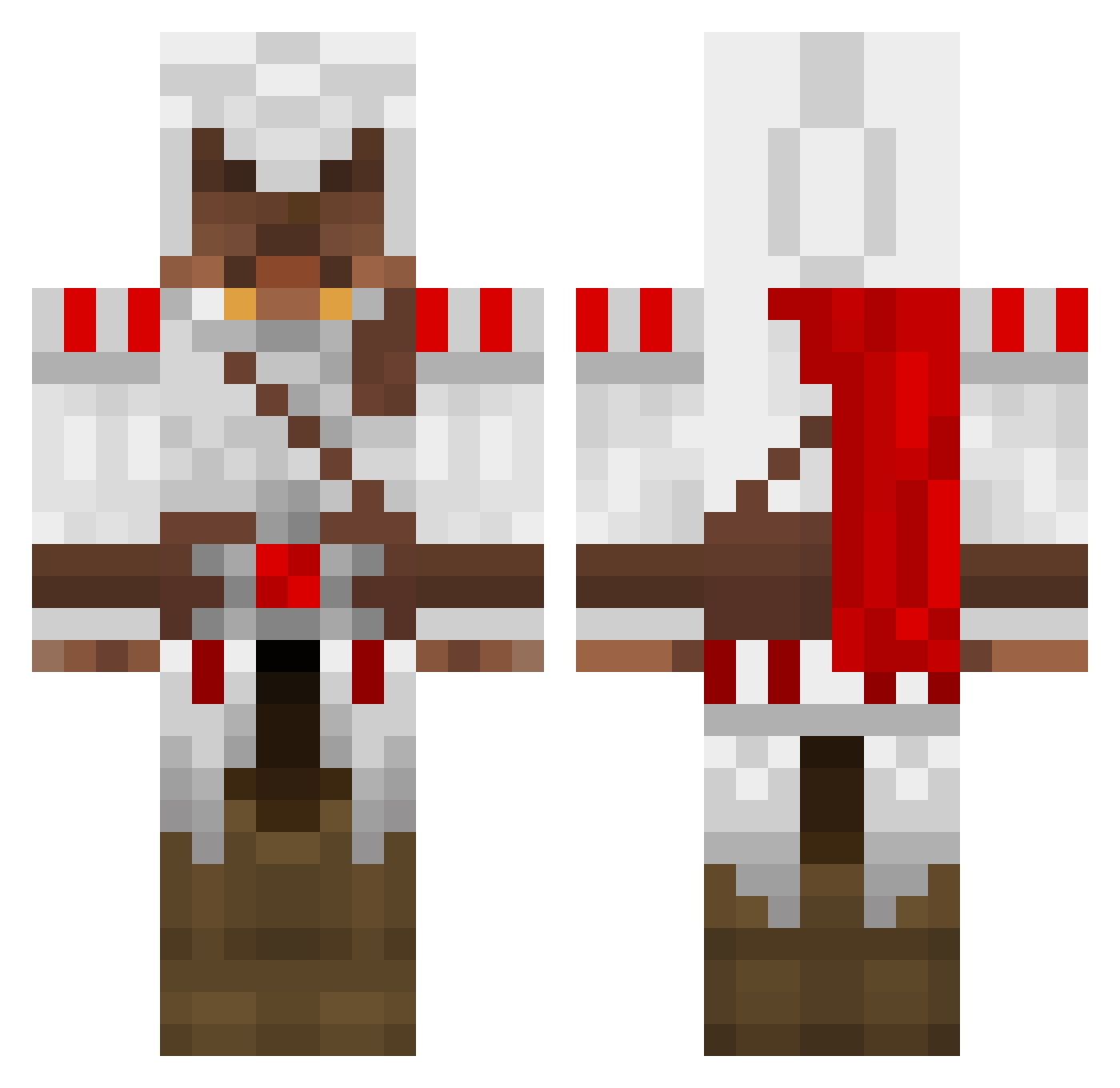
Current Minecraft skin of the player jaredmro11, loaded from the official Mojang API. Rotate the 3D model with your mouse or finger, then download the skin as a PNG file and use it in Minecraft: Bedrock Edition or Java Edition for free. When jaredmro11 changes their skin, this page updates automatically and the old skin stays in the history below.
Other players with this skin (1330)
jaredmro11 was the 778th player we have seen with this skin, first spotted on 25.09.2026. The same skin was seen on these players. Open a nickname to see their current skin and skin history.
 CRAZYplatypus21 Silvershadow65 Volklmantra Geocool12345 Ma7ey ak_massy whajlee Vipsanios Blockmeister88 infinityl00ps MutantCamel d4rkwr4ith Maomaobadmonkey strejt8 AnnGrey Manguito99 maxandmillions aerialattack3000 SupportWhore cephil avivba CaptainSlauw aarong9224 LeStratege adkmerlin lucastheman20 djmnl xbehemoth bryanbachtera Longarm29 sheriff007 oskawy Jamiebeaton coolesjoerd Call_Me_Benjiii MiraeMirae Astrann jacky56001 maxicooki bjarki8 TFortch julien8181 Meowloveu DjJester Never_enough Guy_Sentilaire Blankiss Tmesis legoomego HugsHansen me_again_21 HowYouLook alf10 ShadowGator1305 zakoob SUPERSYDNEY2414 The_Holy_Nose T0A5TER_ NotLutz Erikku007
More Altair Ibn La Ahad Minecraft skins
See all 187 Altair Ibn La Ahad skins
How to install the jaredmro11 skin
- Press the Download button above to save the skin as a PNG file.
- Minecraft: Bedrock Edition (PE): open the Dressing Room from the main menu (or tap your character → Edit Character), go to Classic Skins → Owned, press the + (new skin) button, choose the downloaded PNG and pick the Classic (Steve) model. Works on PC and mobile; consoles cannot import custom skins.
- Minecraft: Java Edition: open the Minecraft Launcher, go to the Skins tab, click New Skin, load the PNG, pick the Classic (Steve) model and press Save & Use. You can also upload it at minecraft.net → Profile → Change Skin.
The skin does not show up after import - what should I do?
Restart Minecraft and open the Dressing Room again - imported skins sometimes appear only after a restart. Also make sure you selected the imported skin and picked the Classic (Steve) model.
Which model should I choose, Classic or Slim?
This skin is designed for the Classic (Steve) model. If you pick the wrong model, the arms of the skin will look stretched or squeezed.
Is the skin of jaredmro11 free to download?
Yes. Press Download, save the PNG file and use it in Minecraft: Bedrock Edition or Java Edition - no payment or registration needed. The skin also works on multiplayer servers and Realms.
More skins
Looking for more? Go back to all Minecraft skins and check the top skins of the week, month and all time, or find any player's skin by nickname.