
jamongeee - Minecraft Skins & Skin History
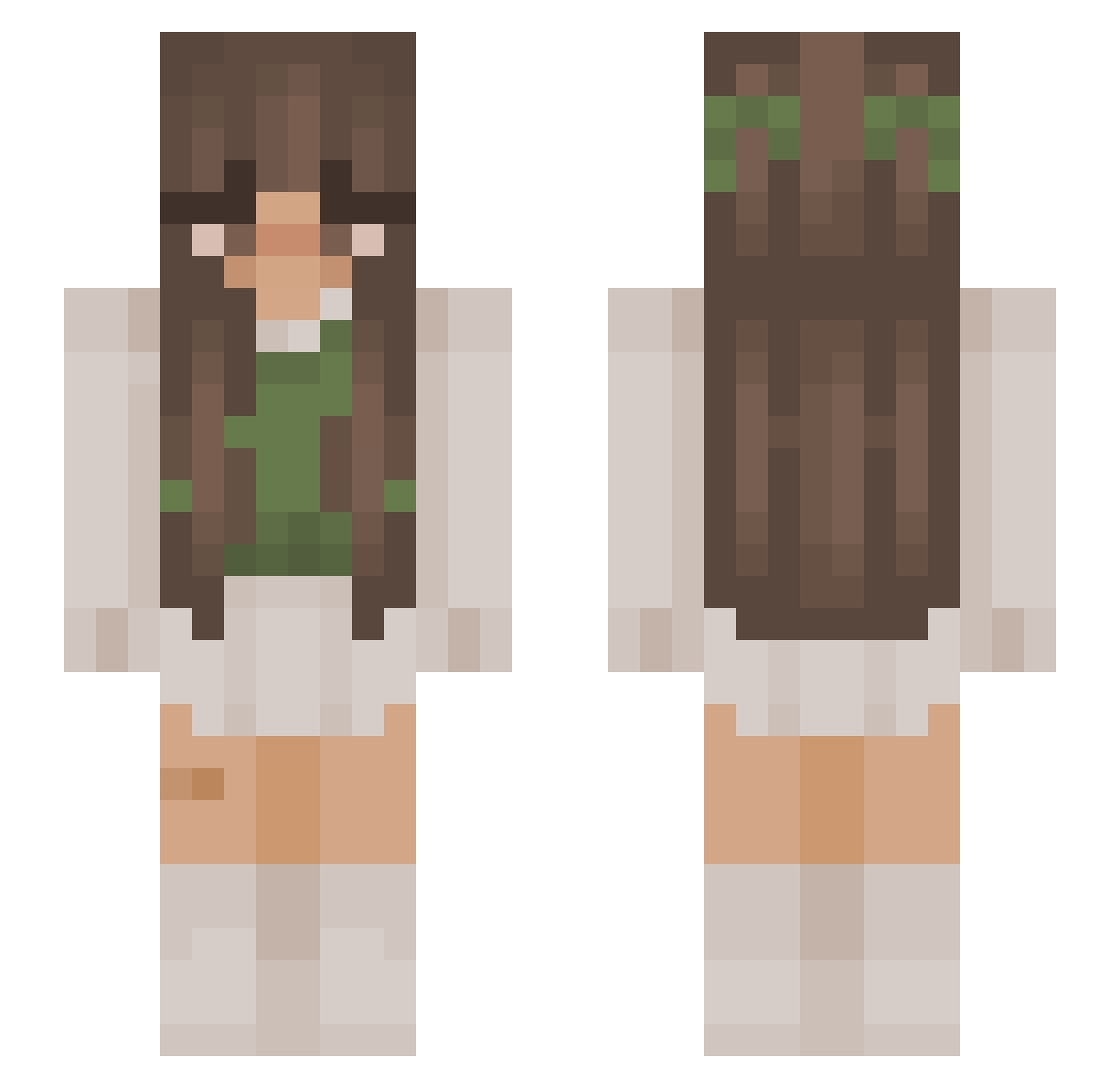
Current Minecraft skin of the player jamongeee, loaded from the official Mojang API. Rotate the 3D model with your mouse or finger, then download the skin as a PNG file and use it in Minecraft: Bedrock Edition or Java Edition for free. When jamongeee changes their skin, this page updates automatically and the old skin stays in the history below.
Other players with this skin (878)
jamongeee was the 340th player we have seen with this skin, first spotted on 28.08.2026. The same skin was seen on these players. Open a nickname to see their current skin and skin history.
 Se_rene Ananar ShinJiHyun yogurt75 MissesNefarious BlitzTheCow BlackCatMeoww daninha WebWayne Fabienne2077 urDone17 Niakira selena260 isxbell Charl0ttie valflt LilStranger2023 cheekych1cken TanotheDragon Calliix123 Alix2908_ eclipzcee juanitadaisy ZakreconaPL _Neptuneee_ gepard1222 peachyjo wiktorialosko hyanA1118 Garbysia aerial21 Glacyn cellie98 Alicita_ HEratka soggyburger402 Teapoppy Sunny_Fly MSPOL2009 dellevyn Trains1106 noeyzaza14 whitneyygracee stUbbyLegs AnziLotnik MiniMarblee ConfuzedApplez Cesa____________ Kaczka7904 brunette54321 amr9a grasswithnogr BronzieBitez Loulouna_ Shea703 paxton03 Nicky101 Pomme_p krowisko Grzatonator
More Cottagecore Minecraft skins
See all 5814 Cottagecore skins
How to install the jamongeee skin
- Press the Download button above to save the skin as a PNG file.
- Minecraft: Bedrock Edition (PE): open the Dressing Room from the main menu (or tap your character → Edit Character), go to Classic Skins → Owned, press the + (new skin) button, choose the downloaded PNG and pick the Slim (Alex) model. Works on PC and mobile; consoles cannot import custom skins.
- Minecraft: Java Edition: open the Minecraft Launcher, go to the Skins tab, click New Skin, load the PNG, pick the Slim (Alex) model and press Save & Use. You can also upload it at minecraft.net → Profile → Change Skin.
The skin does not show up after import - what should I do?
Restart Minecraft and open the Dressing Room again - imported skins sometimes appear only after a restart. Also make sure you selected the imported skin and picked the Slim (Alex) model.
Which model should I choose, Classic or Slim?
This skin is designed for the Slim (Alex) model. If you pick the wrong model, the arms of the skin will look stretched or squeezed.
Is the skin of jamongeee free to download?
Yes. Press Download, save the PNG file and use it in Minecraft: Bedrock Edition or Java Edition - no payment or registration needed. The skin also works on multiplayer servers and Realms.
More skins
Looking for more? Go back to all Minecraft skins and check the top skins of the week, month and all time, or find any player's skin by nickname.