
jamdoger - Minecraft Skins & Skin History
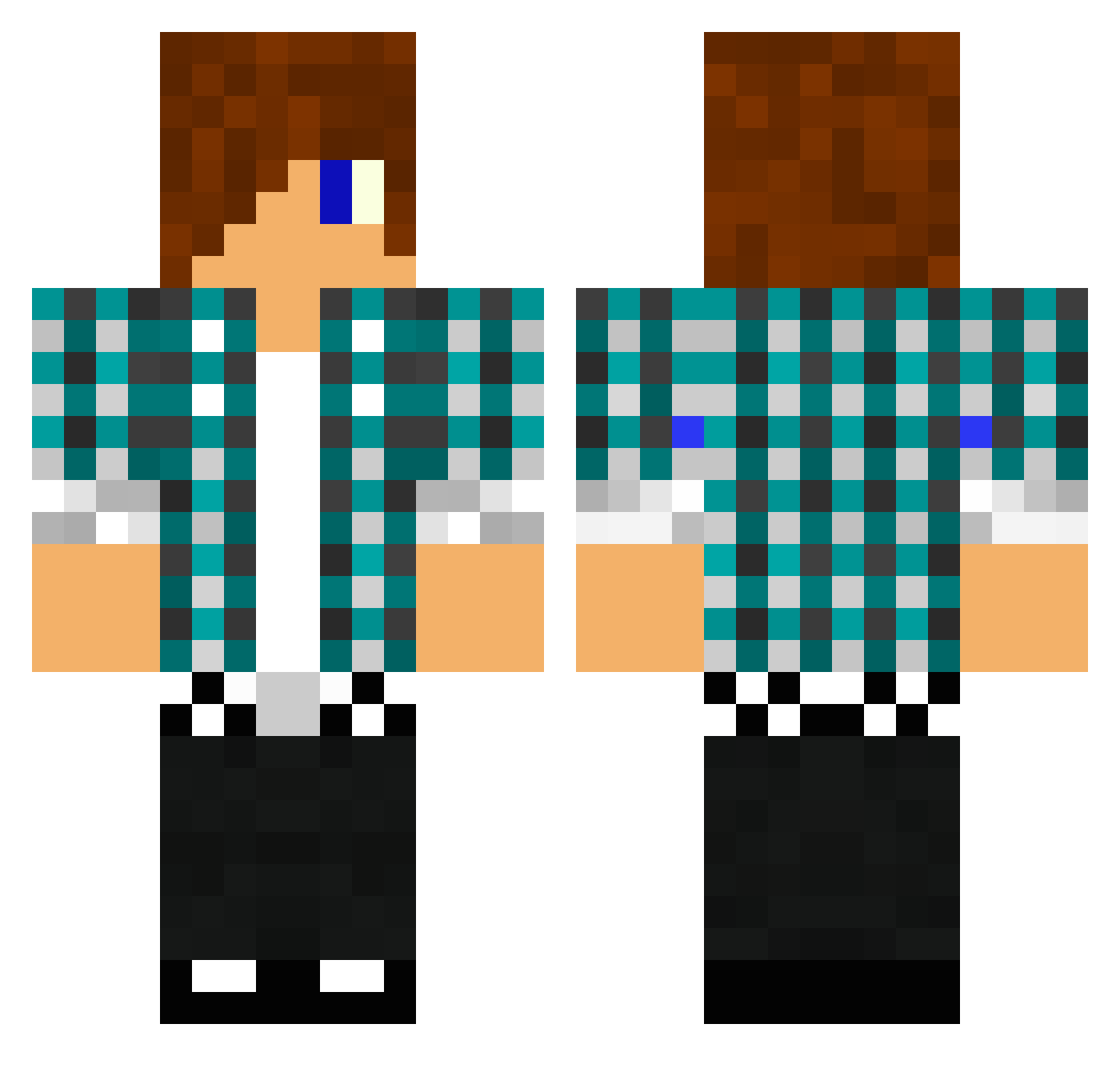
Current Minecraft skin of the player jamdoger, loaded from the official Mojang API. Rotate the 3D model with your mouse or finger, then download the skin as a PNG file and use it in Minecraft: Bedrock Edition or Java Edition for free. When jamdoger changes their skin, this page updates automatically and the old skin stays in the history below.
Other players with this skin (1611)
jamdoger was the 1485th player we have seen with this skin, first spotted on 10.11.2026. The same skin was seen on these players. Open a nickname to see their current skin and skin history.
 evilkiller1012 that_guy1232 potatodude14 mhdude15 StarBlaze Mneiie darkteddy21 Gavin5 supermeatboy86 Findus_999 minecarftMP tmazzarisi Juice_Awesome 23cheese23 nickeypoo55 ninja_man29 skylerdelaby Hazzertee123 FrostyTheDuck maciekxd51 aidanlaw kanaliasham KaapoZPvP Bugusa rakdos98 Junkyard6 Ifarted82 SilentEcho98 BlockBooster111 thomspw wrghtfrnkwrght TeelyWheely glowinthedark111 ykspoika dragonglider123 njacky Xodexx xx__Jayden__xx Rycraft971 in2001 poppy143 dawg9111 Millsyrex thedevilhearsme kev3201 EBONI_ROCKS rexy285 Casual_Aono Yoco51 jasonnolan99 kakan105 thekiteboarder xfunaki Dicko928 RumaxPl The_Caminator ___robby__ slayer84x brya22 Pete25
More Emo Minecraft skins
How to install the jamdoger skin
- Press the Download button above to save the skin as a PNG file.
- Minecraft: Bedrock Edition (PE): open the Dressing Room from the main menu (or tap your character → Edit Character), go to Classic Skins → Owned, press the + (new skin) button, choose the downloaded PNG and pick the Classic (Steve) model. Works on PC and mobile; consoles cannot import custom skins.
- Minecraft: Java Edition: open the Minecraft Launcher, go to the Skins tab, click New Skin, load the PNG, pick the Classic (Steve) model and press Save & Use. You can also upload it at minecraft.net → Profile → Change Skin.
The skin does not show up after import - what should I do?
Restart Minecraft and open the Dressing Room again - imported skins sometimes appear only after a restart. Also make sure you selected the imported skin and picked the Classic (Steve) model.
Which model should I choose, Classic or Slim?
This skin is designed for the Classic (Steve) model. If you pick the wrong model, the arms of the skin will look stretched or squeezed.
Is the skin of jamdoger free to download?
Yes. Press Download, save the PNG file and use it in Minecraft: Bedrock Edition or Java Edition - no payment or registration needed. The skin also works on multiplayer servers and Realms.
More skins
Looking for more? Go back to all Minecraft skins and check the top skins of the week, month and all time, or find any player's skin by nickname.