
jambezo - Minecraft Skins & Skin History
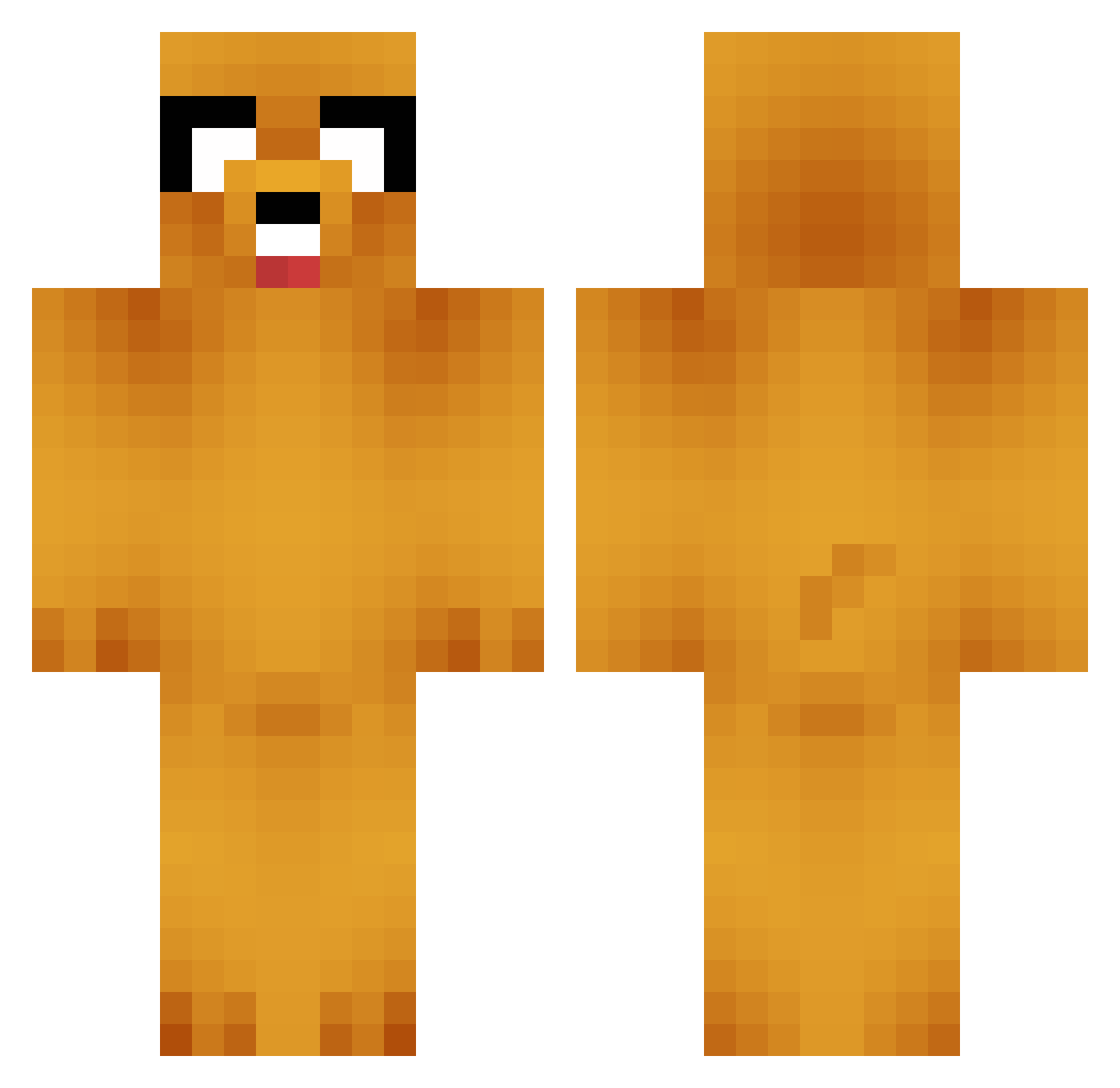
Current Minecraft skin of the player jambezo, loaded from the official Mojang API. Rotate the 3D model with your mouse or finger, then download the skin as a PNG file and use it in Minecraft: Bedrock Edition or Java Edition for free. When jambezo changes their skin, this page updates automatically and the old skin stays in the history below.
Other players with this skin (749)
jambezo was the 342nd player we have seen with this skin, first spotted on 13.09.2026. The same skin was seen on these players. Open a nickname to see their current skin and skin history.
 Johiller jojjesrdanovic DarthPigman04 bioshock_andy warmpaws RUAIRIOKELLY2000 CavemanLouis johnsky13 HockeyDork2000 aceofsnett movefaster45 Hsamso Zanne24 ImpactedColon Onlyclone Hanre bigmumba99 Atrey16 ItsLuisHernandez Dany88M KingAzog Rico1423 MichaelCocco trollolandres BlueMonkey712 nightbird804 lolz_happyface MartinGamerN CubanPete treb0ret thomasbjork Hazbah98 Ivarholmsten Sirulo josemaMARTINEZ darkrider11keil HansTopo9 KittyPopper capngap qwert0m BallSoHard52 Deaf_Pandas sirxian ExTolz Shortround198446 ChuckNorris74 NuKeMONEY Half_Pint2 WellThenXbox Passive_Pig SpertanWarrior Beeman182 PudgyPig muZze DaniSC_26 jayden128 Youdontknowme32 vincent09 vastwisdom btreecat
More Jake Minecraft skins
How to install the jambezo skin
- Press the Download button above to save the skin as a PNG file.
- Minecraft: Bedrock Edition (PE): open the Dressing Room from the main menu (or tap your character → Edit Character), go to Classic Skins → Owned, press the + (new skin) button, choose the downloaded PNG and pick the Classic (Steve) model. Works on PC and mobile; consoles cannot import custom skins.
- Minecraft: Java Edition: open the Minecraft Launcher, go to the Skins tab, click New Skin, load the PNG, pick the Classic (Steve) model and press Save & Use. You can also upload it at minecraft.net → Profile → Change Skin.
The skin does not show up after import - what should I do?
Restart Minecraft and open the Dressing Room again - imported skins sometimes appear only after a restart. Also make sure you selected the imported skin and picked the Classic (Steve) model.
Which model should I choose, Classic or Slim?
This skin is designed for the Classic (Steve) model. If you pick the wrong model, the arms of the skin will look stretched or squeezed.
Is the skin of jambezo free to download?
Yes. Press Download, save the PNG file and use it in Minecraft: Bedrock Edition or Java Edition - no payment or registration needed. The skin also works on multiplayer servers and Realms.
More skins
Looking for more? Go back to all Minecraft skins and check the top skins of the week, month and all time, or find any player's skin by nickname.