
jakesterboss - Minecraft Skins & Skin History
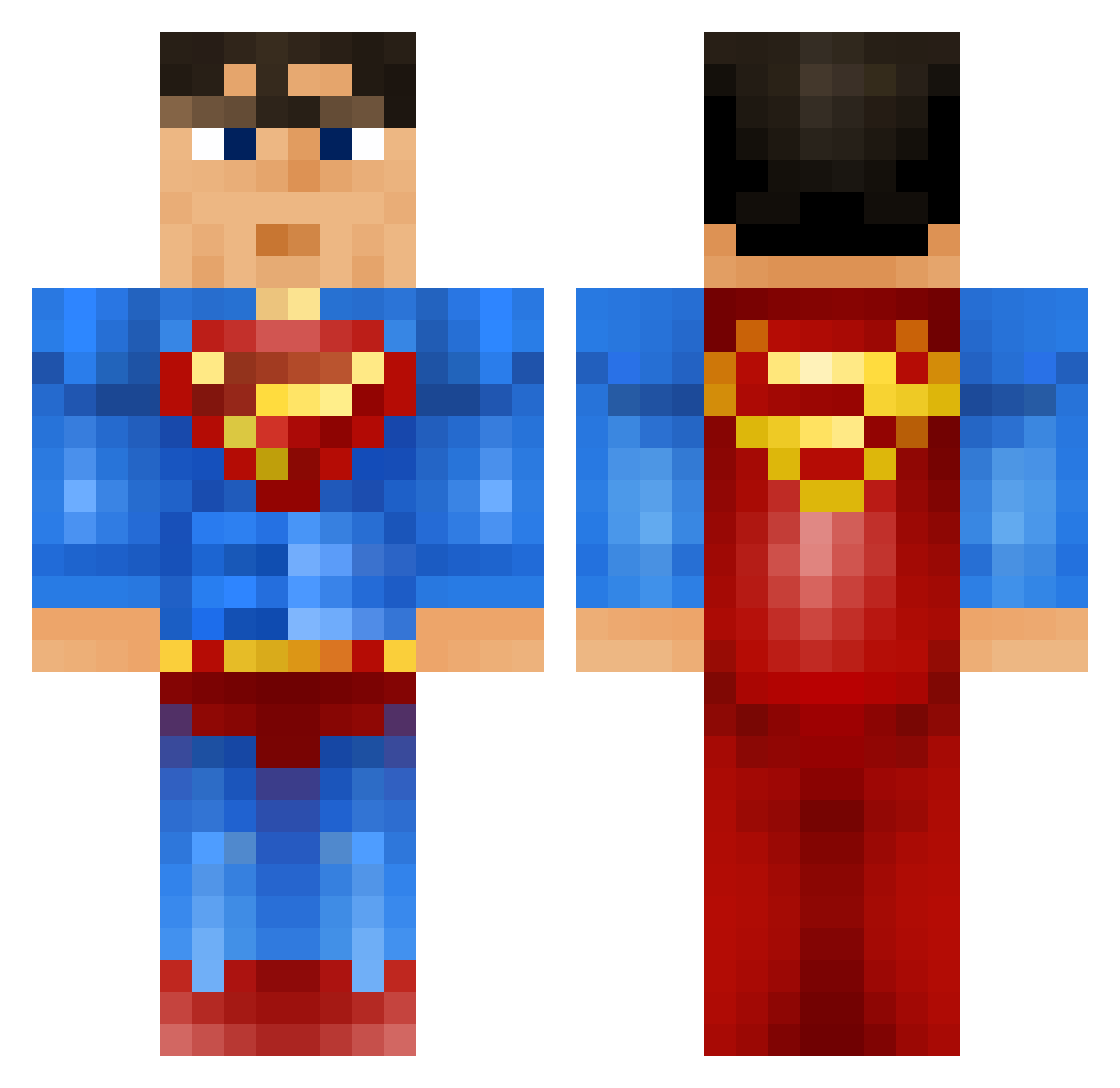
Current Minecraft skin of the player jakesterboss, loaded from the official Mojang API. Rotate the 3D model with your mouse or finger, then download the skin as a PNG file and use it in Minecraft: Bedrock Edition or Java Edition for free. When jakesterboss changes their skin, this page updates automatically and the old skin stays in the history below.
Other players with this skin (919)
jakesterboss was the 316th player we have seen with this skin, first spotted on 01.09.2026. The same skin was seen on these players. Open a nickname to see their current skin and skin history.
 collard78 JAyg1009 DiamondMan513 SUPERCEM pmok vinc141 Firmtree6 Patterson5 ukhdboost ApolloFPS sontom okiock Harryo1227 ObieCraft TheSagefox Gsquaredv1 Arshi_the_kid hostig2299 Par0normalSkiLL super_zorro Epaksi bartsupman Fantaculamaie littledude001 MrAlberta slurcher ShinyEevee2011 louisminecraft42 MatMTL ToM7501 _Ethanos_ dodike M4NOFSTEEL landy231 Beastboy_22 bluesensei Superman34238 coby127 Hadenize supermig2000 ulrikhole MineStrikeBack risuguru Kiranstar atthijs98 Hinkel42 Bentank24 Rise_Ryder denister chupagups Dillonw1991 warhead_x Frederiks10 maxo115 MasterDupuis Mariussnedker Hertkorn ConstantRoaming PJComer1 KylesTheBoss
More Superman Minecraft skins
How to install the jakesterboss skin
- Press the Download button above to save the skin as a PNG file.
- Minecraft: Bedrock Edition (PE): open the Dressing Room from the main menu (or tap your character → Edit Character), go to Classic Skins → Owned, press the + (new skin) button, choose the downloaded PNG and pick the Classic (Steve) model. Works on PC and mobile; consoles cannot import custom skins.
- Minecraft: Java Edition: open the Minecraft Launcher, go to the Skins tab, click New Skin, load the PNG, pick the Classic (Steve) model and press Save & Use. You can also upload it at minecraft.net → Profile → Change Skin.
The skin does not show up after import - what should I do?
Restart Minecraft and open the Dressing Room again - imported skins sometimes appear only after a restart. Also make sure you selected the imported skin and picked the Classic (Steve) model.
Which model should I choose, Classic or Slim?
This skin is designed for the Classic (Steve) model. If you pick the wrong model, the arms of the skin will look stretched or squeezed.
Is the skin of jakesterboss free to download?
Yes. Press Download, save the PNG file and use it in Minecraft: Bedrock Edition or Java Edition - no payment or registration needed. The skin also works on multiplayer servers and Realms.
More skins
Looking for more? Go back to all Minecraft skins and check the top skins of the week, month and all time, or find any player's skin by nickname.