
jahzarachillin - Minecraft Skins & Skin History
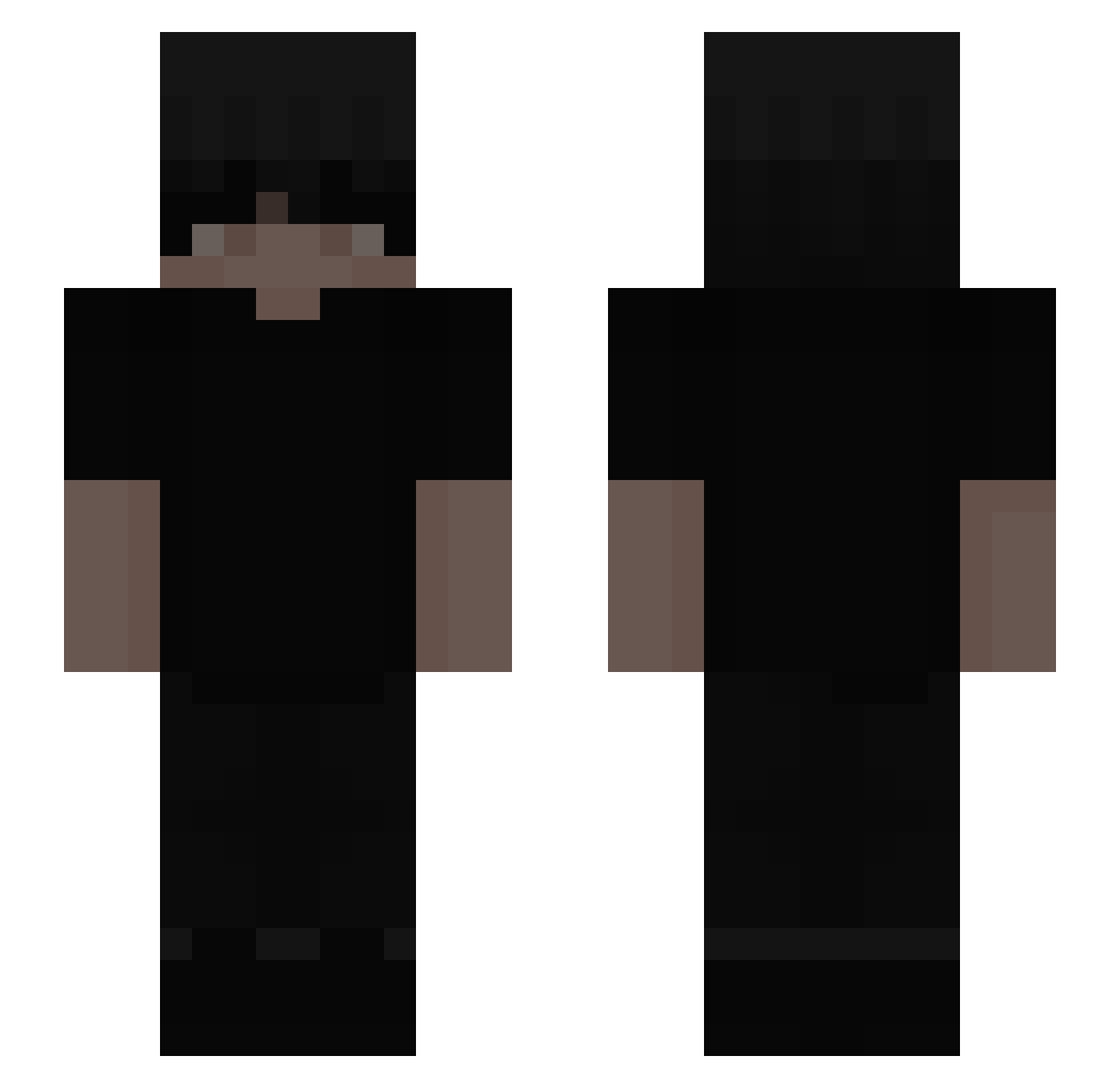
Current Minecraft skin of the player jahzarachillin, loaded from the official Mojang API. Rotate the 3D model with your mouse or finger, then download the skin as a PNG file and use it in Minecraft: Bedrock Edition or Java Edition for free. When jahzarachillin changes their skin, this page updates automatically and the old skin stays in the history below.
Other players with this skin (286)
jahzarachillin was the 133rd player we have seen with this skin, first spotted on 14.09.2026. The same skin was seen on these players. Open a nickname to see their current skin and skin history.
 KillMeIfGay_ Natekkk dedentity Xurrinnn s3ikh Blixxboy curtival i5hu GavinSky378 preqss iammatt0 Depexx tvmz_ WESAM503 LunxrEU _Drxe ItzStrzy 666Nigel DarkoGrimms Seth_o_0 J1nsen9 CheatL Qbixx123 liuchaoliuchao Aquamarines Nefariousness CardLoki2452382 olli2605 1z_Marls Smok1243793 fwgoth 9rty Flownu pioter123123 Flavtutorials KinSantana Maxiur2137 OhDypsy RunawayLachs PapaSchlumpf_2 razdvatru demonisk1 ENZINX3_ oscansun 955_ Phanmc temero Jupiter_07 GxHolmes DashingXD_ p1wL Knoxstre Nathan20983 BaraChicano raezk Melsaaaa VodexPlayz sussybakas Hashing_ Just_1ahmad
More Emo Minecraft skins
How to install the jahzarachillin skin
- Press the Download button above to save the skin as a PNG file.
- Minecraft: Bedrock Edition (PE): open the Dressing Room from the main menu (or tap your character → Edit Character), go to Classic Skins → Owned, press the + (new skin) button, choose the downloaded PNG and pick the Slim (Alex) model. Works on PC and mobile; consoles cannot import custom skins.
- Minecraft: Java Edition: open the Minecraft Launcher, go to the Skins tab, click New Skin, load the PNG, pick the Slim (Alex) model and press Save & Use. You can also upload it at minecraft.net → Profile → Change Skin.
The skin does not show up after import - what should I do?
Restart Minecraft and open the Dressing Room again - imported skins sometimes appear only after a restart. Also make sure you selected the imported skin and picked the Slim (Alex) model.
Which model should I choose, Classic or Slim?
This skin is designed for the Slim (Alex) model. If you pick the wrong model, the arms of the skin will look stretched or squeezed.
Is the skin of jahzarachillin free to download?
Yes. Press Download, save the PNG file and use it in Minecraft: Bedrock Edition or Java Edition - no payment or registration needed. The skin also works on multiplayer servers and Realms.
More skins
Looking for more? Go back to all Minecraft skins and check the top skins of the week, month and all time, or find any player's skin by nickname.