
jaehyun1214 - Minecraft Skins & Skin History
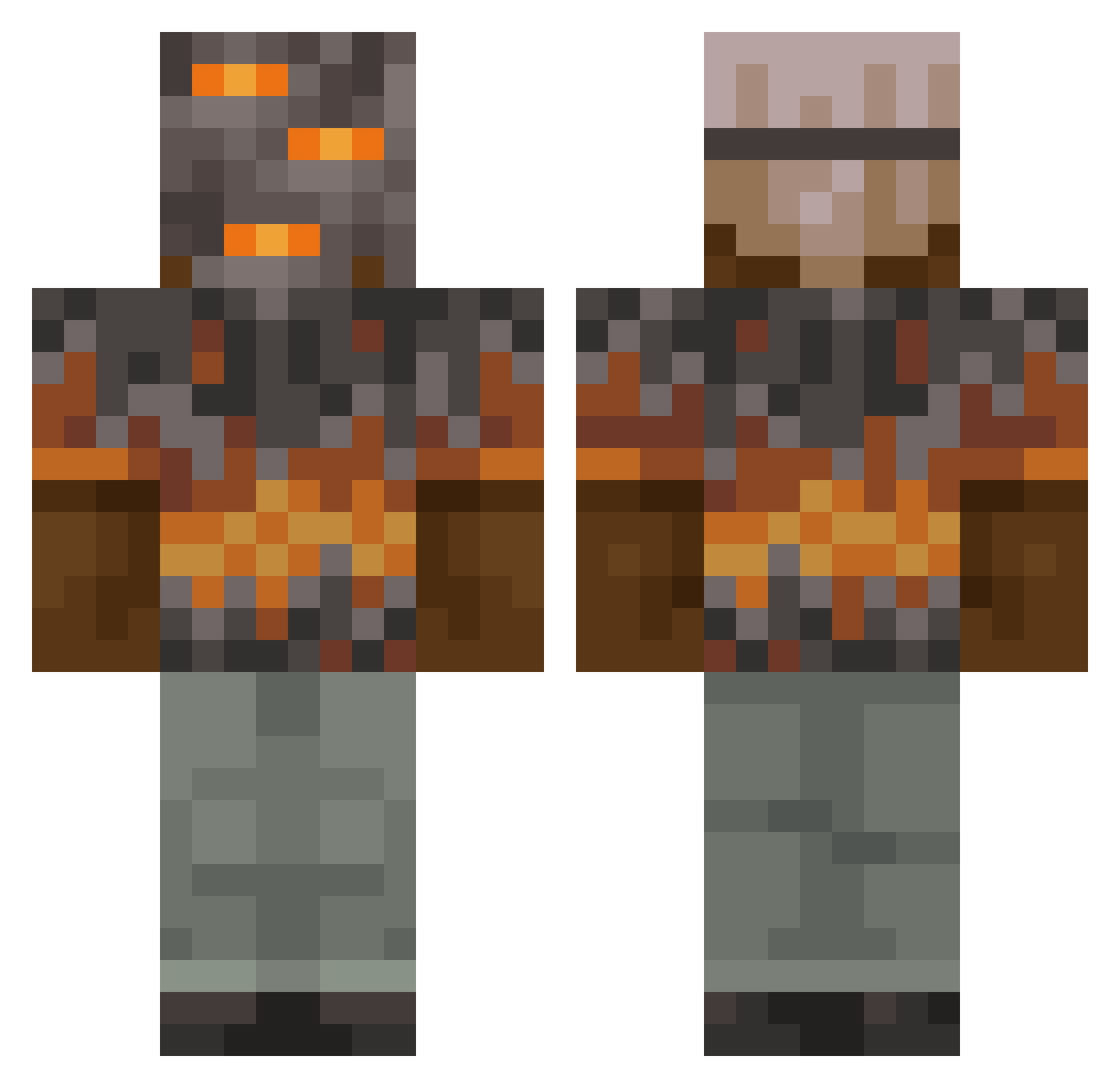
Current Minecraft skin of the player jaehyun1214, loaded from the official Mojang API. Rotate the 3D model with your mouse or finger, then download the skin as a PNG file and use it in Minecraft: Bedrock Edition or Java Edition for free. When jaehyun1214 changes their skin, this page updates automatically and the old skin stays in the history below.
Other players with this skin (1033)
jaehyun1214 was the 777th player we have seen with this skin, first spotted on 15.10.2026. The same skin was seen on these players. Open a nickname to see their current skin and skin history.
 Brianjumper Delaturki Madmannnh SilverCica 2Vent maxdernoob187 Crodinoo Eatafish blocks_king Meonka RuesseIfresse Rumpelruebe Crydes EmerBennett KingNurmi w1zoxz EXECALEB BLOCK_N_DASH_809 Ri4ard12 BeatP18 Boots1865 GreaseBag101 jefreydammer donnerzwerg1337 MadWolf999666 GamerBoy78338 Unknownthread12 fdemir KUW16 WitchDoctor85 kasawik dybs_ GamerGrechs49 lol_zocker GrayWolfPS Javuva56 AloneEnchh Malkolm2 Juhan2408 GregTheDragon HOvaneAD Airplane717 Not_rockypro1 xSetii yamz2333 DrK_43 gkfq EdGoodman TisTTheMan A7ld98 YoungScotty3 Danten8924 Squirtle419 ShermTuffticles DEATHESCAPE12 ALASTOR_1121 yjw0803 NXL200 Abu_Saeed_503 MoonManMejia
More Rock Minecraft skins
How to install the jaehyun1214 skin
- Press the Download button above to save the skin as a PNG file.
- Minecraft: Bedrock Edition (PE): open the Dressing Room from the main menu (or tap your character → Edit Character), go to Classic Skins → Owned, press the + (new skin) button, choose the downloaded PNG and pick the Classic (Steve) model. Works on PC and mobile; consoles cannot import custom skins.
- Minecraft: Java Edition: open the Minecraft Launcher, go to the Skins tab, click New Skin, load the PNG, pick the Classic (Steve) model and press Save & Use. You can also upload it at minecraft.net → Profile → Change Skin.
The skin does not show up after import - what should I do?
Restart Minecraft and open the Dressing Room again - imported skins sometimes appear only after a restart. Also make sure you selected the imported skin and picked the Classic (Steve) model.
Which model should I choose, Classic or Slim?
This skin is designed for the Classic (Steve) model. If you pick the wrong model, the arms of the skin will look stretched or squeezed.
Is the skin of jaehyun1214 free to download?
Yes. Press Download, save the PNG file and use it in Minecraft: Bedrock Edition or Java Edition - no payment or registration needed. The skin also works on multiplayer servers and Realms.
More skins
Looking for more? Go back to all Minecraft skins and check the top skins of the week, month and all time, or find any player's skin by nickname.