
jacobkikker - Minecraft Skins & Skin History
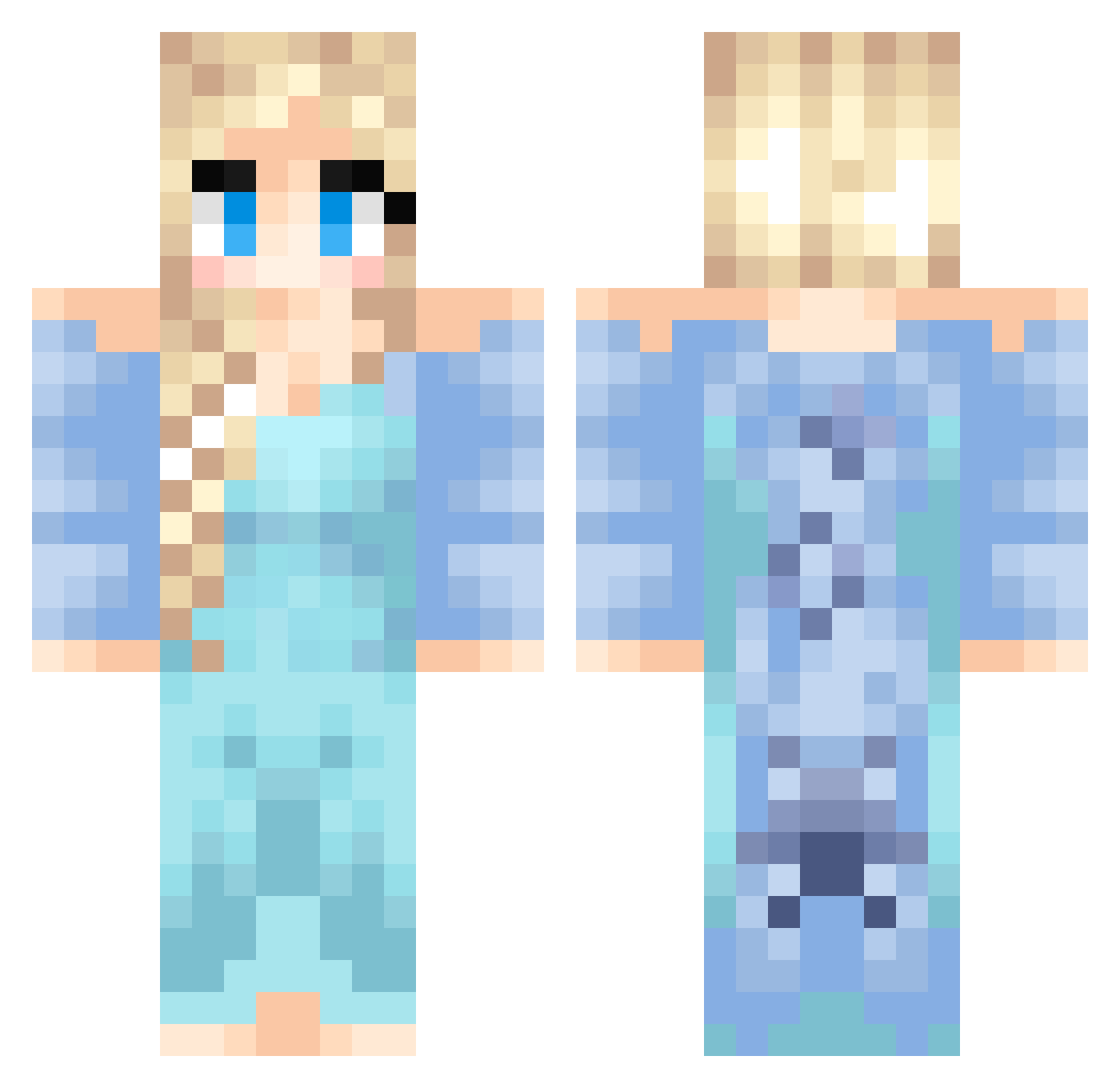
Current Minecraft skin of the player jacobkikker, loaded from the official Mojang API. Rotate the 3D model with your mouse or finger, then download the skin as a PNG file and use it in Minecraft: Bedrock Edition or Java Edition for free. When jacobkikker changes their skin, this page updates automatically and the old skin stays in the history below.
Other players with this skin (537)
jacobkikker was the 467th player we have seen with this skin, first spotted on 07.11.2026. The same skin was seen on these players. Open a nickname to see their current skin and skin history.
 saz2490 hanna_w1 Kathryn26 Alpacalover32 Yuzutass syberlync Calexas IDontKoala elsa122779 CuttyCZ syeniess BusterB786 MaraKvr Ebru60 nattytattat missfabulous123 siyoon88 acegirl678 mollymoo_123 crystal1907 ameliapage06 lavalamp260 Rosiethebunny Baby_Brandon123 ChelseaBaker ingridrist Pheepa Apsalara Jadeke64 victoriaegeskov OliviaDash HayHay1005 SacredStones QueenNatalierose teapott12 Carcosa7 Flipp5 marimar2028 Rainbowgirl2005 nnv517 AllisonKeffer AranelPsyche linzlovesu allimanderr yogaHEIDI64 Charlyblobs Mandy62 Seraph3 Hartjeeirisx nerdygirl5000 Flundra ZEF1054 Det_Muffins astr0G1rl paranoidpeanut Disney_Queen BlondersX2 lexim828 ToothlessKitty alissadevos
More Elsa Minecraft skins
How to install the jacobkikker skin
- Press the Download button above to save the skin as a PNG file.
- Minecraft: Bedrock Edition (PE): open the Dressing Room from the main menu (or tap your character → Edit Character), go to Classic Skins → Owned, press the + (new skin) button, choose the downloaded PNG and pick the Classic (Steve) model. Works on PC and mobile; consoles cannot import custom skins.
- Minecraft: Java Edition: open the Minecraft Launcher, go to the Skins tab, click New Skin, load the PNG, pick the Classic (Steve) model and press Save & Use. You can also upload it at minecraft.net → Profile → Change Skin.
The skin does not show up after import - what should I do?
Restart Minecraft and open the Dressing Room again - imported skins sometimes appear only after a restart. Also make sure you selected the imported skin and picked the Classic (Steve) model.
Which model should I choose, Classic or Slim?
This skin is designed for the Classic (Steve) model. If you pick the wrong model, the arms of the skin will look stretched or squeezed.
Is the skin of jacobkikker free to download?
Yes. Press Download, save the PNG file and use it in Minecraft: Bedrock Edition or Java Edition - no payment or registration needed. The skin also works on multiplayer servers and Realms.
More skins
Looking for more? Go back to all Minecraft skins and check the top skins of the week, month and all time, or find any player's skin by nickname.