
jackseh - Minecraft Skins & Skin History
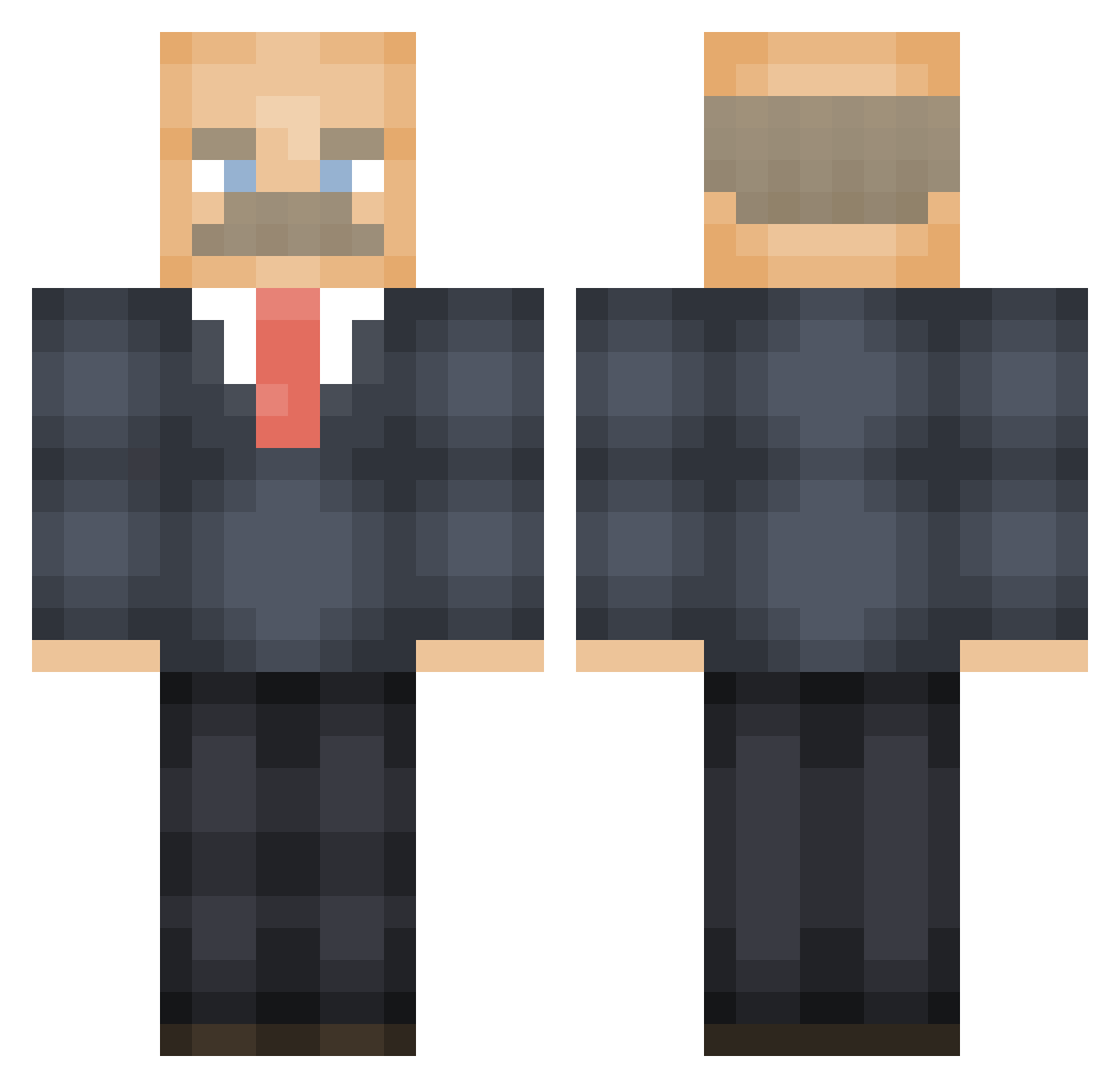
Current Minecraft skin of the player jackseh, loaded from the official Mojang API. Rotate the 3D model with your mouse or finger, then download the skin as a PNG file and use it in Minecraft: Bedrock Edition or Java Edition for free. When jackseh changes their skin, this page updates automatically and the old skin stays in the history below.
Other players with this skin (474)
jackseh was the 123rd player we have seen with this skin, first spotted on 19.08.2026. The same skin was seen on these players. Open a nickname to see their current skin and skin history.
 Twi2x captainmatt22 SubatomicNebula JackKannoff BruhMaster74 LethalMonteithal crywolf316 Jvill55 Skylord_number7 VindexNoctis SailingGinger574 CreeperSlayerAF Johny____ DillardMartin Miss_Dani_ Mr_pwinglez GDK_CB16 Bob_minecraftman ol1jones3704 Farrow_ MSPowerPoint minisockmonkey BigManKirky rufus_craft
 shhortlife _NewtD GrandStand7 Pappsicle JiveCrayfish398 Spekkoek033 Lyon_n Shrek2_on_DVD_ ColinKHL notniko2 TheLuke_116 Deadkittens831 Kuchenwunder ItsVolo zachary2002 OGDHARMA_05 fuzziesoxs XxkingwarxX EvilPancake85 jenna_kas NotGoodAtGame8D Deadmau24 officer_slater Borfeas J_K_2005 zombiedog Ueab HeftigeSjaak CoughFrenzy Evilsaop MuumiPuikko_ bigphatandjuicy an9maly KillerGhandi der_pommesjaeger jjjusticeg
More Vladimir Lenin Minecraft skins
See all 38 Vladimir Lenin skins
How to install the jackseh skin
- Press the Download button above to save the skin as a PNG file.
- Minecraft: Bedrock Edition (PE): open the Dressing Room from the main menu (or tap your character → Edit Character), go to Classic Skins → Owned, press the + (new skin) button, choose the downloaded PNG and pick the Classic (Steve) model. Works on PC and mobile; consoles cannot import custom skins.
- Minecraft: Java Edition: open the Minecraft Launcher, go to the Skins tab, click New Skin, load the PNG, pick the Classic (Steve) model and press Save & Use. You can also upload it at minecraft.net → Profile → Change Skin.
The skin does not show up after import - what should I do?
Restart Minecraft and open the Dressing Room again - imported skins sometimes appear only after a restart. Also make sure you selected the imported skin and picked the Classic (Steve) model.
Which model should I choose, Classic or Slim?
This skin is designed for the Classic (Steve) model. If you pick the wrong model, the arms of the skin will look stretched or squeezed.
Is the skin of jackseh free to download?
Yes. Press Download, save the PNG file and use it in Minecraft: Bedrock Edition or Java Edition - no payment or registration needed. The skin also works on multiplayer servers and Realms.
More skins
Looking for more? Go back to all Minecraft skins and check the top skins of the week, month and all time, or find any player's skin by nickname.