
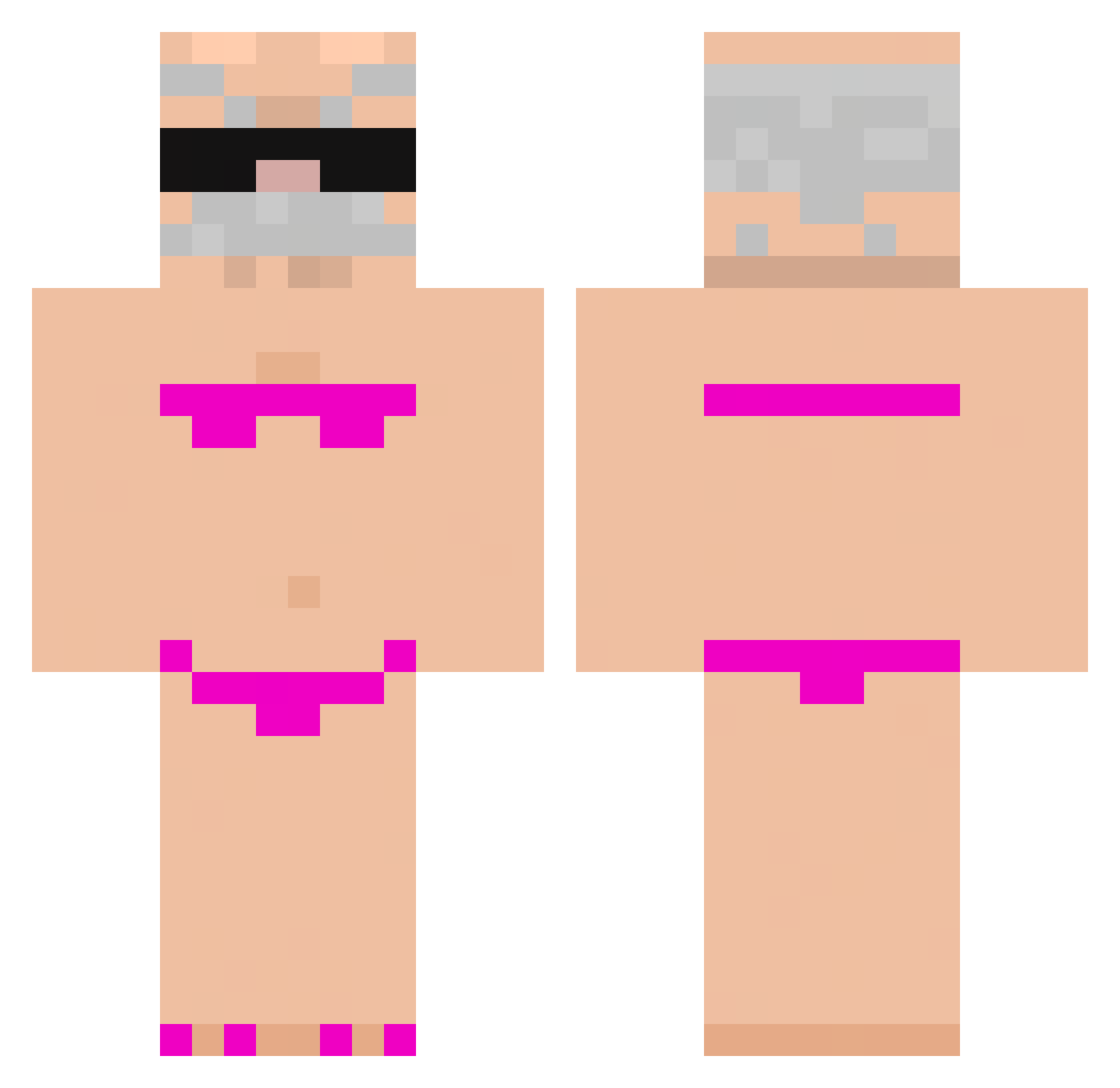
Current Minecraft skin of the player jackboxer695, loaded from the official Mojang API. Rotate the 3D model with your mouse or finger, then download the skin as a PNG file and use it in Minecraft: Bedrock Edition or Java Edition for free. When jackboxer695 changes their skin, this page updates automatically and the old skin stays in the history below.
Other players with this skin (729)
jackboxer695 was the 251st player we have seen with this skin, first spotted on 24.08.2026. The same skin was seen on these players. Open a nickname to see their current skin and skin history.
 ESTRELLA3567
 Hitbox31 HYpeps notixxxx Patrykoo09 ell4m4i venitolove86 dungera11 100pena Mace1843 Zenpxi BenKao Dew_dy Irukadaichi nelepr Maciuszek2 DrSisterTwister ElectiveFan63 eiao The19Warrior nolb345 ZEDMI1603 ImHim56432 urlocalkuya OrangeSalmon545 ltaygabai
 Bardokin Pynguim21 fotmilk Helloworld52 Jiaozi_Smrf IronHark Tiger_fat jesus_meets_god calobas wei12306
 XOKERO77 laurie77 SergioXRF crayoneater_231 breannamor 20230829 Thkkj Spagbol817
 Xmel1
Xmel1 PeanutsandJelly ponczuzek Flash_0413 warp2a Miwka12 491_nicegen_spo LudoSirio zuziabomba ThisDays seiflow asdwug TamerOrca916626 SDAUdiyishenqing TouchBalls JASIUKALKULATOR
More Karl Marx Minecraft skins
How to install the jackboxer695 skin
- Press the Download button above to save the skin as a PNG file.
- Minecraft: Bedrock Edition (PE): open the Dressing Room from the main menu (or tap your character → Edit Character), go to Classic Skins → Owned, press the + (new skin) button, choose the downloaded PNG and pick the Classic (Steve) model. Works on PC and mobile; consoles cannot import custom skins.
- Minecraft: Java Edition: open the Minecraft Launcher, go to the Skins tab, click New Skin, load the PNG, pick the Classic (Steve) model and press Save & Use. You can also upload it at minecraft.net → Profile → Change Skin.
The skin does not show up after import - what should I do?
Restart Minecraft and open the Dressing Room again - imported skins sometimes appear only after a restart. Also make sure you selected the imported skin and picked the Classic (Steve) model.
Which model should I choose, Classic or Slim?
This skin is designed for the Classic (Steve) model. If you pick the wrong model, the arms of the skin will look stretched or squeezed.
Is the skin of jackboxer695 free to download?
Yes. Press Download, save the PNG file and use it in Minecraft: Bedrock Edition or Java Edition - no payment or registration needed. The skin also works on multiplayer servers and Realms.
More skins
Looking for more? Go back to all Minecraft skins and check the top skins of the week, month and all time, or find any player's skin by nickname.