
j1tzu - Minecraft Skins & Skin History
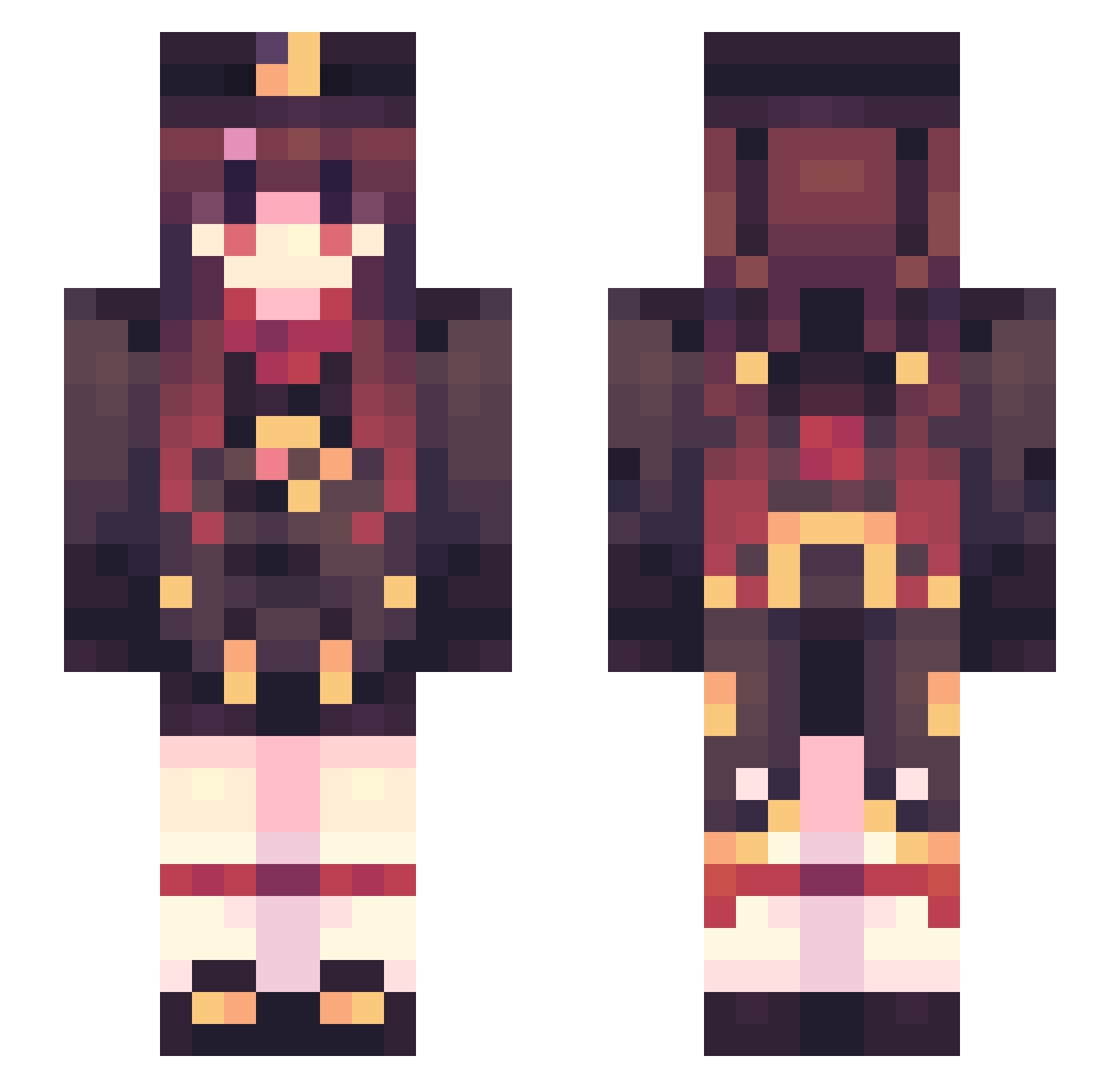
Current Minecraft skin of the player j1tzu, loaded from the official Mojang API. Rotate the 3D model with your mouse or finger, then download the skin as a PNG file and use it in Minecraft: Bedrock Edition or Java Edition for free. When j1tzu changes their skin, this page updates automatically and the old skin stays in the history below.
Other players with this skin (594)
j1tzu was the 441st player we have seen with this skin, first spotted on 18.10.2026. The same skin was seen on these players. Open a nickname to see their current skin and skin history.
 ailinghan Martin4869 neet_Kaguy ggws0611 micha8810 GuiWOWLP Nkishere Yuzuru____ Ixiamo11 Lzlgz Misaka10011 HuTao_3 Krevepp MuRuoooooo xkftns23123 heiheiyeye Swlloy qqacha LucasFrench tianbing LuckyRook7 wansxc NingNan114 BonzaiRice Minulaid SylpixTV Eric0425 IvysaurXD nxtangie Porterlittle Waffel876 VariChan FTingTT WA70 sofckncute Boraelis sl_ly EmatasoMaru Sathien laggingpusheen GET666 Hotheart_ AmDomo IAMVACCINATED xchrl annyxvs Shreeeewd yh6666666 Lexi_hi lowbai Wenomoocow Douler_ KonG_BaIii Tong_yi Ftadfk1 Shihiroo MapleQMO Fuanan brosmite zXNIGHTXz
More Hu Tao Minecraft skins
How to install the j1tzu skin
- Press the Download button above to save the skin as a PNG file.
- Minecraft: Bedrock Edition (PE): open the Dressing Room from the main menu (or tap your character → Edit Character), go to Classic Skins → Owned, press the + (new skin) button, choose the downloaded PNG and pick the Slim (Alex) model. Works on PC and mobile; consoles cannot import custom skins.
- Minecraft: Java Edition: open the Minecraft Launcher, go to the Skins tab, click New Skin, load the PNG, pick the Slim (Alex) model and press Save & Use. You can also upload it at minecraft.net → Profile → Change Skin.
The skin does not show up after import - what should I do?
Restart Minecraft and open the Dressing Room again - imported skins sometimes appear only after a restart. Also make sure you selected the imported skin and picked the Slim (Alex) model.
Which model should I choose, Classic or Slim?
This skin is designed for the Slim (Alex) model. If you pick the wrong model, the arms of the skin will look stretched or squeezed.
Is the skin of j1tzu free to download?
Yes. Press Download, save the PNG file and use it in Minecraft: Bedrock Edition or Java Edition - no payment or registration needed. The skin also works on multiplayer servers and Realms.
More skins
Looking for more? Go back to all Minecraft skins and check the top skins of the week, month and all time, or find any player's skin by nickname.