
j1st_luca - Minecraft Skins & Skin History
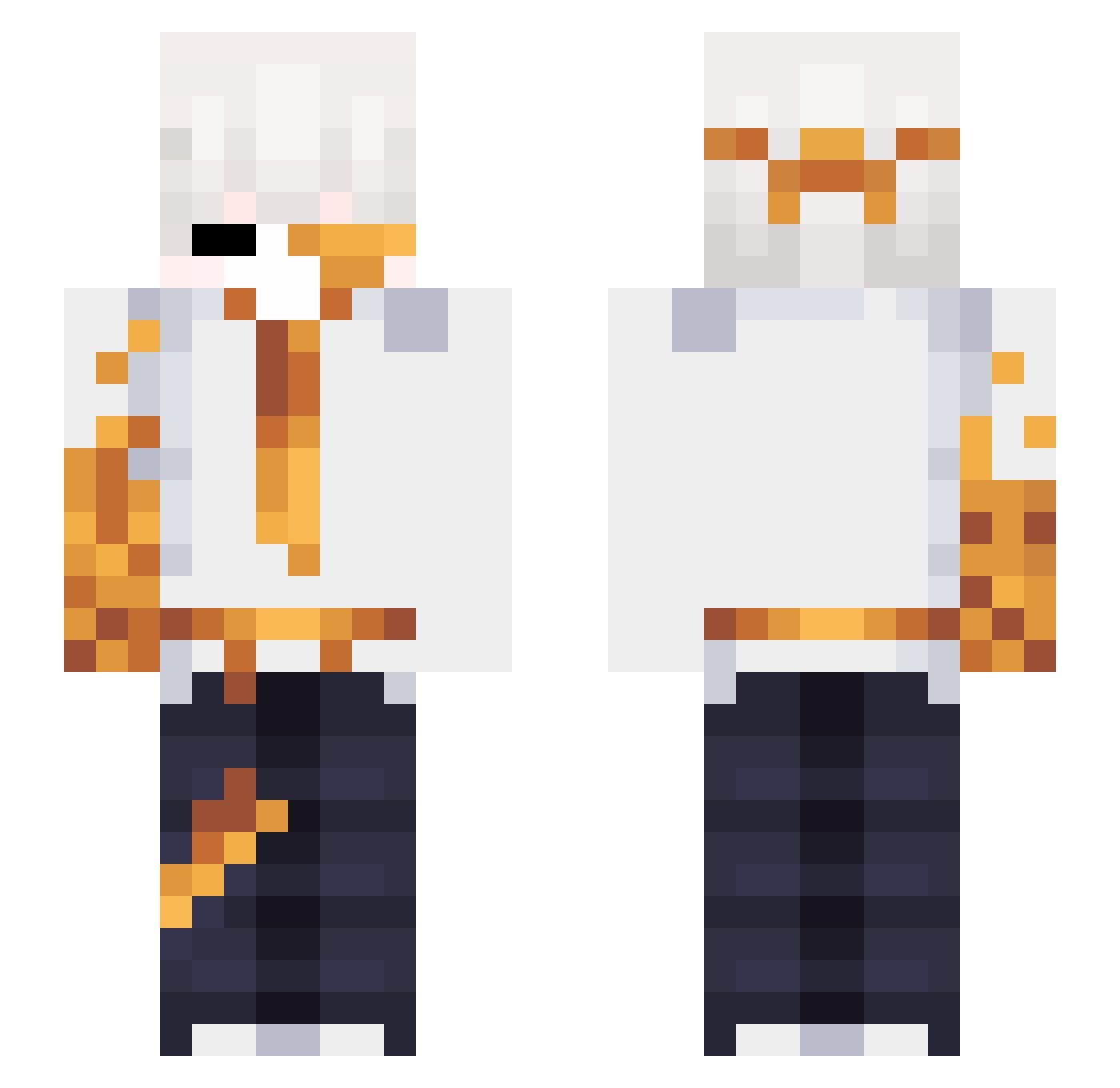
Current Minecraft skin of the player j1st_luca, loaded from the official Mojang API. Rotate the 3D model with your mouse or finger, then download the skin as a PNG file and use it in Minecraft: Bedrock Edition or Java Edition for free. When j1st_luca changes their skin, this page updates automatically and the old skin stays in the history below.
Other players with this skin (52)
j1st_luca was the 15th player we have seen with this skin, first spotted on 02.10.2026. The same skin was seen on these players. Open a nickname to see their current skin and skin history.
 AsherNorth AgentP4 Zehpp_ xrycerzyk09xd RealPayForTruce IceCast yoanii tweeksz_ Rooney22 9q6 mefedron2 Leob2703 quietus_ ELPOLLU50 YeagerWindows meliasHKDK baobao_00 TamilTomato Mihir_Vadher_07 St3voX Estrilluim_96 witherek27 retwists Corrosive_Simi Igor250115 Slarq gadsf Kapik01 ChiCoH94 Charlie20120324 Zyklon90 T68se afto000 Jandro20XD ErSoDrehZw00 AquaXDR Kim_566 rotkiv_rotkiv nevverk _Hulksmash iNL98 KCuix _NevRin_ DrFinn ChongMin LucentCraft _ySrFarofa TheRealMario42 xRexsus_ FlameeFraggssss RavyVG MaodAx7
More Corruption Minecraft skins
How to install the j1st_luca skin
- Press the Download button above to save the skin as a PNG file.
- Minecraft: Bedrock Edition (PE): open the Dressing Room from the main menu (or tap your character → Edit Character), go to Classic Skins → Owned, press the + (new skin) button, choose the downloaded PNG and pick the Slim (Alex) model. Works on PC and mobile; consoles cannot import custom skins.
- Minecraft: Java Edition: open the Minecraft Launcher, go to the Skins tab, click New Skin, load the PNG, pick the Slim (Alex) model and press Save & Use. You can also upload it at minecraft.net → Profile → Change Skin.
The skin does not show up after import - what should I do?
Restart Minecraft and open the Dressing Room again - imported skins sometimes appear only after a restart. Also make sure you selected the imported skin and picked the Slim (Alex) model.
Which model should I choose, Classic or Slim?
This skin is designed for the Slim (Alex) model. If you pick the wrong model, the arms of the skin will look stretched or squeezed.
Is the skin of j1st_luca free to download?
Yes. Press Download, save the PNG file and use it in Minecraft: Bedrock Edition or Java Edition - no payment or registration needed. The skin also works on multiplayer servers and Realms.
More skins
Looking for more? Go back to all Minecraft skins and check the top skins of the week, month and all time, or find any player's skin by nickname.