
izak123321 - Minecraft Skins & Skin History
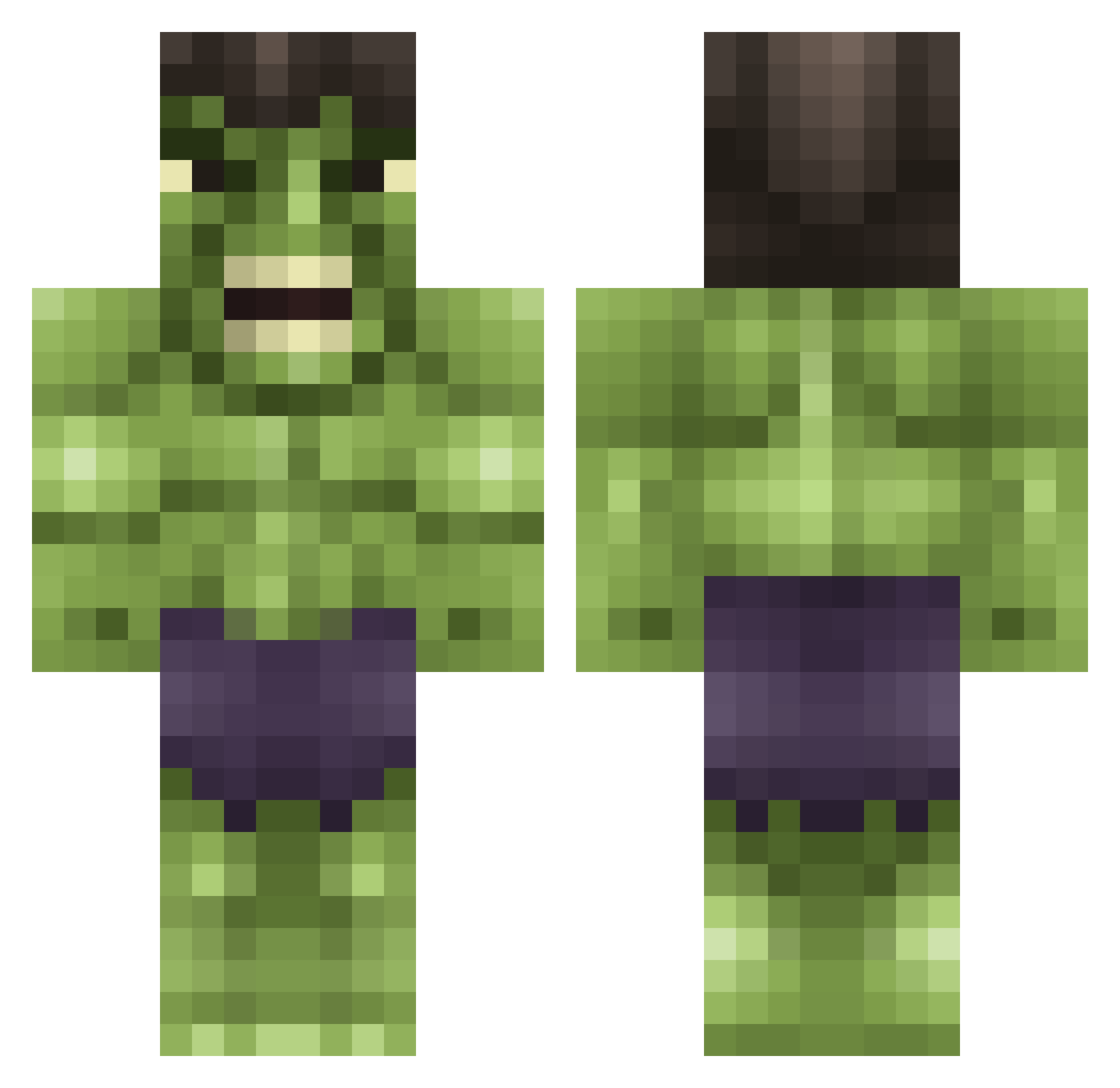
Current Minecraft skin of the player izak123321, loaded from the official Mojang API. Rotate the 3D model with your mouse or finger, then download the skin as a PNG file and use it in Minecraft: Bedrock Edition or Java Edition for free. When izak123321 changes their skin, this page updates automatically and the old skin stays in the history below.
Other players with this skin (615)
izak123321 was the 333rd player we have seen with this skin, first spotted on 20.09.2026. The same skin was seen on these players. Open a nickname to see their current skin and skin history.
 Melon_Seeds_2 gielke Juve_beast Dynare_ bluemonkey2 Kleist101 Tudat Longhurst96 novice1990 Rishi01 HarperSB iceaxe69 KristofferKejser vLoki Dropkickfrank raramexico david881222 chevy4x4JMR TiziKiller Baphometdoll momoboy2906 Korken14 DUBSWAG02 ErOrZ67 xRightClick__ geoaannaa SatansPegasus Tre11 kittycatlove145 yorksicht yanndu71200 PeanutPlaysYT daniel_boii BAKLAVAMAN007 poly_ester Jaaayman05 AccidentallyBad XrubikX Mark_Ruffalo tchaba34 dastalker11 oscarbh8 ObjectiveHydra MauricioM98 MarGameplays Hulkerific iCazzaa Clachan Angrylilman eubacterium DaylaWolf RhinoStamp BeeslyPam Bionichero94 BentehaugenAmund s0149 Jangb1 TygoCraft SupahNubSwag supleahsup
More Hulk Minecraft skins
How to install the izak123321 skin
- Press the Download button above to save the skin as a PNG file.
- Minecraft: Bedrock Edition (PE): open the Dressing Room from the main menu (or tap your character → Edit Character), go to Classic Skins → Owned, press the + (new skin) button, choose the downloaded PNG and pick the Classic (Steve) model. Works on PC and mobile; consoles cannot import custom skins.
- Minecraft: Java Edition: open the Minecraft Launcher, go to the Skins tab, click New Skin, load the PNG, pick the Classic (Steve) model and press Save & Use. You can also upload it at minecraft.net → Profile → Change Skin.
The skin does not show up after import - what should I do?
Restart Minecraft and open the Dressing Room again - imported skins sometimes appear only after a restart. Also make sure you selected the imported skin and picked the Classic (Steve) model.
Which model should I choose, Classic or Slim?
This skin is designed for the Classic (Steve) model. If you pick the wrong model, the arms of the skin will look stretched or squeezed.
Is the skin of izak123321 free to download?
Yes. Press Download, save the PNG file and use it in Minecraft: Bedrock Edition or Java Edition - no payment or registration needed. The skin also works on multiplayer servers and Realms.
More skins
Looking for more? Go back to all Minecraft skins and check the top skins of the week, month and all time, or find any player's skin by nickname.