
ixzyrxse - Minecraft Skins & Skin History
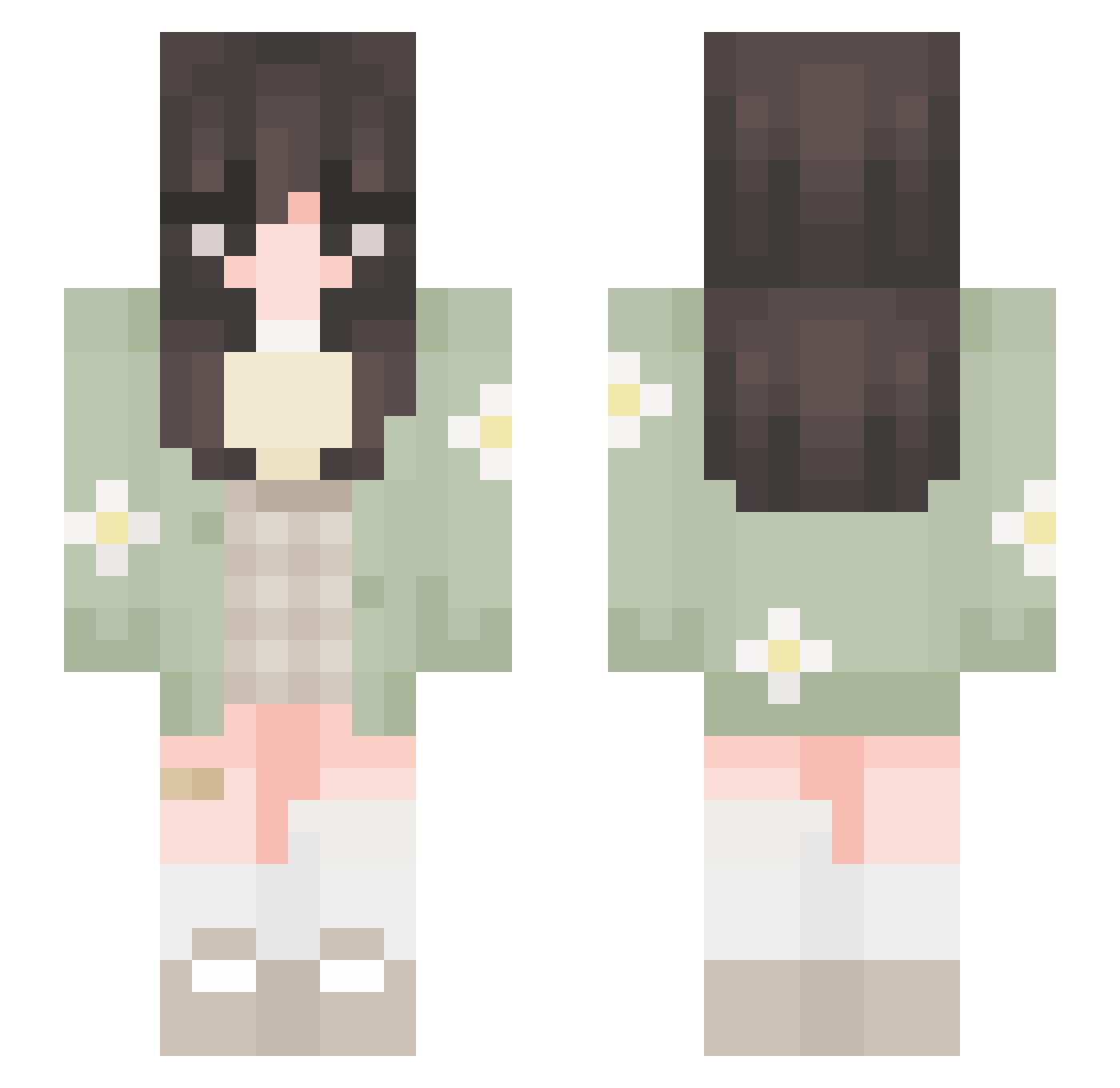
Current Minecraft skin of the player ixzyrxse, loaded from the official Mojang API. Rotate the 3D model with your mouse or finger, then download the skin as a PNG file and use it in Minecraft: Bedrock Edition or Java Edition for free. When ixzyrxse changes their skin, this page updates automatically and the old skin stays in the history below.
Other players with this skin (723)
ixzyrxse was the 660th player we have seen with this skin, first spotted on 02.11.2026. The same skin was seen on these players. Open a nickname to see their current skin and skin history.
 AlbaaSr fav_catlover Daniela_Lasagna fa1r1enini Shaiva tinasashimi BananaNatalia WhiteLuu GreenSockies Starley339 Tristan062003 klynv NyelleO IamJungShookie _Just_Aiko_ KingSunny13 FR3NDL3 Ribadeiru FroggyFlower165 PoloLoafers xsupervoid Heretic66 isaa_btmi katti3q goldavisa sarita459 Oniriqve buttahcup lil_Laila katfished HalleBerry2009 Dremtum bunia2000 Minnie113 DanielaC1201 Beanio13 Bibis_Framos Karlynoches SquiggyLine_ nikiilee_ Sofiii111 LuceBlu biggy_is_cool LilBishYeet cleor86 juraszkaa miim0 DinoMao Emelette voidlevy StaceyFace Lasilque v4mpyc4t7 Efi1126 XXI_Fontaine Minfiore Cattiestar6 RosalineTM RubyGorge strawberryfroggo
More Daisy Minecraft skins
How to install the ixzyrxse skin
- Press the Download button above to save the skin as a PNG file.
- Minecraft: Bedrock Edition (PE): open the Dressing Room from the main menu (or tap your character → Edit Character), go to Classic Skins → Owned, press the + (new skin) button, choose the downloaded PNG and pick the Slim (Alex) model. Works on PC and mobile; consoles cannot import custom skins.
- Minecraft: Java Edition: open the Minecraft Launcher, go to the Skins tab, click New Skin, load the PNG, pick the Slim (Alex) model and press Save & Use. You can also upload it at minecraft.net → Profile → Change Skin.
The skin does not show up after import - what should I do?
Restart Minecraft and open the Dressing Room again - imported skins sometimes appear only after a restart. Also make sure you selected the imported skin and picked the Slim (Alex) model.
Which model should I choose, Classic or Slim?
This skin is designed for the Slim (Alex) model. If you pick the wrong model, the arms of the skin will look stretched or squeezed.
Is the skin of ixzyrxse free to download?
Yes. Press Download, save the PNG file and use it in Minecraft: Bedrock Edition or Java Edition - no payment or registration needed. The skin also works on multiplayer servers and Realms.
More skins
Looking for more? Go back to all Minecraft skins and check the top skins of the week, month and all time, or find any player's skin by nickname.