
ivgo - Minecraft Skins & Skin History
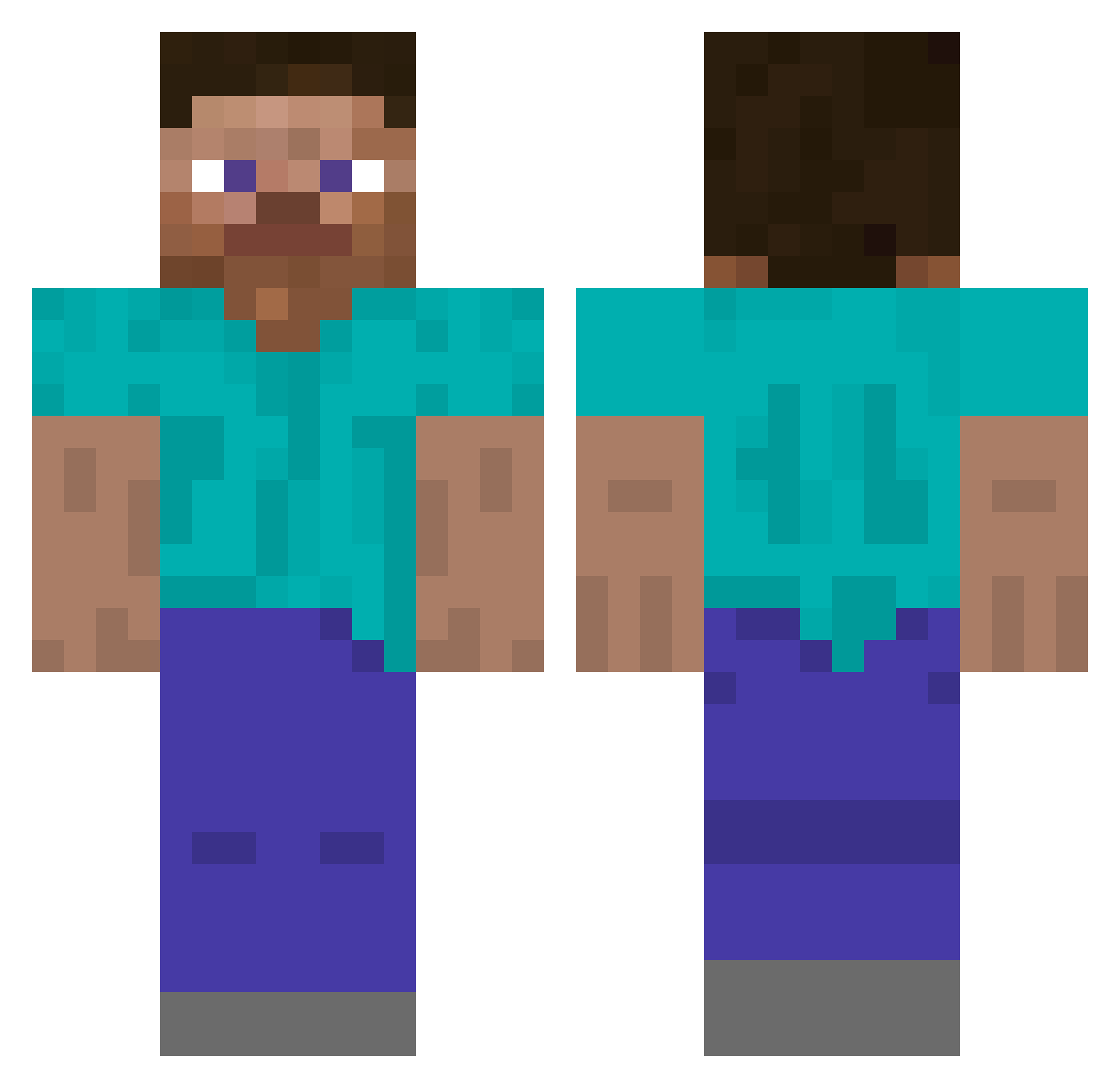
Current Minecraft skin of the player ivgo, loaded from the official Mojang API. Rotate the 3D model with your mouse or finger, then download the skin as a PNG file and use it in Minecraft: Bedrock Edition or Java Edition for free. When ivgo changes their skin, this page updates automatically and the old skin stays in the history below.
Other players with this skin (5791)
ivgo was the 5440th player we have seen with this skin, first spotted on 13.11.2026. The same skin was seen on these players. Open a nickname to see their current skin and skin history.
 Kingen09_ rita7332 nitchevo thecoolwaffle uziinho Printed_Script Bulkiest cronika Meelsow michael17i CringeSociety undefin Enderboi123 Burfzy marshman25 Lacerta JeSuisCole ItsOneAboveAll1 Juanberg420 Colourlessness Jodo33 Karen_Solaris dragonofkaos aidan099 Lothiegan Vistin PriestyMate_ Victorynine Trica EpicGramer Poulakito noe_mark Mageye Poposiol DDATG00 Dovydelioo Myjex4 GoLuTa Anthony_Riera AmazingFighter Evanblade DuhAmber jjbizzle Kelsey PEETERJAME better_plajer Heroes Cells MonkeyWrench0999 Mable wayman Choisi_UnBat bananas42069 Baked_Potato88 GYU0213 _EugeneVice_ ItsMeHellloo Daniel5710 yDLTEN033 EXMP
How to install the ivgo skin
- Press the Download button above to save the skin as a PNG file.
- Minecraft: Bedrock Edition (PE): open the Dressing Room from the main menu (or tap your character → Edit Character), go to Classic Skins → Owned, press the + (new skin) button, choose the downloaded PNG and pick the Classic (Steve) model. Works on PC and mobile; consoles cannot import custom skins.
- Minecraft: Java Edition: open the Minecraft Launcher, go to the Skins tab, click New Skin, load the PNG, pick the Classic (Steve) model and press Save & Use. You can also upload it at minecraft.net → Profile → Change Skin.
The skin does not show up after import - what should I do?
Restart Minecraft and open the Dressing Room again - imported skins sometimes appear only after a restart. Also make sure you selected the imported skin and picked the Classic (Steve) model.
Which model should I choose, Classic or Slim?
This skin is designed for the Classic (Steve) model. If you pick the wrong model, the arms of the skin will look stretched or squeezed.
Is the skin of ivgo free to download?
Yes. Press Download, save the PNG file and use it in Minecraft: Bedrock Edition or Java Edition - no payment or registration needed. The skin also works on multiplayer servers and Realms.
More skins
Looking for more? Go back to all Minecraft skins and check the top skins of the week, month and all time, or find any player's skin by nickname.