
itsooscarrr - Minecraft Skins & Skin History
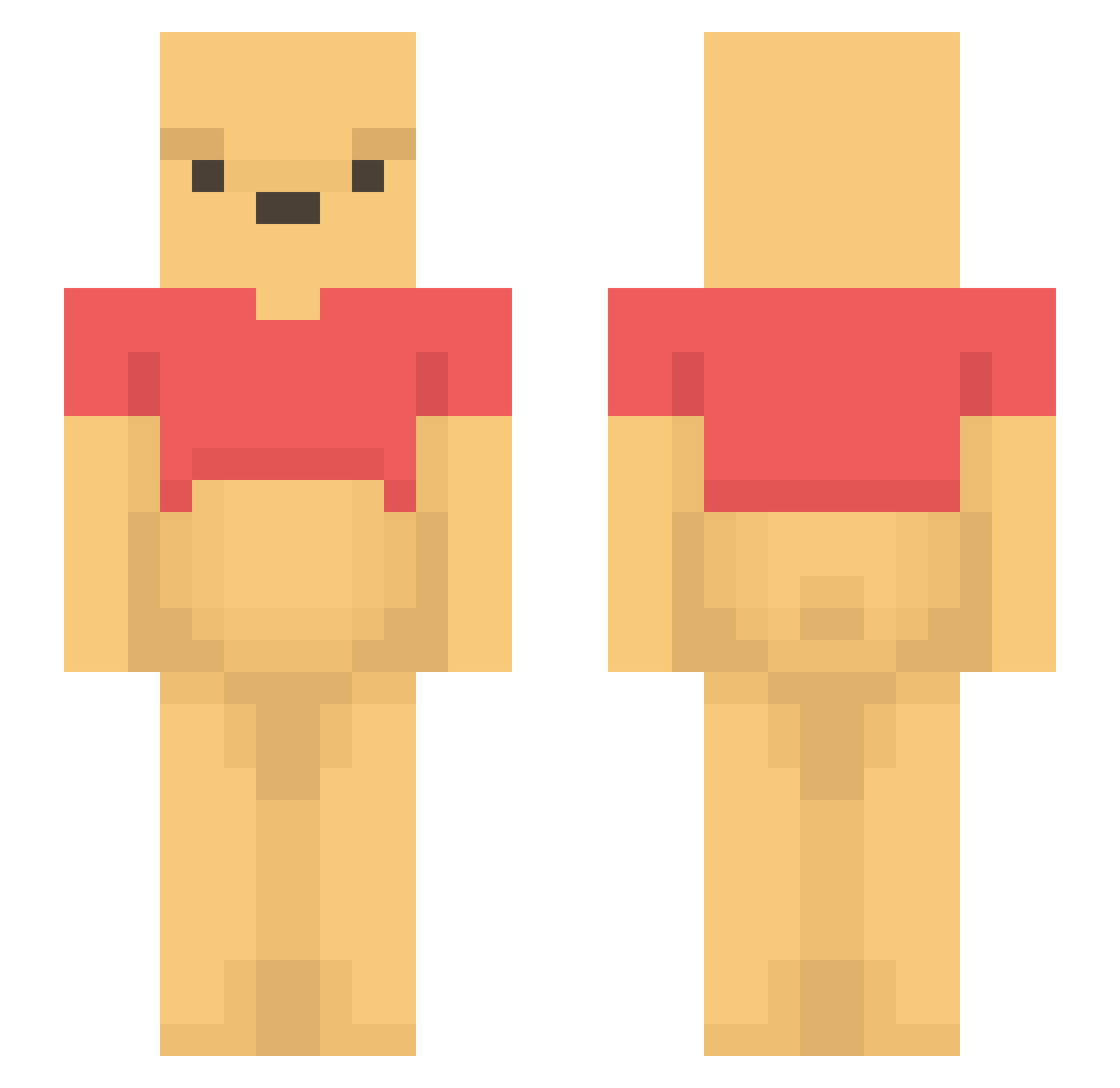
Current Minecraft skin of the player itsooscarrr, loaded from the official Mojang API. Rotate the 3D model with your mouse or finger, then download the skin as a PNG file and use it in Minecraft: Bedrock Edition or Java Edition for free. When itsooscarrr changes their skin, this page updates automatically and the old skin stays in the history below.
Other players with this skin (1196)
itsooscarrr was the 474th player we have seen with this skin, first spotted on 01.09.2026. The same skin was seen on these players. Open a nickname to see their current skin and skin history.
 Varsovie27 hannah1223 cleebak Com_maeng FaBle22x Feffeleffe alecWrLd Hunter_Sky_69 BennetSLZ BAMSEM0R BrandoT Fusion1228 kapitein_Maurits dongdong5798 maan_du Heligakorp Sainty_16 Mandarinenpresse loganndk DJ_Kelp jangomika nimunimu2634 Mads03sk romithor Jonathan_91 dca57 greenallh Gundevon Goennjamin_1092 KanjiPrime Drycannons KimHyeonJoon Beefsupreme208 PeterPlys0704 gumyang2 ws_87 bekky_ JDMxxx Notorious372 Kurdibra juuuunnnn mansikgod Mgcln13 ahchooma artx315 Hellobekind Xxcookiemuncher victorianoerdum TangYuan_1 Banolya MOFI____ Loisan02 Puchati ZeatsMC LavaForce koinupome Nurkan Jadedes6 Stevage045 moominty
More Winnie The Pooh Minecraft skins
See all 305 Winnie The Pooh skins
How to install the itsooscarrr skin
- Press the Download button above to save the skin as a PNG file.
- Minecraft: Bedrock Edition (PE): open the Dressing Room from the main menu (or tap your character → Edit Character), go to Classic Skins → Owned, press the + (new skin) button, choose the downloaded PNG and pick the Slim (Alex) model. Works on PC and mobile; consoles cannot import custom skins.
- Minecraft: Java Edition: open the Minecraft Launcher, go to the Skins tab, click New Skin, load the PNG, pick the Slim (Alex) model and press Save & Use. You can also upload it at minecraft.net → Profile → Change Skin.
The skin does not show up after import - what should I do?
Restart Minecraft and open the Dressing Room again - imported skins sometimes appear only after a restart. Also make sure you selected the imported skin and picked the Slim (Alex) model.
Which model should I choose, Classic or Slim?
This skin is designed for the Slim (Alex) model. If you pick the wrong model, the arms of the skin will look stretched or squeezed.
Is the skin of itsooscarrr free to download?
Yes. Press Download, save the PNG file and use it in Minecraft: Bedrock Edition or Java Edition - no payment or registration needed. The skin also works on multiplayer servers and Realms.
More skins
Looking for more? Go back to all Minecraft skins and check the top skins of the week, month and all time, or find any player's skin by nickname.