
ionroi4 - Minecraft Skins & Skin History
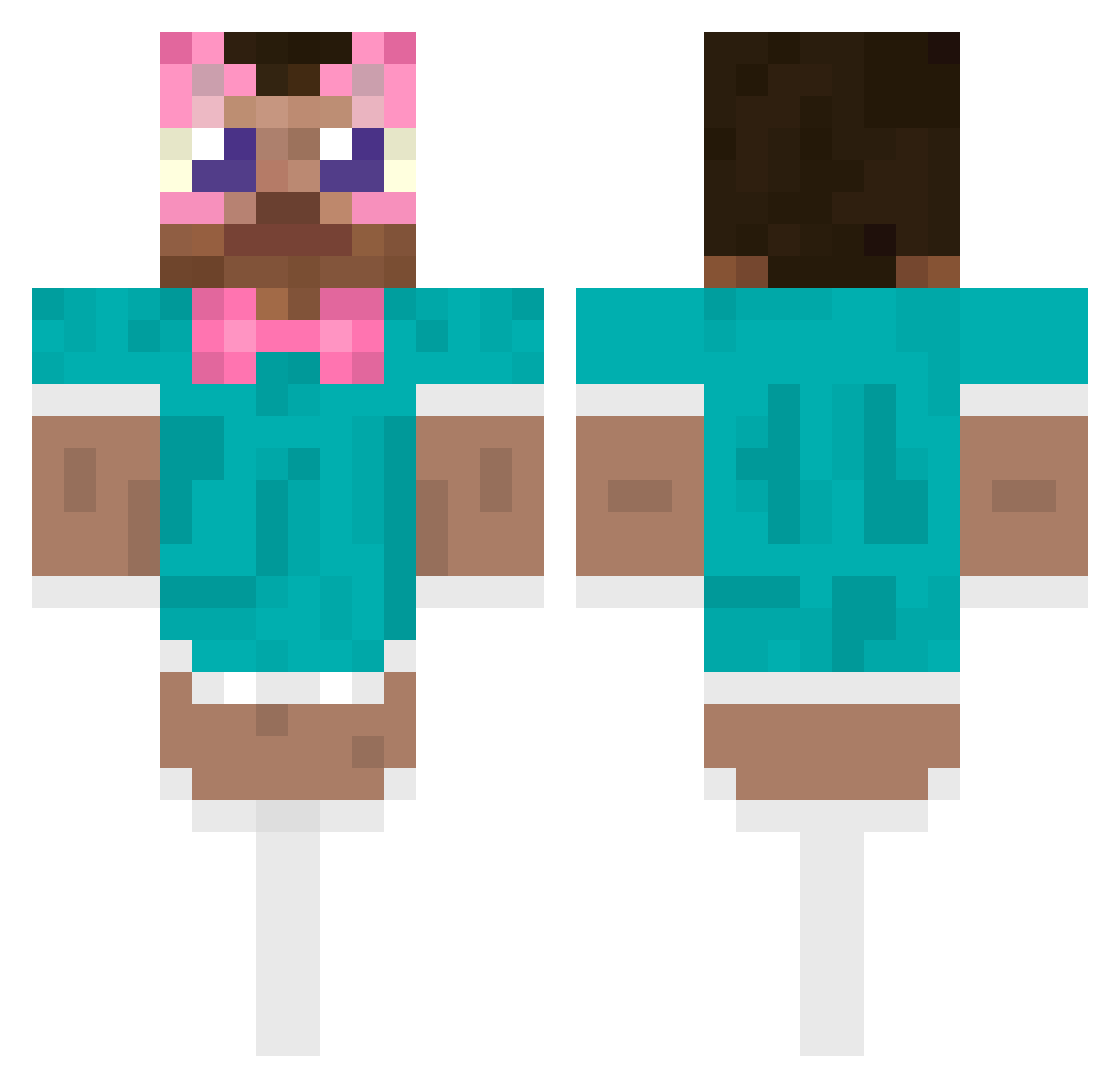
Current Minecraft skin of the player ionroi4, loaded from the official Mojang API. Rotate the 3D model with your mouse or finger, then download the skin as a PNG file and use it in Minecraft: Bedrock Edition or Java Edition for free. When ionroi4 changes their skin, this page updates automatically and the old skin stays in the history below.
Other players with this skin (487)
ionroi4 was the 212th player we have seen with this skin, first spotted on 07.09.2026. The same skin was seen on these players. Open a nickname to see their current skin and skin history.
 salmon1kura Muning0921 mikolof Garry_2 __MIXI__ Biggercake DrFehh Onkel_Gogle Nnono09 ajzdxf PINEAPPLERUBBER oliwierosek ZilioGame18 MTKameKazi deadeuros 24281011 qazplm00
 Seul_ _IchrisI_ noobguy0 Torresama Nel1T femboylover6769 jjlatvis MUDEOK_
 CookedSalmon_
 n0ssha yuckuberry OgBnq mattiaxdxd Whisuss afetadokkj
 Ironslayer03 ItsCoronaSeason Riexc PoeticHippo583
 Zuk2 ThGalvao Danii_19 PPUYO98 Beno1021 pyo0524 Rame_x hamzeraa guizolaBOLAS Affe420 Dpick03 Mizore13 Cawuwb Sopicok n0m5r Tots_9 Kuror0 RIPPERSOUL BinBastian LONG_CN Laciea nayeon wosye XzFran001
More Maid Outfit Minecraft skins
How to install the ionroi4 skin
- Press the Download button above to save the skin as a PNG file.
- Minecraft: Bedrock Edition (PE): open the Dressing Room from the main menu (or tap your character → Edit Character), go to Classic Skins → Owned, press the + (new skin) button, choose the downloaded PNG and pick the Classic (Steve) model. Works on PC and mobile; consoles cannot import custom skins.
- Minecraft: Java Edition: open the Minecraft Launcher, go to the Skins tab, click New Skin, load the PNG, pick the Classic (Steve) model and press Save & Use. You can also upload it at minecraft.net → Profile → Change Skin.
The skin does not show up after import - what should I do?
Restart Minecraft and open the Dressing Room again - imported skins sometimes appear only after a restart. Also make sure you selected the imported skin and picked the Classic (Steve) model.
Which model should I choose, Classic or Slim?
This skin is designed for the Classic (Steve) model. If you pick the wrong model, the arms of the skin will look stretched or squeezed.
Is the skin of ionroi4 free to download?
Yes. Press Download, save the PNG file and use it in Minecraft: Bedrock Edition or Java Edition - no payment or registration needed. The skin also works on multiplayer servers and Realms.
More skins
Looking for more? Go back to all Minecraft skins and check the top skins of the week, month and all time, or find any player's skin by nickname.