
inziio - Minecraft Skins & Skin History
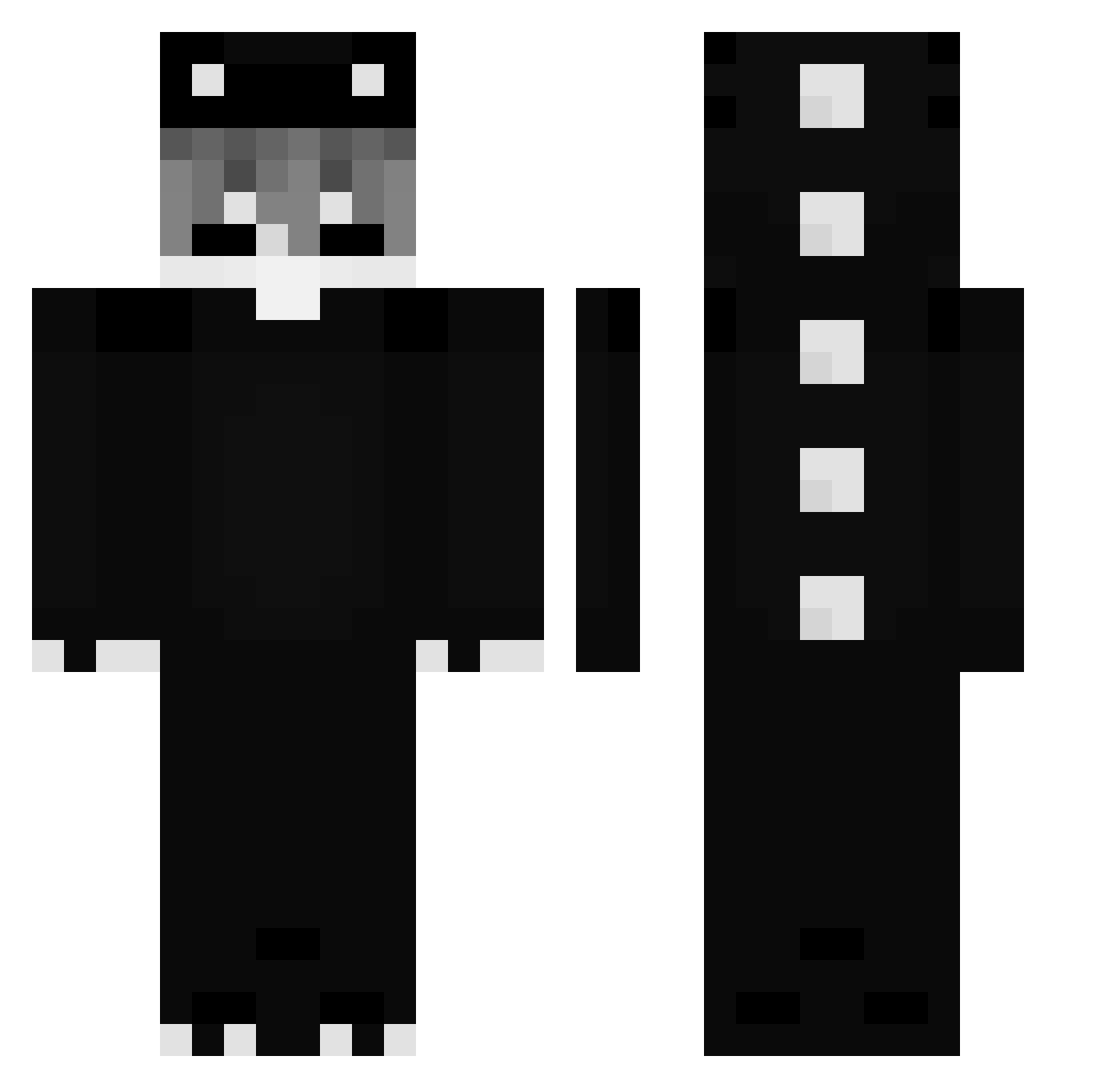
Current Minecraft skin of the player inziio, loaded from the official Mojang API. Rotate the 3D model with your mouse or finger, then download the skin as a PNG file and use it in Minecraft: Bedrock Edition or Java Edition for free. When inziio changes their skin, this page updates automatically and the old skin stays in the history below.
Other players with this skin (337)
inziio was the 301st player we have seen with this skin, first spotted on 07.11.2026. The same skin was seen on these players. Open a nickname to see their current skin and skin history.
 binbinok HTRDx Sinitave01 iiTzMatii JeangE_2 Dabbyz Kanu_dayo ravesnu1erKr Itz_MatyBoss12 aGreyDot MewTooClean GOD519 YUMEKO8155 Friz1iks YellowlikeLego Peach_Blossom0_0 SayuNotFound gon_ryon Pumpulu Cichysmurf Noiced_ GHOSTbw2 CodeineCup Molet4 xRisks_ BlankWhiskey eliteaceBTW LittleWhale28 caio_br1 gogsuna48 KYX_007 Dev_BenzGames xxxnachojulianx jammin0810 wind00117 Meezo14 belon021 Tinobi_ ihatebloatware QYOZ ElPalomoSidaRisa Tirres cukiqwq Beck0709 vaaanityyy Varyxr motorolaa_ Szymix2442 Yoojeu13 SmutnyList Wykozen Dino_Light demonslayer3713 Ayopi YonKaGorSimp glorman243 SKYLoom huijiang666 Lowkey2killz PingPong_540
More Dinosaur Minecraft skins
How to install the inziio skin
- Press the Download button above to save the skin as a PNG file.
- Minecraft: Bedrock Edition (PE): open the Dressing Room from the main menu (or tap your character → Edit Character), go to Classic Skins → Owned, press the + (new skin) button, choose the downloaded PNG and pick the Classic (Steve) model. Works on PC and mobile; consoles cannot import custom skins.
- Minecraft: Java Edition: open the Minecraft Launcher, go to the Skins tab, click New Skin, load the PNG, pick the Classic (Steve) model and press Save & Use. You can also upload it at minecraft.net → Profile → Change Skin.
The skin does not show up after import - what should I do?
Restart Minecraft and open the Dressing Room again - imported skins sometimes appear only after a restart. Also make sure you selected the imported skin and picked the Classic (Steve) model.
Which model should I choose, Classic or Slim?
This skin is designed for the Classic (Steve) model. If you pick the wrong model, the arms of the skin will look stretched or squeezed.
Is the skin of inziio free to download?
Yes. Press Download, save the PNG file and use it in Minecraft: Bedrock Edition or Java Edition - no payment or registration needed. The skin also works on multiplayer servers and Realms.
More skins
Looking for more? Go back to all Minecraft skins and check the top skins of the week, month and all time, or find any player's skin by nickname.