
inturnz_ - Minecraft Skins & Skin History
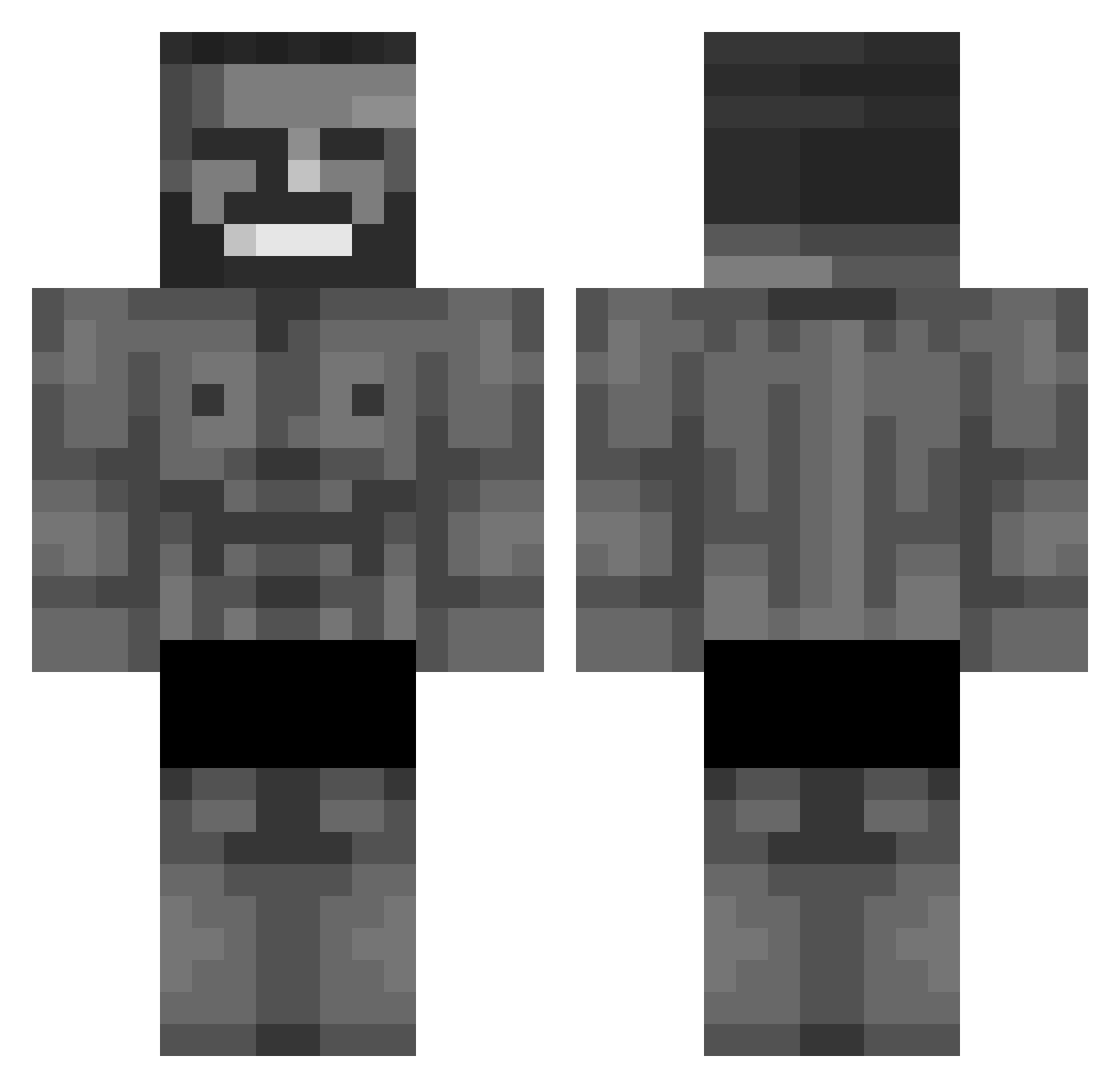
Current Minecraft skin of the player inturnz_, loaded from the official Mojang API. Rotate the 3D model with your mouse or finger, then download the skin as a PNG file and use it in Minecraft: Bedrock Edition or Java Edition for free. When inturnz_ changes their skin, this page updates automatically and the old skin stays in the history below.
Other players with this skin (152)
inturnz_ was the 80th player we have seen with this skin, first spotted on 11.09.2026. The same skin was seen on these players. Open a nickname to see their current skin and skin history.
 KyoLaD DerFusselO7 Aquirs GodVpn DylansaBuilden mikestegall KirzboMan9242 realKLEK hihoware_u13 pp931 Whatisada lock41 MrRafel witnix kokonuet xMECH UnLivingSama K3lv1n_ nonreader TauredMONR erect Nathaninaz VanNostundJr Drinax_33 dbwpdl1023 Tofu_o Headfinisher 3_belowzero Daddyhunter97 Coo1guy KAIGooooood MaciekTepaaj kapiq58111 TR1XEN ZzeroksS JimmyGibbs78 B0MB5 andrewXD16 Halloum Walkiniaa VrxiZ Krucyee 0Batata 0xAi Baseball1300 adam44566 prawoslawny_kuba Raghav_Makani TheoChomage
 Smellend NaramiEiEu mcDeryck PassaufIchHaue Maselko221
 Lewanzy GoatsCoat Sahur1234567 ZeruelOP emirhqnn_ Hero1c
Previous skins of inturnz_
Skins that inturnz_ wore before, newest first. Click a skin to open its page and download it.
More Gigachad Minecraft skins
How to install the inturnz_ skin
- Press the Download button above to save the skin as a PNG file.
- Minecraft: Bedrock Edition (PE): open the Dressing Room from the main menu (or tap your character → Edit Character), go to Classic Skins → Owned, press the + (new skin) button, choose the downloaded PNG and pick the Classic (Steve) model. Works on PC and mobile; consoles cannot import custom skins.
- Minecraft: Java Edition: open the Minecraft Launcher, go to the Skins tab, click New Skin, load the PNG, pick the Classic (Steve) model and press Save & Use. You can also upload it at minecraft.net → Profile → Change Skin.
The skin does not show up after import - what should I do?
Restart Minecraft and open the Dressing Room again - imported skins sometimes appear only after a restart. Also make sure you selected the imported skin and picked the Classic (Steve) model.
Which model should I choose, Classic or Slim?
This skin is designed for the Classic (Steve) model. If you pick the wrong model, the arms of the skin will look stretched or squeezed.
Is the skin of inturnz_ free to download?
Yes. Press Download, save the PNG file and use it in Minecraft: Bedrock Edition or Java Edition - no payment or registration needed. The skin also works on multiplayer servers and Realms.
More skins
Looking for more? Go back to all Minecraft skins and check the top skins of the week, month and all time, or find any player's skin by nickname.